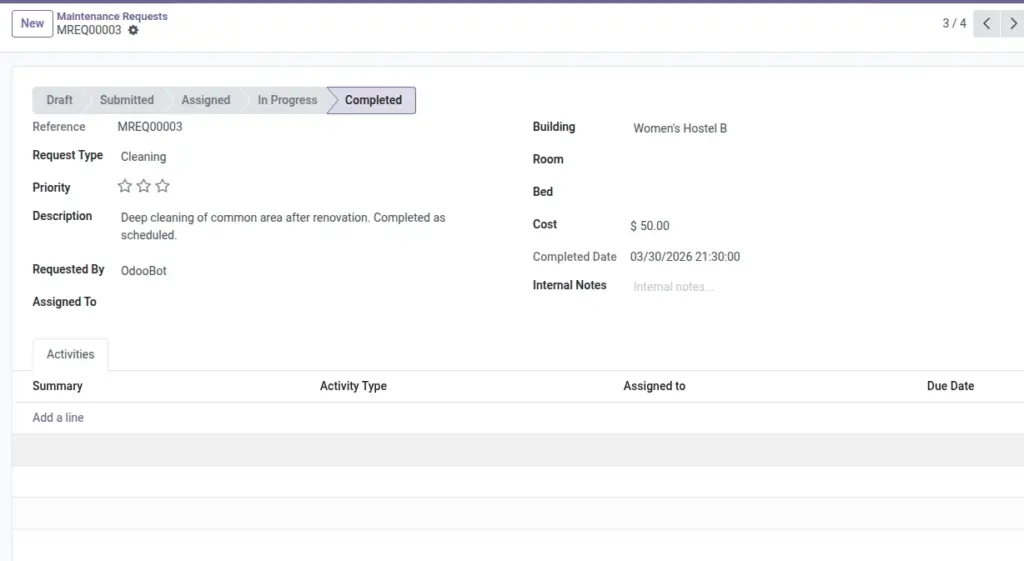
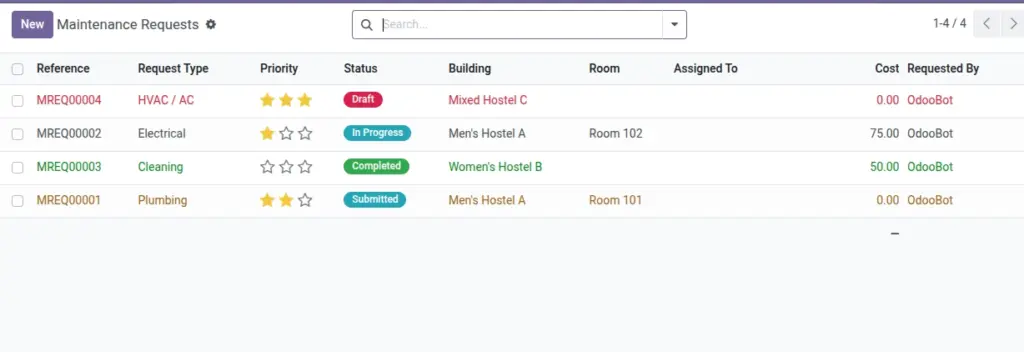
Submit, assign, and complete maintenance with priorities and costs.
Overview
Maintenance Requests orchestrate repair and upkeep work across buildings, rooms, and beds. From intake to completion, the workflow clarifies ownership, priority, and costs—helping teams resolve issues faster while maintaining a full audit trail.
- Lifecycle: Draft → Submitted → Assigned → In Progress → Completed, with timestamps and assignees.
- Routing: Auto‑assign to the next available technician or route by request type.
- Cost tracking: Record labor/materials for budgeting and asset lifecycle insights.
How It Works
- Requests move through states: Draft → Submitted → Assigned → In Progress → Completed.
- Auto‑assign picks the first available employee if enabled.
- Requesters can be notified at each step.
Step‑by‑Step Guide
- Go to Services → Maintenance → New.
- Set Request Type, Priority, and Description. Link Building/Room/Bed if relevant.
- Submit. Assign to staff or let auto‑assign do it.
- Start and Complete the request. Record costs if any.
Fields Table
| Field Name | Description | Example |
|---|---|---|
Reference |
Auto number |
MAIN/2026/0101 |
Request Type |
Category of work |
Electrical |
Priority |
Low/Medium/High/Urgent |
High |
Status |
Draft to Completed |
Assigned |
Building/Room/Bed |
Location |
North Wing / 201‑A / B2 |
Requested By |
User who raised it |
|
Assigned To |
Employee |
Electrician |
Cost |
Expenses incurred |
₹ 750 |
Completed Date |
When finished |
2026‑06‑11 |
Notes |
Internal comments |
Parts replaced |
Field name explanation : Auto‑assign and notifications are controlled in Settings.
Fields explanation
- Reference: Auto number for tracking and audits.
- Request Type: Category (e.g., Electrical, Plumbing) used for routing and analytics.
- Priority: Service level indicator — urgent items should be handled first.
- Status: Workflow stage from Draft to Completed; drives notifications.
- Building/Room/Bed: Location to dispatch the right team and parts.
- Requested By: Person who raised the ticket for follow‑ups.
- Assigned To: Technician/employee responsible.
- Cost: Materials/labor spend; informs budgets and asset lifecycle.
- Completed Date: Closure timestamp; useful for SLA analysis.
- Notes: Internal communication and findings.
Tips
- Attach photos in chatter to document the issue and fix.
Common Mistakes
- Skipping “Assigned” step can confuse who is responsible.
Image