Summarize This Article With AI
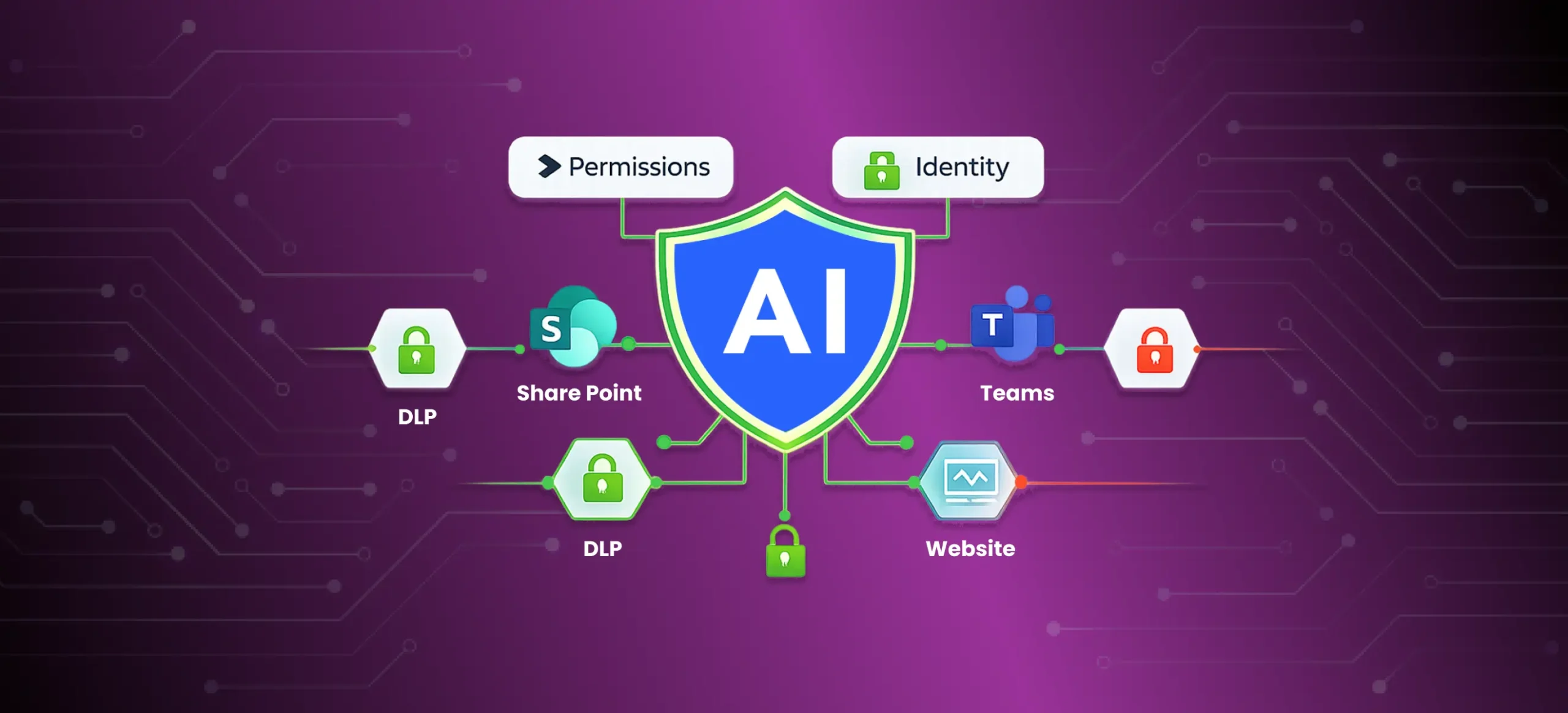
Copilot Studio helps teams create agents, automate workflows, and ship AI features faster across Microsoft 365. But speed creates risk when governance is an afterthought. In enterprise clients, the most common failures aren’t “the AI was wrong.” They’re over-permissioning, weak data boundaries, uncontrolled knowledge source access, and missing monitoring.
This guide explains Copilot Studio security and governance in practical terms—what to configure, what to avoid, and how to roll out Copilot Studio agents safely in 2026.
The real security question: What can the copilot access?
Most copilot incidents are data access incidents.
Before you build agents, answer these questions clearly:
- What business data can it read (SharePoint, Dataverse, websites, internal systems)?
- What actions can it perform (tools, skills, flows, connectors)?
- Which identities are used for access (user context vs service context)?
- Who can publish agents and who can update them?
- What logs exist to review agent usage, failures, and data leakage risks?
A copilot should only access what a user should access, and only complete actions it is explicitly allowed to do.
Permissions model: avoid the #1 enterprise mistake
The biggest mistake is granting broad permissions “to make it work faster.” That creates long-term exposure—especially when agents summarize content or retrieve documents.
Least privilege by role, not convenience
Build an access model that is strict by default:
- Assign only the minimum permissions required for each role (agent makers, reviewers, admins, and business users).
- Restrict who can connect data sources and who can add tools.
- Restrict who can share agents to wider audiences and who can publish to production channels.
Environment strategy: separate dev, test, and prod
Use a clear environment strategy inside Power Platform:
- Development environment for experimentation
- Test/UAT environment for controlled validation
- Production environment with locked-down permissions and change controls
This reduces accidental exposure when agents created for testing are later shared or embedded into production experiences.
Identity and authentication controls
Where possible, enforce sign-in and strong identity controls, including Microsoft Entra ID authentication. Tight identity controls limit who can use an agent and what they can access, especially when the agent reads SharePoint or other protected repositories.
DLP is not optional: treat agents as a new interface to your data
Data loss prevention is the difference between “copilot adoption” and “copilot incident.”
Copilot Studio uses Power Platform data policies and DLP policies to restrict connectors, knowledge sources, tools, and publishing pathways. This matters because agents can connect to multiple data sources and channels—and a single weak connector can create a data leakage path.
What DLP should control in Copilot Studio
Use data loss prevention policies to enforce:
- Which Power Platform connectors are allowed for agent makers
- Which connectors are Business, Non-business, or Blocked
- Whether HTTP requests can be used (common data exfiltration path)
- Whether skills and tools can be added by business users
- Whether publishing to certain channels is allowed
Where to manage DLP policies
Manage DLP centrally at the tenant level or environment level in the Power Platform admin center. Treat this as a governance control, not a one-time setup.
Data boundaries: define what the copilot is allowed to know
Data boundaries are how you turn “AI in the enterprise” into “AI you can trust.”
Boundaries you must define
Set clear boundaries for:
- Which systems it can connect to (Dataverse, SharePoint Online, internal systems)
- Which document libraries, sites, or folders it can read
- Which websites are allowed when using custom websites as knowledge sources
- What is considered restricted or sensitive content
- What the agent must refuse to answer
If you don’t define boundaries, the agent can become a broad search layer across content that was never meant to be summarized or surfaced.
Knowledge source governance: control retrieval, not just prompts
In Copilot Studio, knowledge source access is a major risk surface. A single SharePoint URL can include many subpaths, and that can unintentionally widen what the agent retrieves.
Lock down knowledge sources by:
- using scoped SharePoint sites and targeted libraries
- limiting who can add or change knowledge sources
- enforcing DLP rules that block certain knowledge sources in restricted environments
Guardrails for safe responses
Data boundaries should be paired with guardrails:
- refusal rules for restricted topics
- escalation path for sensitive requests
- “ask a human” fallback when retrieval is uncertain
- user messaging that clarifies limits and safe use
This improves safety and reduces the chance of accidental sensitive disclosure.
Channel security: Teams, web, Direct Line, and public websites
How you deploy the agent matters as much as how you build it.
Microsoft Teams and Microsoft 365 Copilot context
Many organizations deploy agents into Microsoft Teams or alongside Microsoft 365 Copilot experiences. That increases adoption—but it also increases risk if sharing, permissions, and data boundaries are weak.
Control:
- who can access the agent
- which departments or groups can use it
- which data sources are enabled in those environments
Web and Direct Line channels
When deploying agents to web experiences, pay attention to direct line channels and other direct line channels. If you embed an agent in a site or app, treat that integration like a production API surface:
- secure access properly
- restrict origins if available
- rotate secrets/tokens
- avoid exposing agent endpoints on public websites without authentication and monitoring
Public website configurations
If agents are deployed to public websites configured for anonymous use, make boundaries stricter:
- block sensitive knowledge sources
- restrict tools
- avoid access to internal repositories
- enforce strong content filtering and refusal behavior
- monitor aggressively for misuse attempts and prompt injection
Admin policies: who can build agents, publish agents, and manage agents
Copilot programs fail when governance is unclear.
Define governance roles clearly
A functional governance model includes:
- a small governance group (IT + security + product owner)
- controlled agent creation permissions
- a review process before production release
- clear rules for who can update and who can roll back
Publishing controls and change management
Publishing is where risk becomes real.
Governed programs enforce:
- approvals for production publishing
- a release log that records what changed and why
- separation of duties (makers build agents, reviewers approve, admins publish)
- rollback plan for broken deployments
If you’re using generative AI features heavily, treat every change to prompts, tools, knowledge sources, and connectors as a production change.
Monitoring: operate copilots like software products
Security without monitoring is optimism.
To run Copilot Studio agents safely, track:
- agent usage by role, department, and environment
- top topics and recurring intents (what users actually ask)
- “unsafe request” frequency and refusal rate
- escalation rate to human support
- failure modes (wrong answers, wrong actions, blocked actions)
- latency and costs under load
- feedback signals from users and business owners
Application Insights integration for observability
Where available, use application insights integration / application insights to centralize observability, so security, IT, and product teams can review behavior across environments and channels.
Monitoring should be reviewed weekly during pilot, then on a scheduled cadence as you scale.
Safe rollout plan: pilot → harden → scale
A rollout plan prevents uncontrolled sprawl.
Phase 1 (2 weeks): controlled pilot
- pick one low-risk, high-value use case
- define success metrics and operating boundaries
- lock down permissions and DLP policies
- use a limited audience and a single channel first
Phase 2 (2–4 weeks): harden governance controls
- finalize environment strategy and admin policies
- restrict tools, connectors, and knowledge sources using data policies
- test failure scenarios, including data leakage attempts
- implement monitoring dashboards and escalation workflows
Phase 3 (ongoing): scale with governance controls
- expand to one department at a time
- review logs weekly and update boundaries
- document changes and approvals for every release
- revalidate DLP policies and channel security as adoption grows
When to use Copilot Studio vs custom AI agents
Copilot Studio is a strong choice when:
- workflows fit well in the Microsoft ecosystem
- governance controls and DLP policies meet your needs
- you can operate within tenant and environment limits
- the goal is to build agents fast using low code tools
Custom AI agents are a better fit when:
- you need deeper integrations with external systems
- you require strict control over retrieval and behavior
- you need complex workflows, approvals, and auditability
- you need non-standard channels or advanced security controls
Both approaches can be secure—if permissions, data policies, and monitoring are treated as first-class requirements.
Work with WebbyCrown Solutions
We help teams build copilots that are secure, measurable, and production-ready:
- permissions and governance design
- DLP and data boundary planning
- rollout strategy and monitoring
- integration and lifecycle support
FAQs
What does Copilot Studio governance include?
Permissions, DLP policies, data boundaries, publishing controls, monitoring, and audit-ready change management across environments and channels.
What is the biggest security risk with copilots?
Over-permissioning—giving copilots broad access that can expose sensitive information through retrieval, summarization, or actions.
Do we need data loss prevention for Copilot Studio?
Yes. Data loss prevention reduces the chance of sensitive data exposure by controlling connectors, tools, knowledge sources, and publishing options.
How do we roll out Copilot Studio agents safely?
Start with a single use case and a restricted audience, enforce data boundaries and DLP policies, add monitoring, then scale gradually with weekly reviews.
When should we build custom AI agents instead of Copilot Studio?
When you need deeper external integrations, stricter control over retrieval and actions, advanced approvals and auditability, or non-standard channel requirements.