Summarize This Article With AI
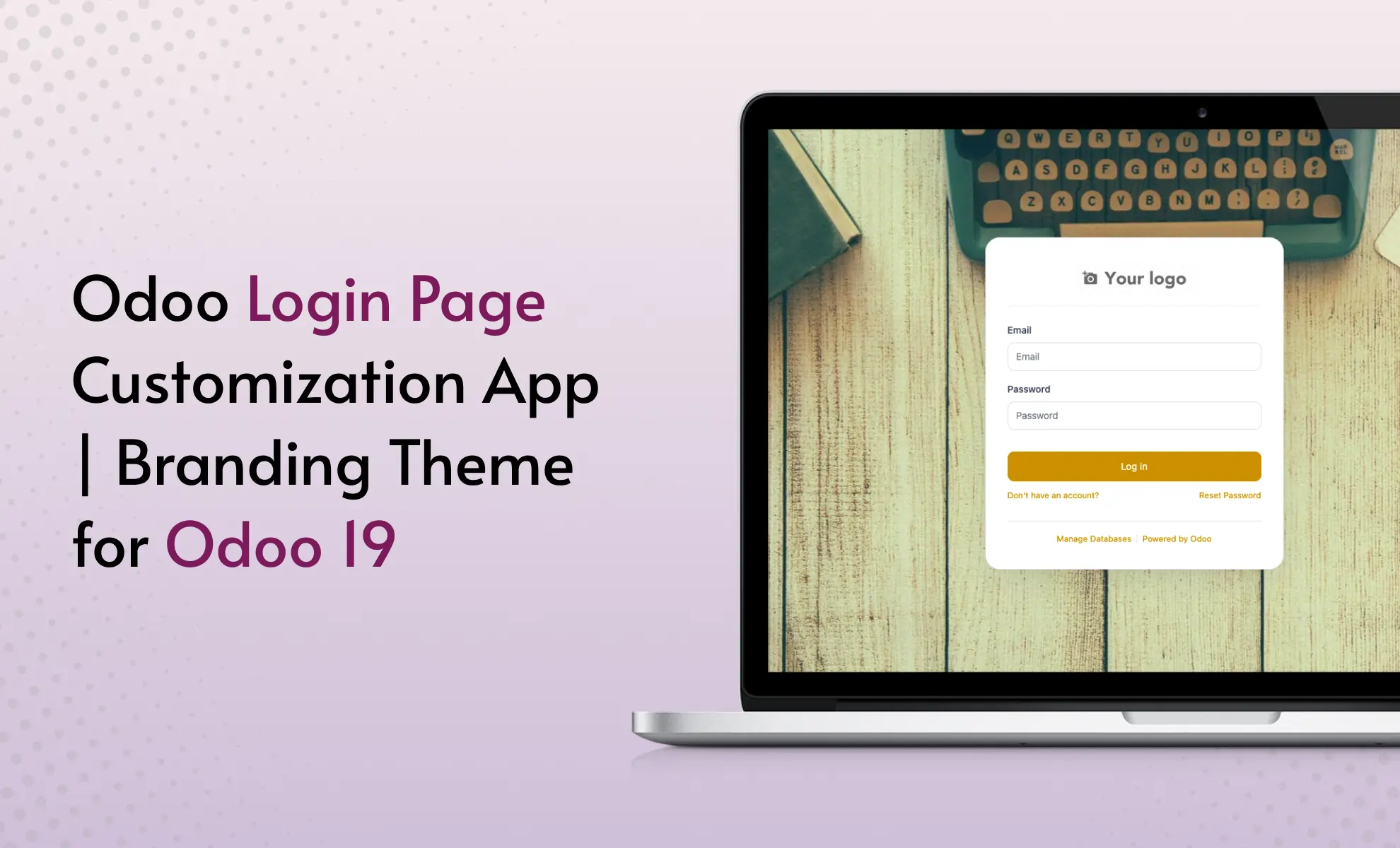
Odoo Login Page Customization & Backend Branding Theme
Customize your Odoo login page, backend branding, browser tab title, favicon, logo, colors, background, footer text, and login screen layout from one settings-based branding module.
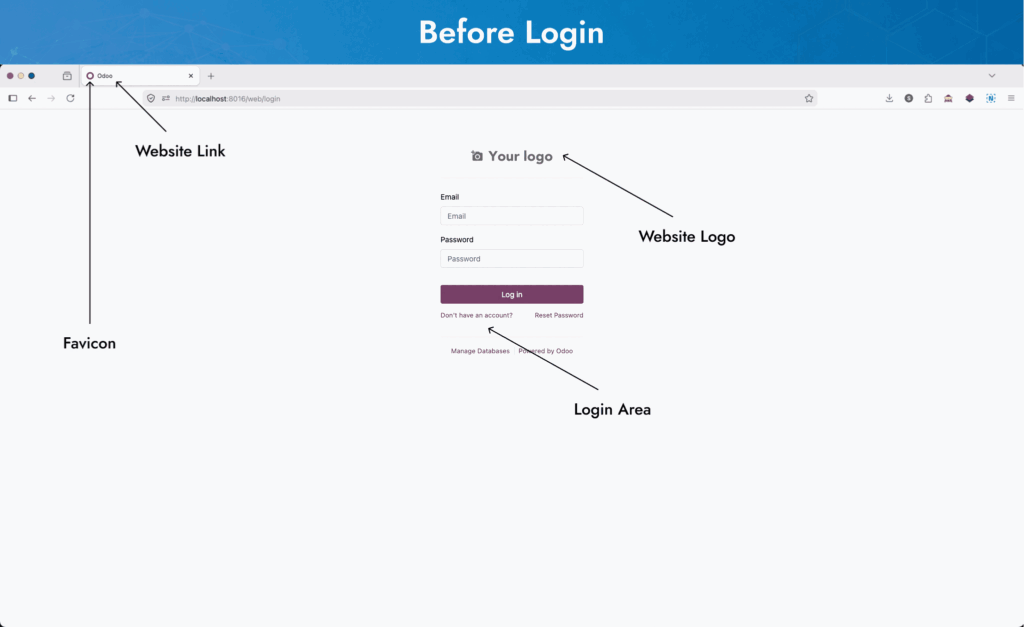
In short: WebbyCrown’s Odoo Login Page Customization app helps businesses customize the Odoo 19 login page, backend title, favicon, logo, colors, background, footer text, privacy links, terms links, and selected login screen options without editing Odoo core files.
WebbyCrown’s Odoo Login Page Customization app helps businesses create a more professional and branded Odoo experience. It is built for companies, ERP teams, Odoo implementers, and agencies that want a clean login screen, branded backend interface, and white-label style experience for internal users or clients.
For deeper ERP-level changes beyond branding, explore our Odoo Customization Services for custom modules, workflow changes, and business-specific Odoo development.
Compatibility and Setup
Compatibility: This Odoo Login Page Customization app is available for Odoo versions 14.0, 15.0, 16.0, 17.0, 18.0, and 19.0 and is designed to customize the login page and backend branding without changing the standard Odoo workflow.
You can choose the version that matches your current Odoo setup before installing the Odoo Branding & Login Page Theme from Odoo Apps.
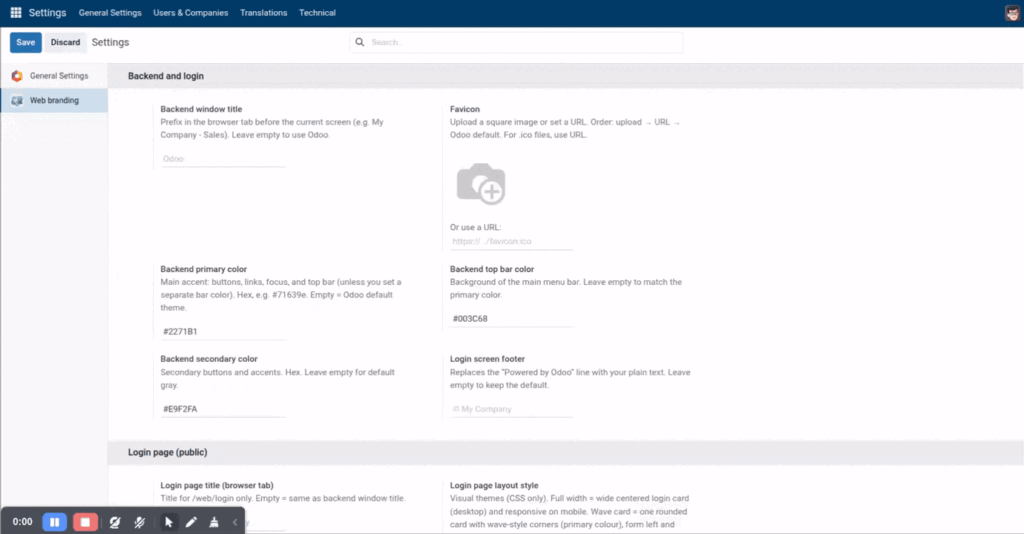
The module gives your team settings-based controls for login page branding, backend title, favicon, colors, logo, background, footer text, and selected login page links.
Setup support: WebbyCrown can help with installation, configuration, layout setup, branding adjustments, styling, additional customization, and deeper Odoo backend customization.
Version compatibility: This module is compatible with Odoo versions 14.0, 15.0, 16.0, 17.0, 18.0, and 19.0. Please choose the version that matches your current Odoo setup before installation.
Technical dependency note: This module works with the standard Odoo Accounting workflow. If your Odoo setup includes custom accounting modules, third-party apps, or modified invoice/payment workflows, WebbyCrown can review compatibility before installation.
Quick Answer: What Does This Odoo Login Page Customization App Do?
This Odoo login page customization app helps you change the Odoo login page design, logo, background, favicon, browser tab title, footer text, privacy and terms links, backend colors, and selected login screen links from settings.
It works as an Odoo branding module, Odoo login page theme, and Odoo backend branding module for businesses that want to brand Odoo for their company without manually changing core files or rebuilding the backend theme from scratch.
What Is Odoo Login Page Customization?
Odoo login page customization means changing the default Odoo login screen so it matches your company’s brand identity.
This can include changing the login page logo, background, browser title, favicon, footer text, privacy policy link, terms link, and login page layout.
For many businesses, the Odoo login page is the first screen employees, clients, or portal users see. A branded login page makes the system feel more professional, trusted, and aligned with your company identity.
If you are planning a larger Odoo rollout, our Odoo Development Company team can help with complete Odoo development, customization, integration, and implementation support.
Why Businesses Need Odoo Backend Branding
The default Odoo interface works well, but many companies want their ERP system to look and feel like their own internal business platform.
With Odoo backend branding, you can update the backend window title, favicon, top navbar color, primary color, secondary color, buttons, links, and selected visual accents. This creates a consistent brand experience after users log in.
Odoo backend branding is valuable for businesses using Odoo as their main ERP, agencies delivering Odoo projects to clients, ERP teams that need custom backend colors, and companies that want a more branded employee login experience.
For step-by-step Odoo customization planning, you can also read our guide on Odoo Customization.
What Can You Customize with This Odoo Branding Module?
This Odoo branding module gives you practical control over both login page branding and backend theme branding.
You can customize:
- Backend window title
- Login page browser title
- Favicon using upload or URL
- Backend primary color
- Backend navbar color
- Backend secondary color
- Login page layout
- Login logo using upload or URL
- Login background color
- Login background image using upload or URL
- Login side panel rich HTML
- Login footer text
- Privacy policy link
- Terms and conditions link
- Manage Databases link visibility
- Superuser login shortcut visibility
- OAuth or social login button visibility
- PWA theme-color meta
This gives your business a cleaner way to manage Odoo brand customization from one place.
Odoo Branding Feature Overview
| Area | What This Module Helps You Customize |
|---|---|
| Login Page | Logo, background, layout, title, footer text, side panel, privacy link, terms link |
| Backend Branding | Browser tab title, favicon, navbar color, primary color, secondary color, visual accents |
| Login Links | Manage Databases link, superuser shortcut, OAuth/social login button visibility |
| Brand Assets | Uploaded logo, favicon, background image, or image URL |
| Theme Controls | Backend colors, button/link styling, runtime CSS, theme fallback behavior |
| Settings | Centralized settings-based branding controls |
Odoo Login Page Theme Features
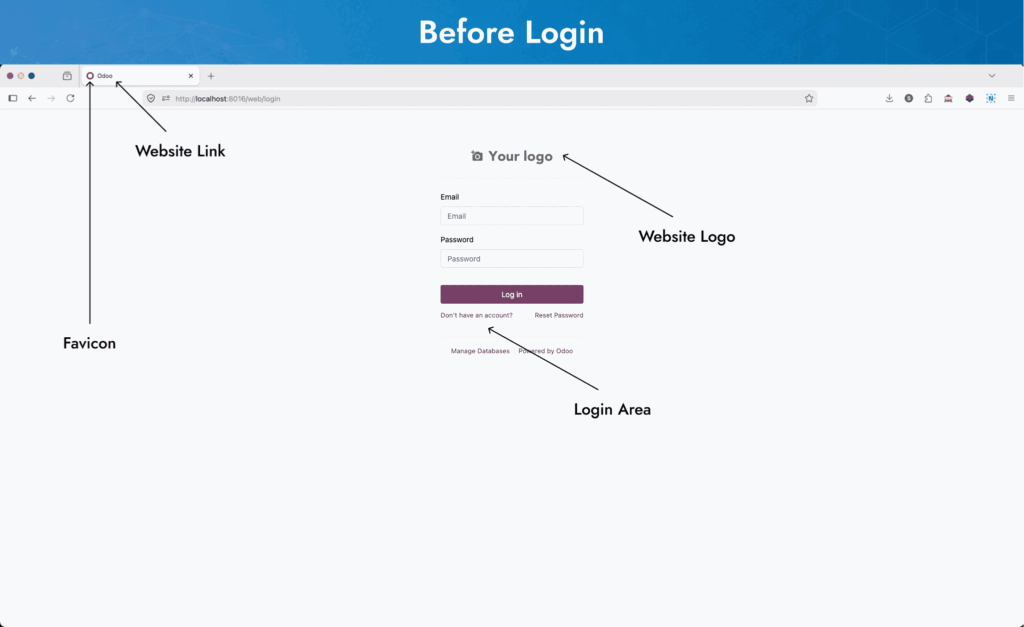
This Odoo login page theme helps you design a cleaner login screen without creating a custom login theme manually.
You can update the login page with:
- Branded login page design
- Custom login page title
- Custom logo
- Custom background color
- Custom background image
- Multiple login layout styles
- Footer text customization
- Privacy policy link
- Terms link
- Login button and link styling
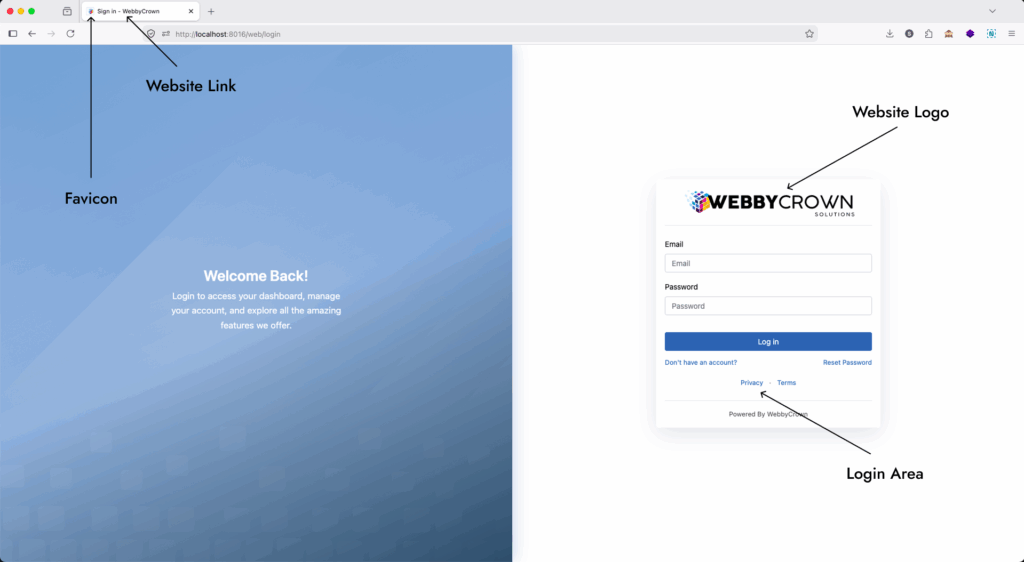
The module gives your Odoo login screen a more professional appearance while keeping the setup simple from the backend settings.
Odoo Backend Branding Features
This app is not only for the login page. It also supports Odoo backend branding so the logged-in user interface can feel more aligned with your company brand.
Backend branding options include:
- Backend browser tab title
- Favicon customization
- Primary color settings
- Navbar color settings
- Secondary color settings
- Button and link color changes
- Backend theme accents
- Statusbar and stat button tinting
- General settings tab accent
- Runtime CSS without asset fork
- Stock Odoo theme fallback when primary color is empty
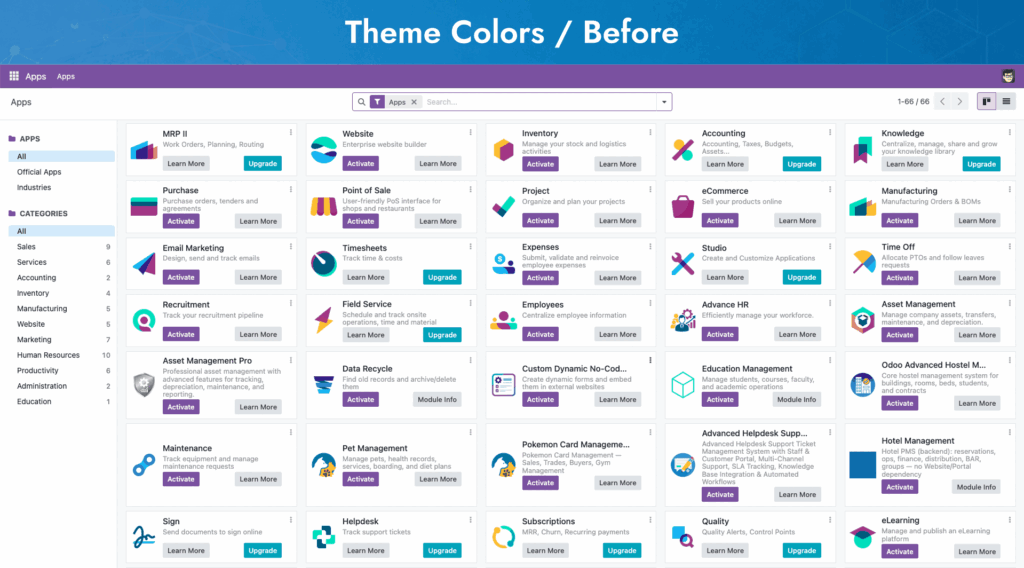
These backend branding controls help create a more consistent Odoo experience for internal teams, clients, and implementation projects.
Odoo White Label Branding Without Editing Core Files
Many companies want Odoo to feel like their own business platform. This app helps create a more branded Odoo experience without directly editing Odoo core files.
You can manage key branding options from settings, including login page layout, logo, favicon, browser title, footer, colors, and selected login page links.
For Odoo white label branding, the module helps replace visible login and backend branding elements with your company identity. Footer and branding changes should be configured according to your Odoo edition, license, and business requirements.
For custom white-label changes beyond this module, you can Hire Odoo Developers from WebbyCrown for setup, customization, and advanced backend changes.
How This Odoo Branding and Login Page Theme Works
This Odoo branding and login page theme keeps customization simple.
The basic process is:
- Install the module in Odoo 19.
- Open Settings → Web Branding.
- Add your backend title, favicon, and brand colors.
- Choose your login page layout.
- Upload your login logo and background.
- Add privacy policy, terms link, or footer text.
- Hide selected login links when required.
- Save the settings.
- Refresh the backend or login page to view the updated branding.
The module stores branding values in system parameters and applies backend theme changes at runtime. This helps customize the Odoo login page and backend without forking the core web module.
Odoo Branding Module vs Custom Code
You can customize Odoo manually with custom development, but that can take more time and may require technical maintenance.
An Odoo login page customization app is a faster option when you want common branding controls from settings.
Use this app when you need:
- Faster branding setup
- No direct core file editing
- Settings-based customization
- Easy login page updates
- Branded backend title and favicon
- Custom colors without rebuilding the theme
- A professional login page for employees or clients
- A ready Odoo 19 login page theme module
For advanced integrations, third-party systems, or custom backend workflows, WebbyCrown also provides Odoo Integration Services and API-based Odoo customization support.
Who Should Use This Odoo 19 Branding Module?
This Odoo 19 branding module is suitable for:
- Companies using Odoo as their main ERP
- Odoo partners and implementation agencies
- Businesses that want a branded employee login screen
- ERP teams that need custom backend colors
- Agencies delivering Odoo projects to clients
- Companies that want Odoo white label branding
- Businesses that want to hide unnecessary login page links
- Teams that want a better Odoo login page design
If your users open Odoo every day, a branded login and backend experience can make the system feel more polished, trustworthy, and company-specific.
Common Use Cases
Custom Odoo Login Page for Company Branding
Use your company logo, login background, browser title, favicon, colors, and footer text to create a professional Odoo login page.
Odoo Backend Branding for Internal Teams
Change backend colors, navbar color, favicon, and title so employees see a branded ERP environment after login.
Odoo White Label Branding for Client Projects
Odoo implementers and agencies can use this app to deliver a more client-branded Odoo experience.
Odoo Login Page Design for Better User Experience
Choose a modern login layout and add useful links such as privacy policy and terms of use.
Hide Unnecessary Login Page Links
Hide selected login screen links such as Manage Databases, superuser shortcut, or OAuth/social login buttons from the login page UI when required.
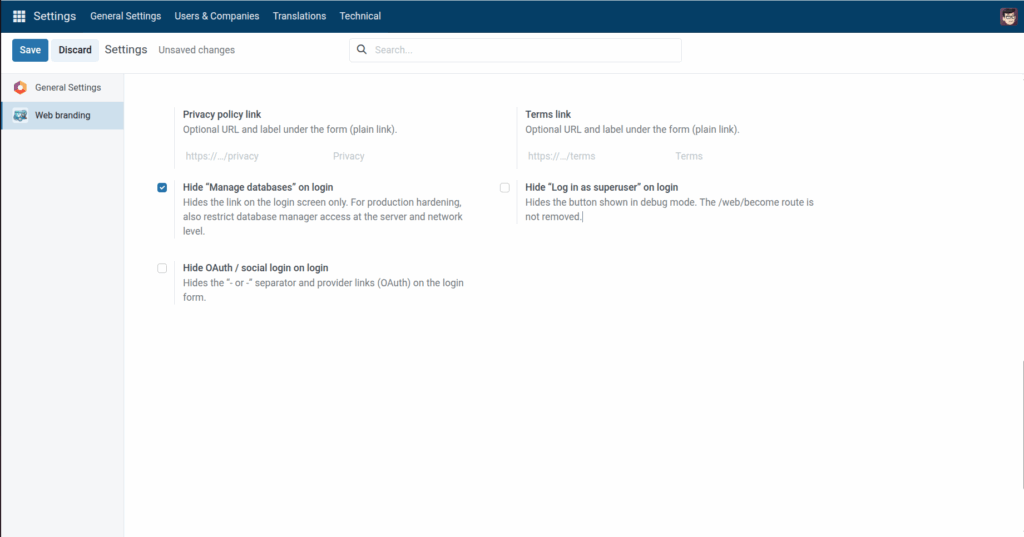
Login Link and Visibility Controls
This module helps you control selected login page links and shortcuts so the login screen can stay cleaner for regular users.
Depending on your configuration, you can manage visibility for options such as:
- Manage Databases link
- Superuser login shortcut
- OAuth or social login buttons
- Privacy policy link
- Terms and conditions link
These controls are useful for companies that want a simpler login screen, a client-facing ERP login, or a more controlled branded experience.
Why Choose WebbyCrown’s Odoo Branding & Login Page Theme?
WebbyCrown’s Odoo Branding & Login Page Theme is built for businesses that want a cleaner and more professional Odoo experience without unnecessary custom development.
It helps you manage key branding elements such as the login screen, backend title, favicon, colors, logo, background, footer text, and useful login page links from one settings-based module.
Instead of editing core files or rebuilding the backend theme manually, your team can apply practical brand changes directly inside Odoo 19. This keeps the setup easier to manage while giving employees, clients, and internal users a more polished login and backend experience.
This makes the module useful for companies, Odoo implementers, and agencies that want a simple way to brand Odoo with their own company identity.
Buy Odoo Login Page Customization App
Ready to create a branded Odoo login page and backend experience?
Use WebbyCrown’s Odoo Branding & Login Page Theme to customize your Odoo login screen, backend title, favicon, colors, layout, logo, background, footer, and useful login page links.
You can also contact WebbyCrown for setup support, custom Odoo branding, or deeper Odoo backend customization.
FAQs
What is the best Odoo app to customize the login page?
WebbyCrown’s Odoo Branding & Login Page Theme is built for Odoo 19 login page customization. It helps customize the login page logo, background, favicon, title, footer, links, layout, and backend colors from settings.
Is there an Odoo module for backend branding?
Yes. This Odoo backend branding module helps customize backend title, favicon, primary color, navbar color, secondary color, login page layout, and selected backend visual accents.
Can I white label Odoo without editing core files?
Yes. You can customize many visible Odoo branding elements without editing core files by using a branding module. This app lets you manage login page and backend branding from settings.
How do I change the Odoo login page background?
You can change the Odoo login page background by using this module’s background color or background image settings. You can upload an image or use a background URL based on your setup.
Can I change Odoo favicon and browser tab title?
Yes. This app supports Odoo favicon and title customization for the backend and login page. You can upload a favicon or use a favicon URL and set a custom browser tab title.
Which Odoo app lets me customize login page layout?
WebbyCrown’s Odoo Branding & Login Page Theme lets you choose different login layout styles and customize the logo, background, title, footer, and links.
How can I remove Powered by Odoo from the login screen?
The module supports login footer customization, so you can replace visible footer text with your own brand text where suitable for your Odoo setup, edition, and license requirements.
Can Odoo backend colors be changed from settings?
Yes. With this module, you can configure backend primary color, navbar color, and secondary color from settings instead of manually editing backend theme files.
What is the best Odoo 19 login page theme module?
WebbyCrown’s Odoo Branding & Login Page Theme is designed for Odoo 19 login page and backend branding. It includes logo, background, title, favicon, footer, layout, login link controls, and backend color settings.
How to brand Odoo for my company?
You can brand Odoo for your company by customizing the login screen, logo, favicon, browser title, backend colors, footer text, and important login links. This module gives you a settings-based way to manage those branding changes.
How to add privacy policy link on Odoo login page?
This app includes privacy policy and terms link settings for the login page, so you can add useful legal or company policy links below the login form.
How to hide Manage Databases link in Odoo login page?
The module includes an option to hide the Manage Databases link from the login page UI. This helps keep the login screen cleaner for regular users.