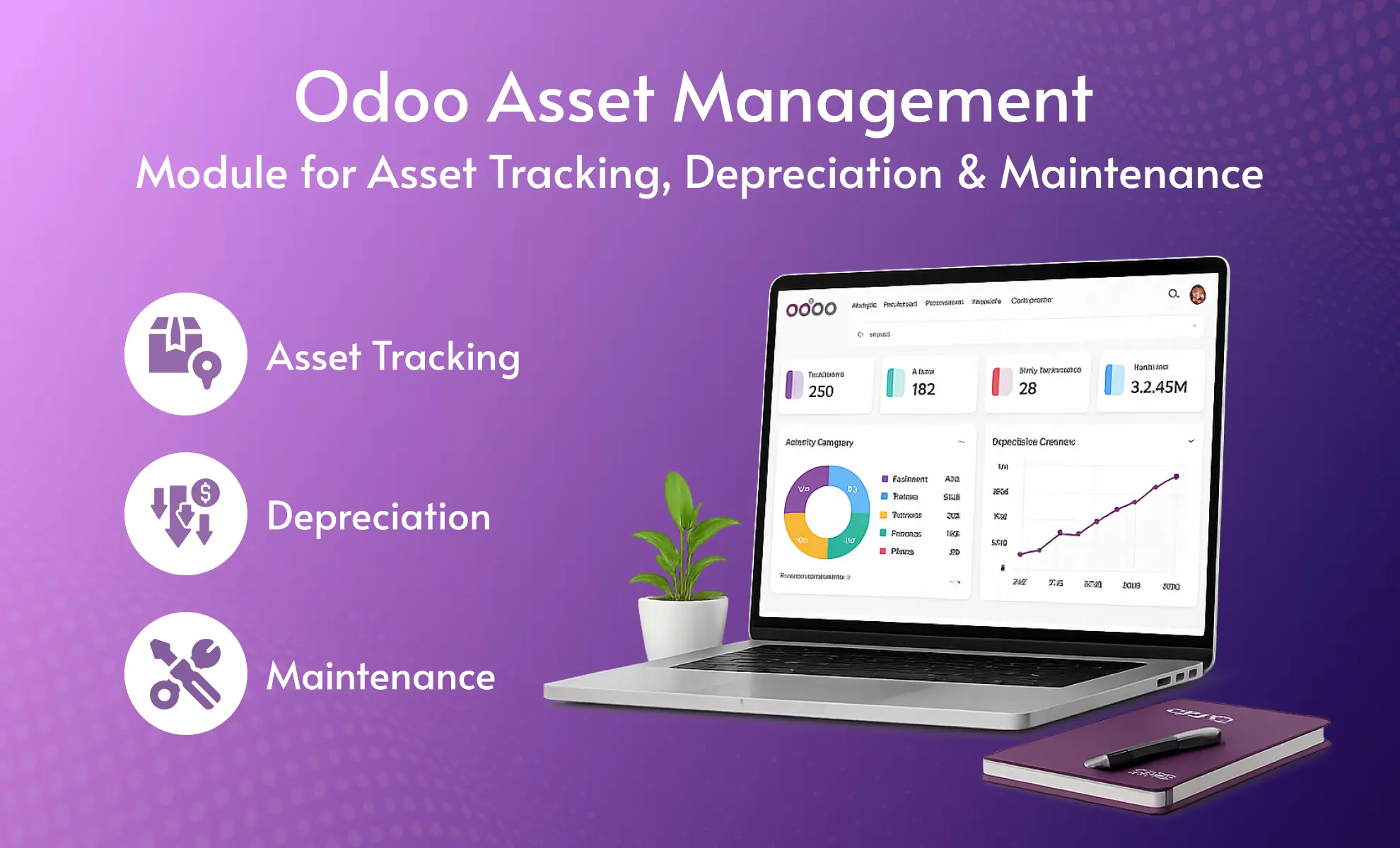
Summarize This Article With AI
For company-specific ERP workflows, WebbyCrown also provides Odoo Customization Services for custom modules, reports, dashboards, integrations, and business-specific Odoo development.
Compatibility and Setup
Compatibility: The free Asset Management app and Asset Management Pro are available for Odoo versions 14.0, 15.0, 16.0, 17.0, 18.0, and 19.0.
You can choose the version that matches your current Odoo setup before installing the Free or Pro app from Odoo Apps.
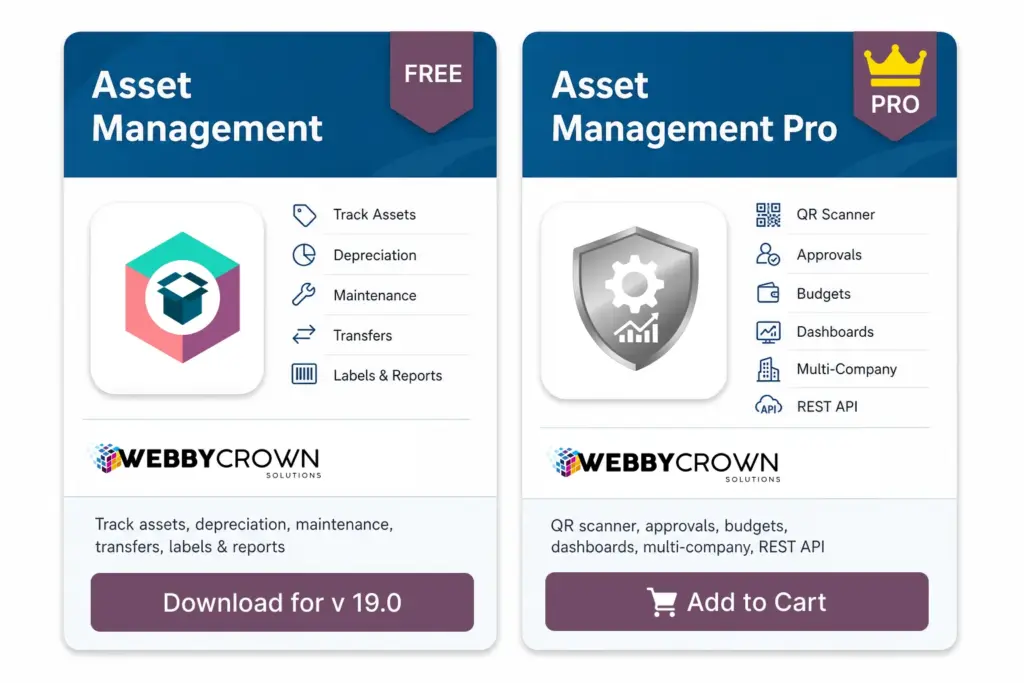
The free version supports core asset management workflows such as asset records, asset types, depreciation, transfers, maintenance tracking, vendors, labels, and standard reporting. Asset Management Pro adds advanced lifecycle control, QR code scanning, approval workflows, budget management, advanced dashboards, multi-company support, multi-location tracking, REST API support, predictive analytics, and role-based security.
Setup support: WebbyCrown can help with installation, configuration, app setup, field customization, dashboards, reports, workflow changes, and Odoo-specific asset management customization.
Version compatibility: This module is compatible with Odoo versions 14.0, 15.0, 16.0, 17.0, 18.0, and 19.0. Please choose the version that matches your current Odoo setup before installation.
Technical dependency note: This module works with the standard Odoo Accounting workflow. If your Odoo setup includes custom accounting modules, third-party apps, or modified invoice/payment workflows, WebbyCrown can review compatibility before installation.
Quick Answer: Which Odoo Asset Management Module Should You Choose?
Choose the free Asset Management app if you need asset records, asset types, depreciation, transfers, maintenance tracking, vendor management, asset label printing, and standard reports.
Choose Asset Management Pro if your business needs advanced Odoo Asset Lifecycle Management, Odoo QR Code Asset Tracking, multi-company asset management, multi-location asset tracking, approval workflows, budget management, dashboards, REST API support, predictive analytics, and deeper operational control.
The free version is a practical starting point for asset management in Odoo. The Pro version is better for growing teams that need advanced asset tracking, approvals, reporting, and lifecycle control across locations, companies, departments, or asset-heavy operations.
What Is an Odoo Asset Management Module?
An Odoo Asset Management Module helps businesses manage physical, financial, IT, office, and equipment assets inside Odoo.
It gives teams a structured way to create an asset register, track asset ownership, record purchase details, assign assets to employees or locations, manage depreciation, schedule maintenance, transfer assets, and generate asset reports.
Instead of managing assets through spreadsheets, emails, or disconnected tools, your team can keep asset information, movement history, maintenance records, depreciation details, and reporting data inside Odoo.
If you are planning a larger Odoo rollout, our Odoo Development Company team can help with Odoo setup, customization, integration, and deployment.
Free Odoo Asset Management App
The free Asset Management app is built for teams that need a simple and practical way to manage assets inside Odoo.
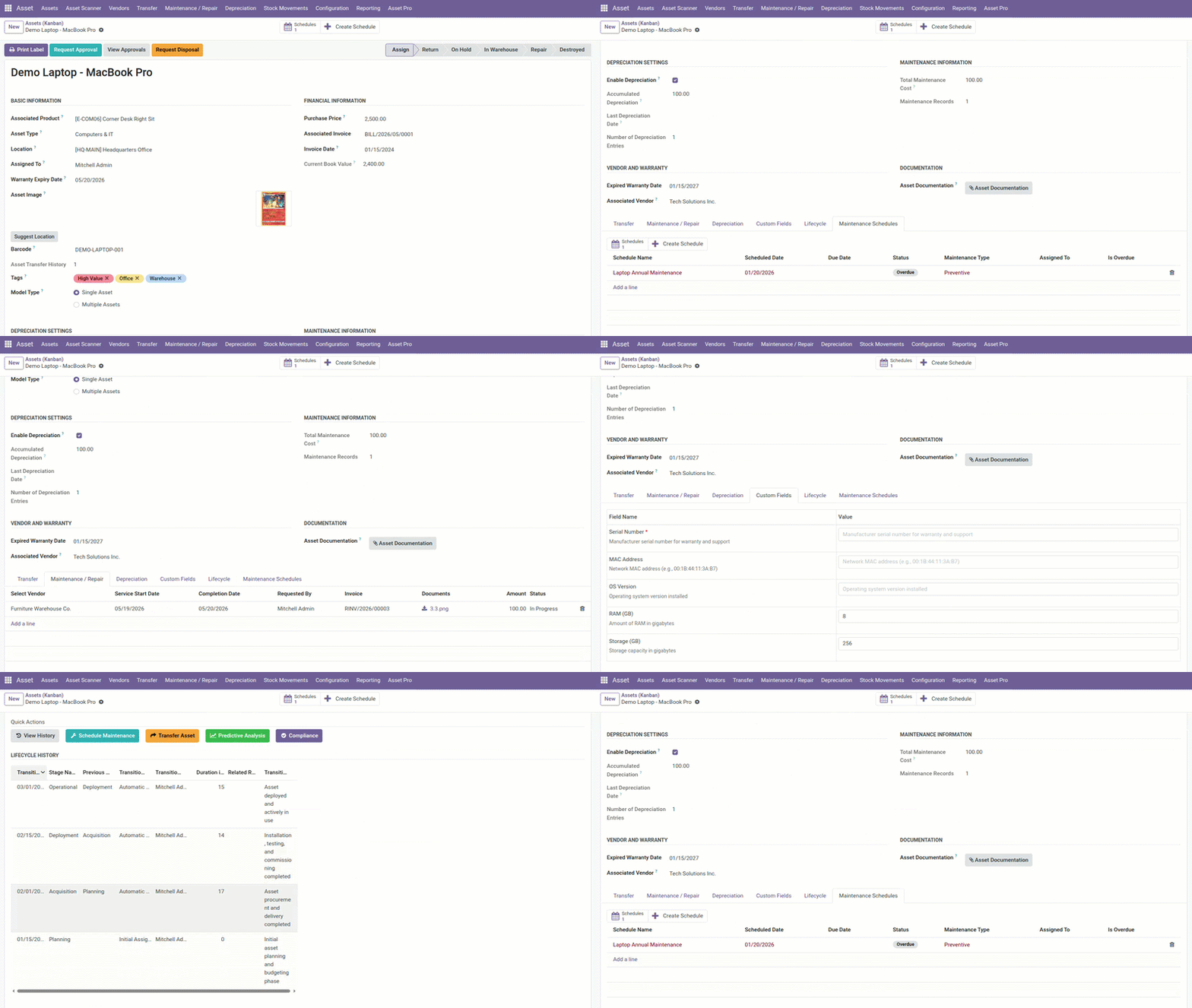
It supports asset types, asset records, acquisition details, depreciation, transfers, assignments, maintenance tracking, vendor management, asset label printing, reporting, and analytics.
This version is suitable for small and mid-sized teams that want to start with Odoo Asset Tracking without building a custom module from scratch.
Asset Management Pro for Odoo 19
Asset Management Pro is built for companies that need more advanced asset operations inside Odoo 19.
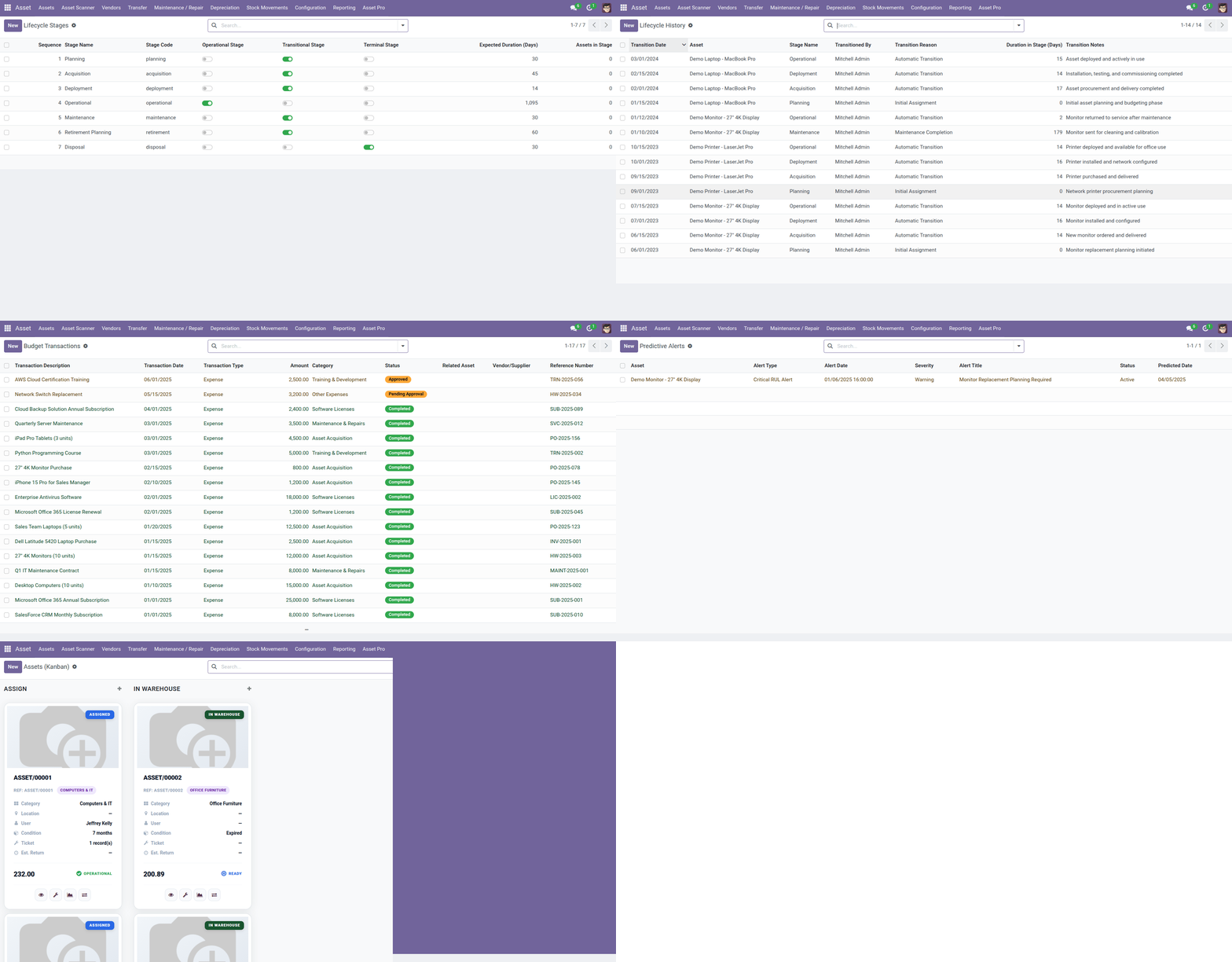
The Pro version adds complete lifecycle visibility, modern asset views, advanced depreciation, maintenance scheduling, budget management, approval workflows, QR code scanner support, REST API integration, advanced reporting, dashboards, predictive analytics, role-based security, multi-company support, and multi-location tracking.
It is suitable for businesses that manage a larger asset base, multiple branches, multiple companies, IT assets, office assets, equipment, machinery, tools, vehicles, or operational assets that require regular tracking and review.
Free vs Pro: Odoo Asset Management Comparison
| Feature | Free Asset Management | Asset Management Pro |
|---|---|---|
| Asset records | Yes | Yes |
| Asset types | Yes | Yes |
| Asset register | Standard | Advanced |
| Asset tracking | Standard | Advanced |
| Depreciation management | Yes | Advanced |
| Asset transfers | Yes | Advanced |
| Maintenance tracking | Yes | Advanced scheduling |
| Vendor management | Yes | Yes |
| Asset label printing | Yes | Yes |
| Reporting and analytics | Standard reports | Advanced dashboards and analytics |
| QR code asset tracking | Label-based identification | Built-in QR scanner support |
| Multi-company asset management | Basic Odoo setup | Advanced multi-company control |
| Multi-location asset tracking | Basic | Advanced location tracking |
| Asset approval workflow | Limited | Yes |
| Asset budget management | Limited | Yes |
| REST API support | No | Yes |
| Predictive analytics | No | Yes |
| Role-based security | Basic | Advanced permissions and security controls |
| Best for | Basic asset control | Advanced asset operations |
Odoo Asset Tracking for Complete Asset Visibility
Odoo Asset Tracking helps your team know which assets your business owns, where they are located, who is responsible for them, and what condition they are in.
You can maintain asset details such as asset name, asset type, acquisition date, purchase cost, assigned user, location, vendor, depreciation information, transfer history, and maintenance activity.
This improves accountability and gives your team a cleaner view of assets across departments, branches, and business units.
Odoo Asset Register for Organized Records
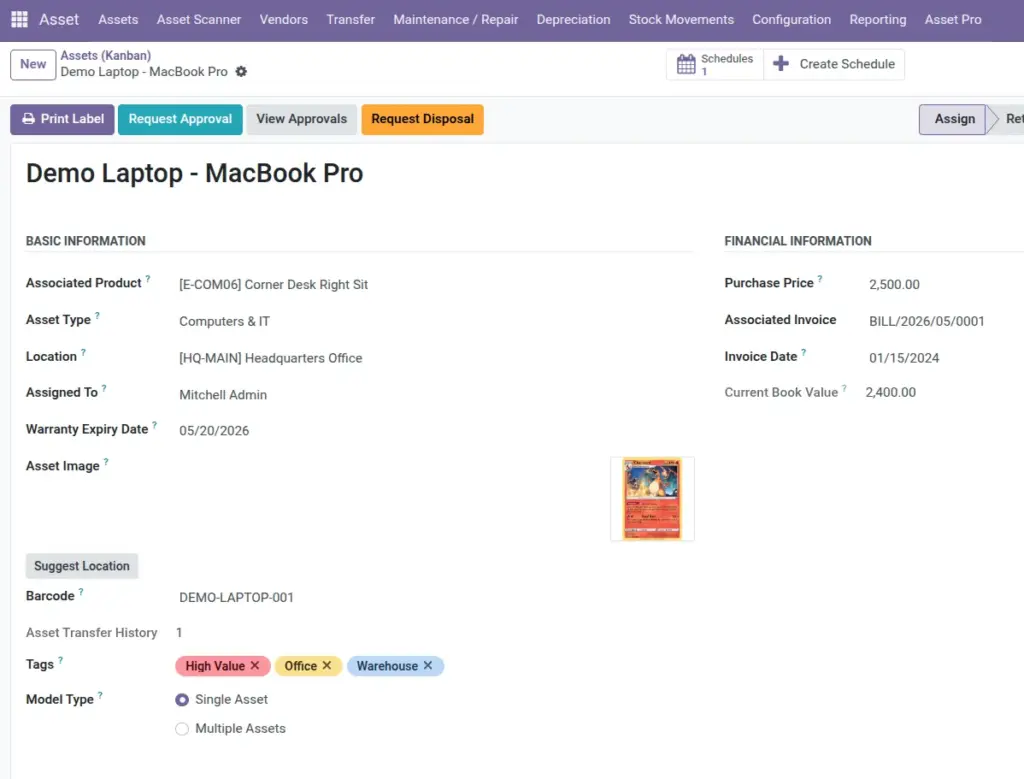
An Odoo Asset Register gives your business a central place to maintain asset information.
Your team can use it to track laptops, computers, office furniture, printers, tools, machines, vehicles, equipment, devices, and other business assets.
A structured asset register helps reduce duplicate tracking, missing information, manual spreadsheet work, and confusion during audits or internal reviews.
Odoo Fixed Asset Management and Depreciation
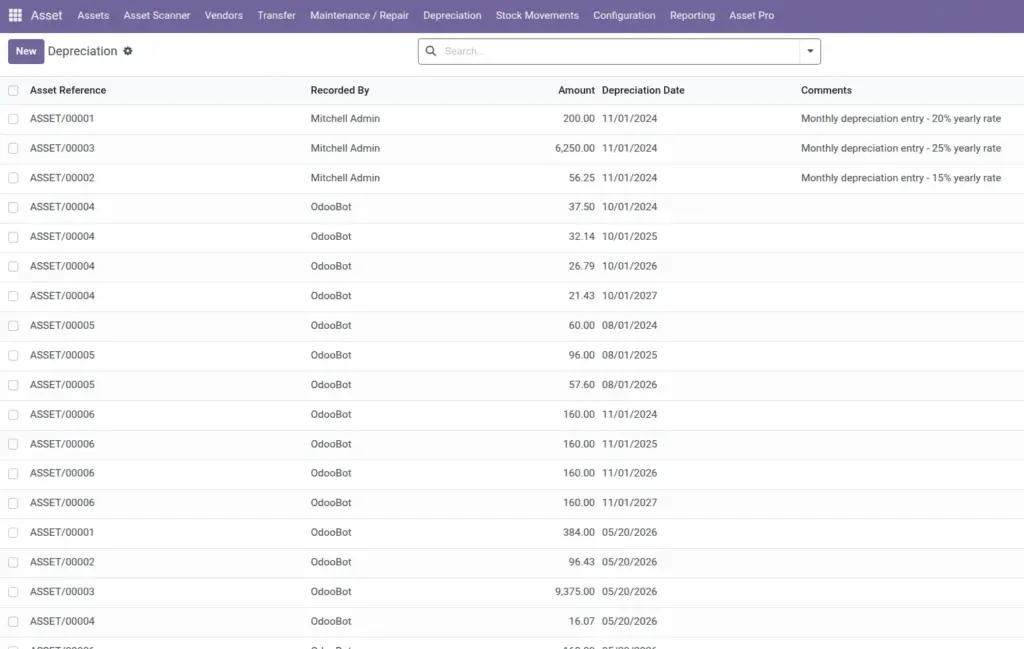
Odoo Fixed Asset Management helps businesses track long-term assets such as equipment, furniture, machinery, computers, vehicles, and other capital assets.
With Odoo Asset Depreciation Management, your team can track asset value over time, maintain financial visibility, and support better asset planning.
This is helpful for accounting, finance, operations, and management teams that need asset value tracking along with day-to-day asset visibility.
Odoo Asset Lifecycle Management
Odoo Asset Lifecycle Management covers the full journey of an asset from purchase to usage, transfer, maintenance, depreciation, reporting, and disposal.
A structured lifecycle process helps your business understand when an asset was purchased, where it is located, who is responsible for it, whether maintenance is due, how depreciation is progressing, and whether the asset should be repaired, replaced, transferred, or retired.
Asset Management Pro is designed for stronger lifecycle visibility across multiple departments, locations, and companies.
Odoo Asset Maintenance Management
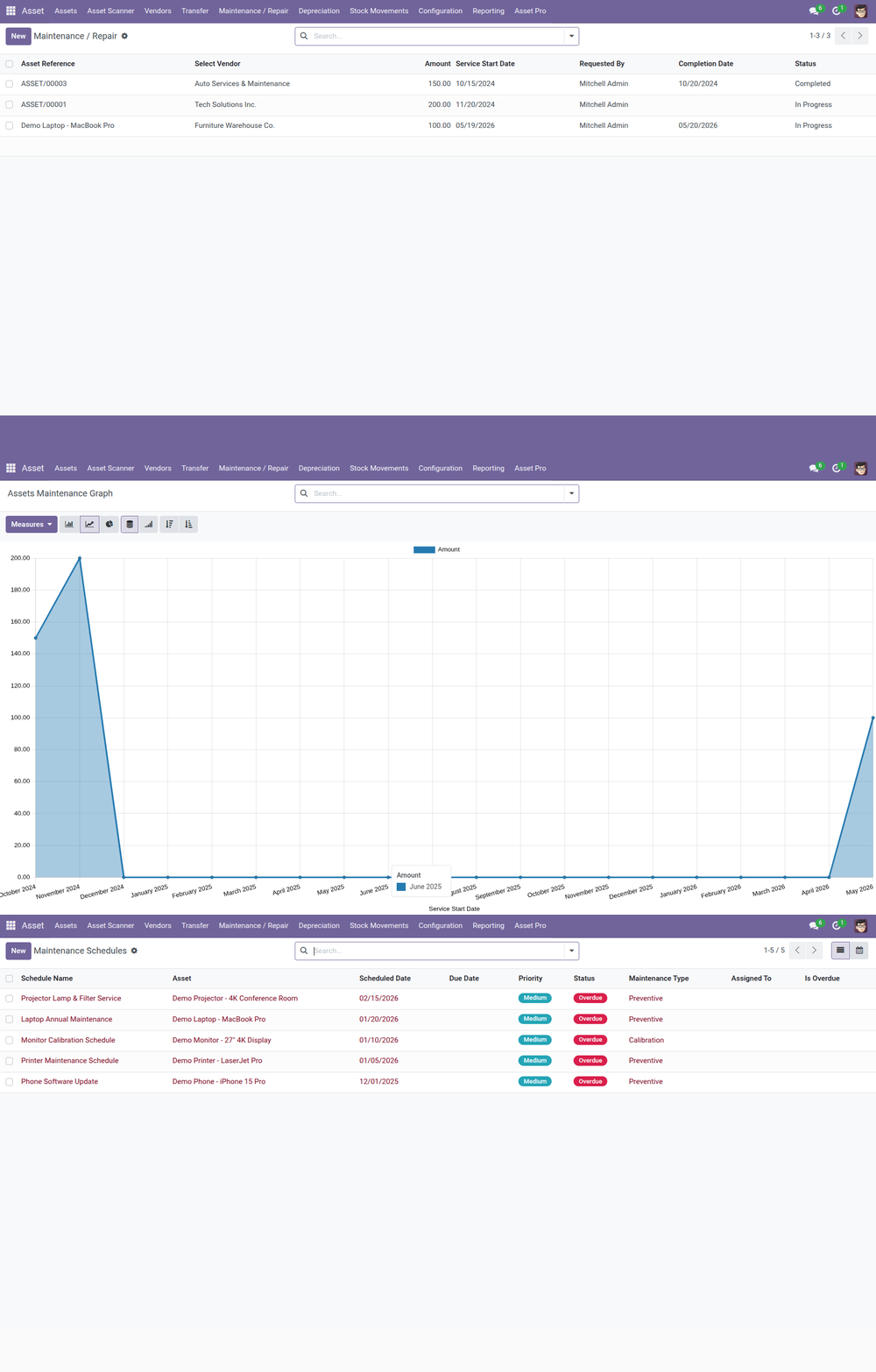
Odoo Asset Maintenance Management helps your team schedule preventive maintenance, record repairs, track service history, and reduce asset downtime.
For equipment, IT devices, machines, tools, vehicles, or office assets, maintenance tracking helps extend asset life and reduce unexpected costs.
The free version supports maintenance tracking, while Asset Management Pro provides more advanced maintenance scheduling and operational visibility.
Odoo Asset Transfer Management
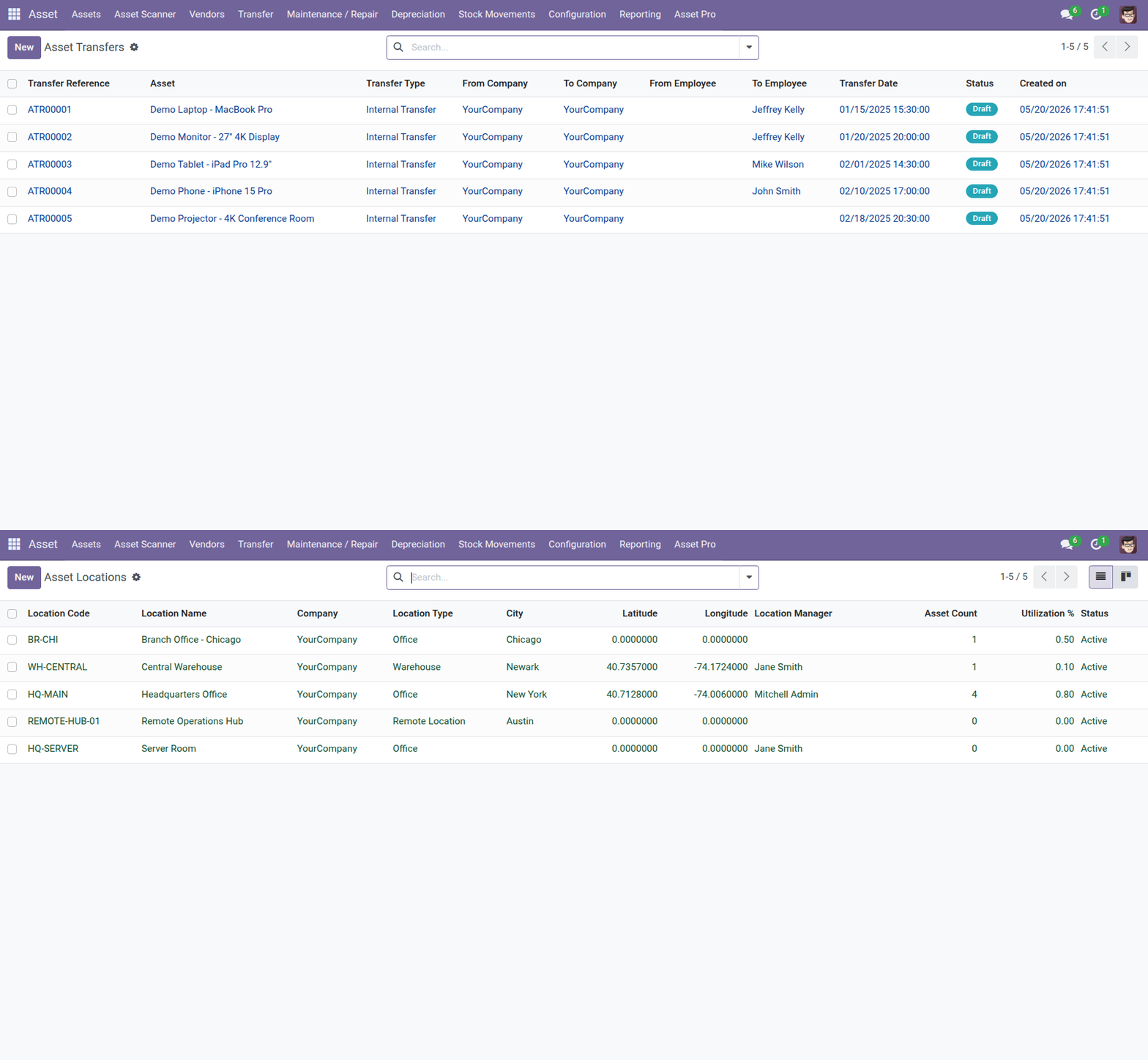
Odoo Asset Transfer Management helps your team move assets between users, departments, locations, branches, or companies with better tracking.
This is helpful when assets are assigned to employees, shifted between offices, moved to warehouses, sent for repair, or transferred between business units.
Clear transfer records help maintain accountability and reduce confusion about where assets are currently located.
Odoo Multi-Location Asset Tracking
Odoo Multi-Location Asset Tracking is important for businesses that manage assets across offices, stores, warehouses, factories, project sites, or regional branches.
Asset Management Pro helps teams manage location-based visibility and asset movement more effectively, especially when assets are frequently transferred or shared across operational sites.
This makes it easier to track where each asset is located, who is responsible for it, and how it is being used.
Odoo Multi-Company Asset Management
Odoo Multi-Company Asset Management is useful for business groups that operate multiple companies or entities inside Odoo.
With Asset Management Pro, teams can manage assets across company structures with better control, visibility, and access management.
This is valuable for growing companies, service businesses, manufacturing groups, agencies, and organizations that need separate asset records while still working inside one Odoo environment.
Odoo QR Code Asset Tracking
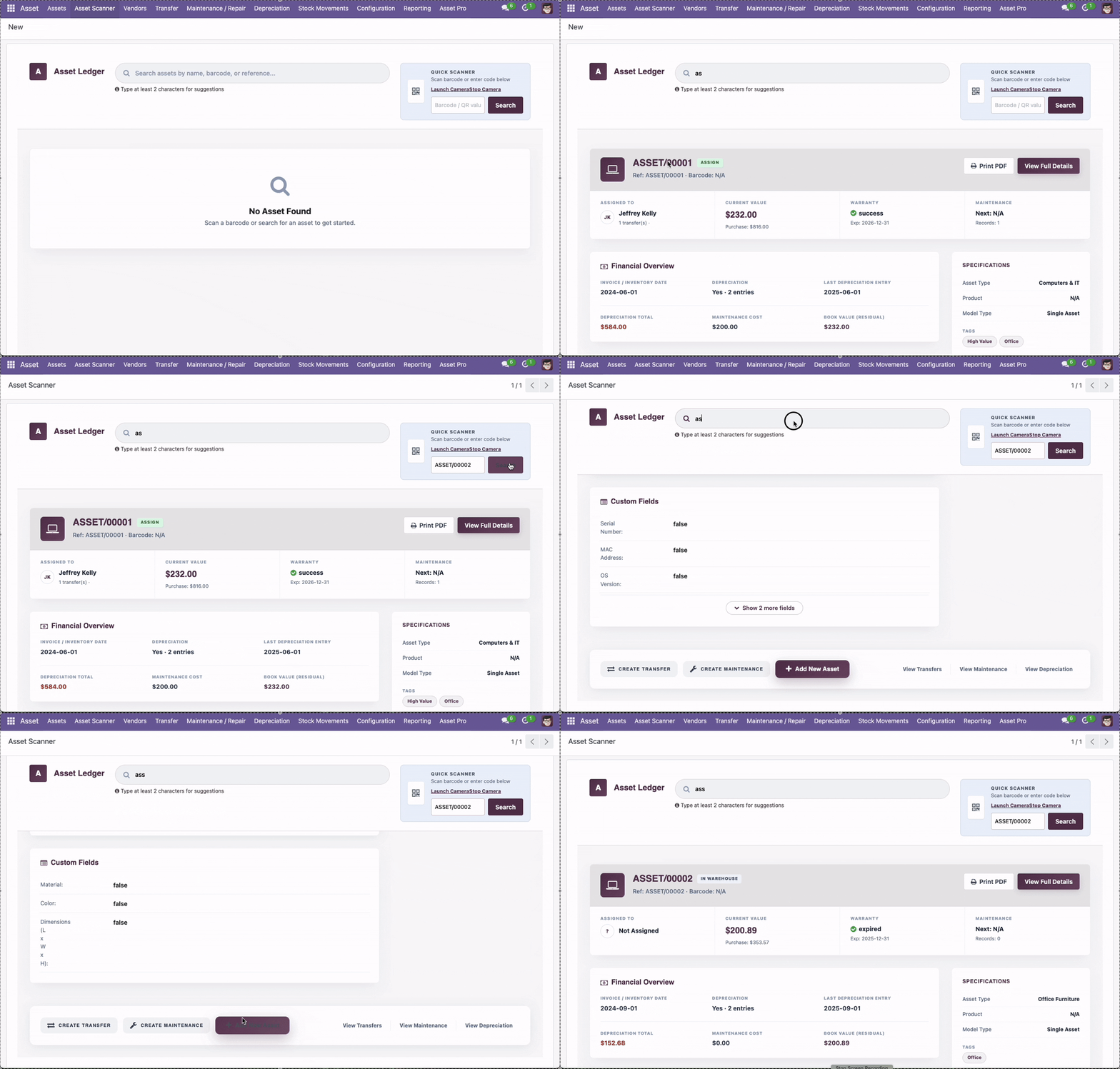
Odoo QR Code Asset Tracking helps teams identify and manage physical assets faster.
With QR-based tracking, users can scan assets to open or update asset records more quickly. This is helpful for IT teams, office administrators, warehouse teams, maintenance teams, and operations staff.
Asset Management Pro includes QR scanner support, making it suitable for businesses that want faster asset lookup and mobile-friendly asset workflows.
Odoo Asset Approval Workflow
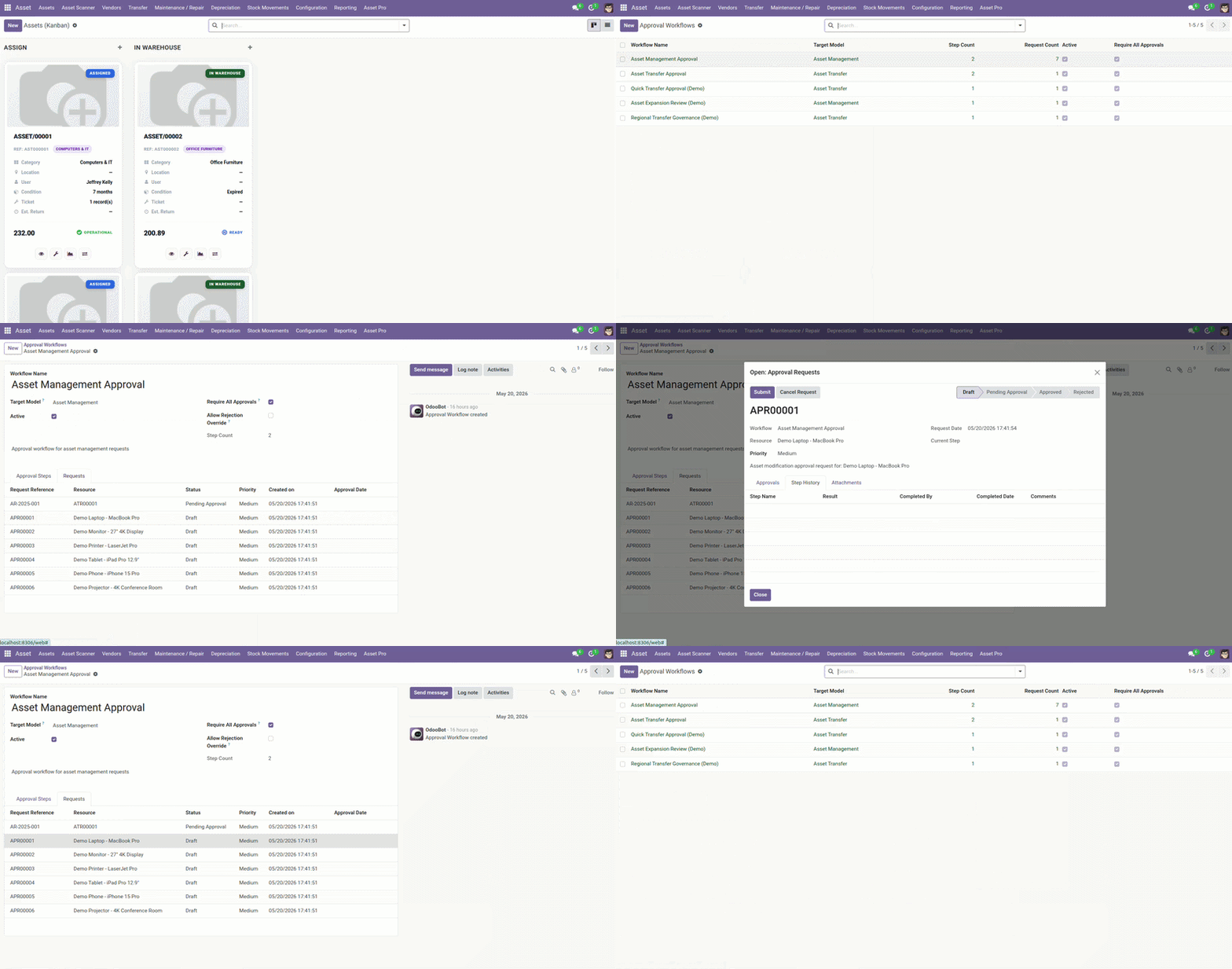
An Odoo Asset Approval Workflow helps businesses control asset-related decisions before they are completed.
Approval workflows can support asset transfers, budget requests, maintenance decisions, purchase planning, disposal approvals, and internal review processes.
Asset Management Pro is suitable for teams that need formal approval steps, role-based controls, and better oversight around asset operations.
Odoo Asset Budget Management
Odoo Equipment Asset Management is useful for businesses that manage machines, tools, vehicles, furniture, devices, and operational equipment.
By keeping equipment records inside Odoo, your team can track purchase information, assigned users, maintenance history, depreciation, transfers, and reporting from one system.
This supports manufacturing, field service, construction, offices, warehouses, IT departments, and operations teams.
Odoo Asset Reporting Dashboard
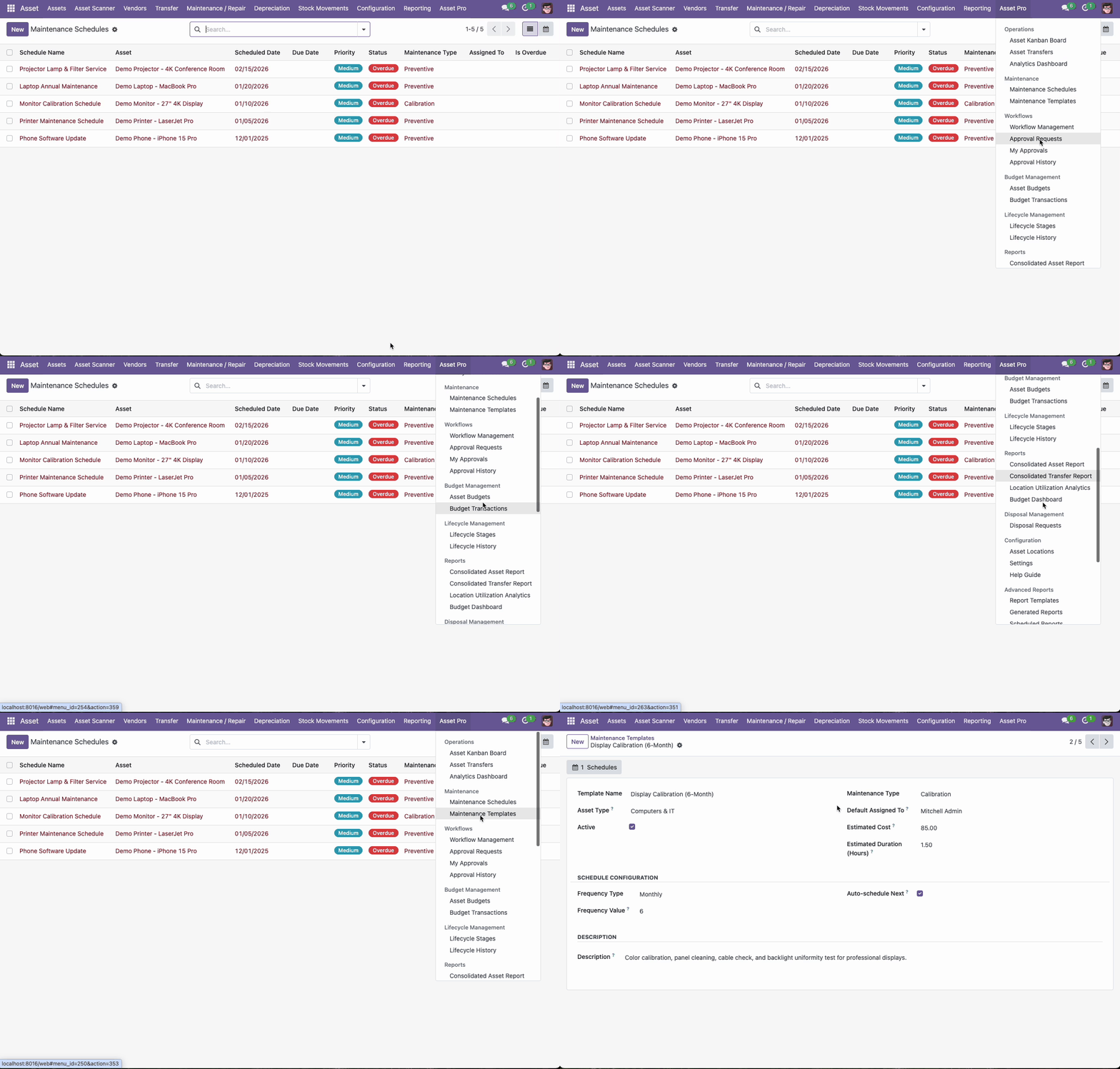
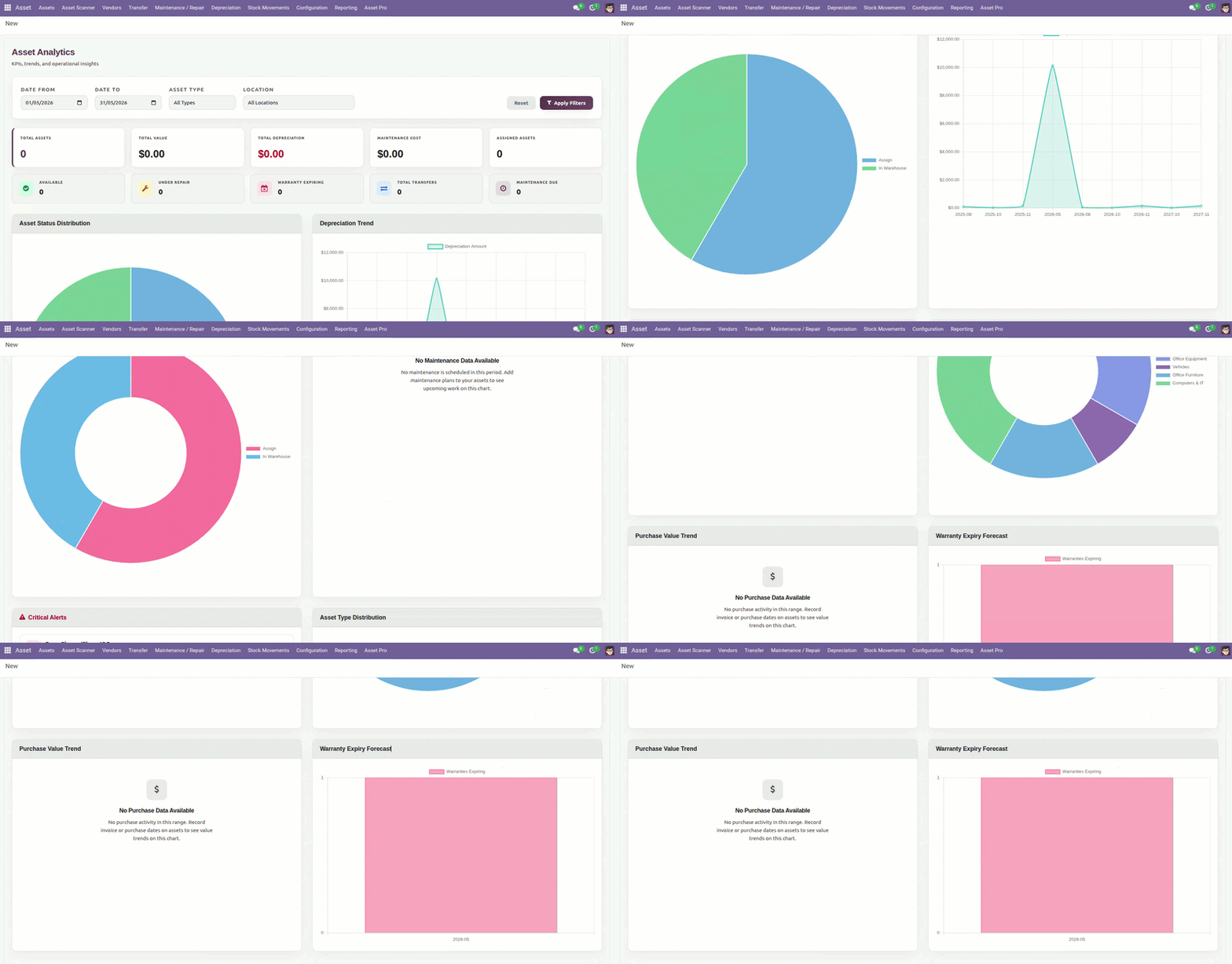
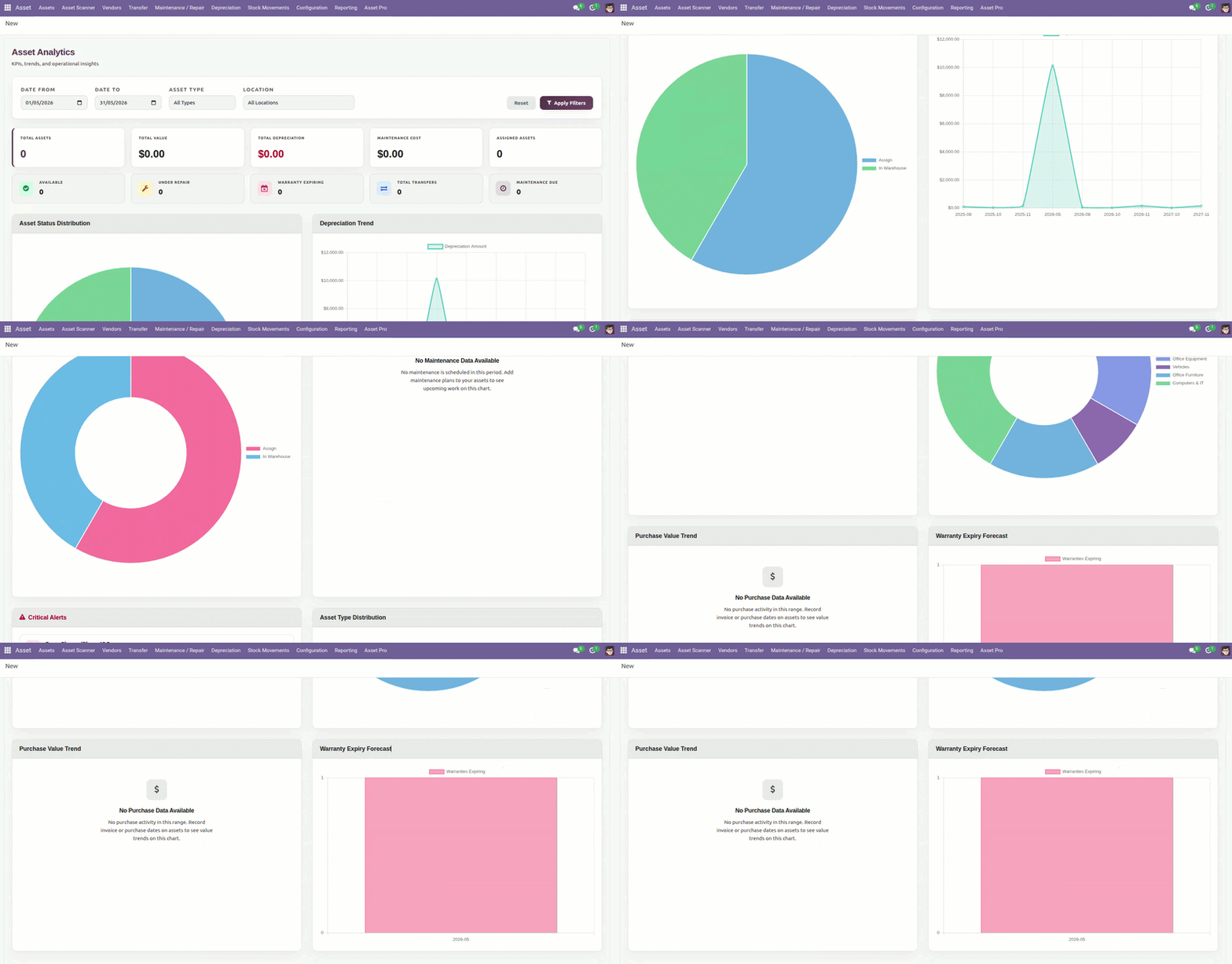
An Odoo Asset Reporting Dashboard gives your team better visibility into asset status, depreciation, maintenance, transfers, locations, costs, and lifecycle activity.
The free version supports asset reporting and analytics. Asset Management Pro adds advanced dashboards and deeper reporting for businesses that need stronger operational insight.
Better reporting helps teams generate asset reports, review asset usage, monitor asset costs, and make more informed decisions.
Odoo Equipment Asset Management
Odoo Equipment Asset Management is useful for businesses that manage machines, tools, vehicles, furniture, devices, and operational equipment.
By keeping equipment records inside Odoo, your team can track purchase information, assigned users, maintenance history, depreciation, transfers, and reporting from one system.
This supports manufacturing, field service, construction, offices, warehouses, IT departments, and operations teams.
Odoo IT Asset Management
Odoo IT Asset Management helps companies track laptops, desktops, monitors, printers, networking devices, mobile devices, and other IT equipment.
Your IT or admin team can record asset details, assign assets to employees, track movement, schedule maintenance, print asset labels, and maintain better accountability.
For larger IT teams, Asset Management Pro adds more value with QR scanning, multi-location tracking, approvals, advanced dashboards, and stronger lifecycle visibility.
Security, Roles, and Permissions
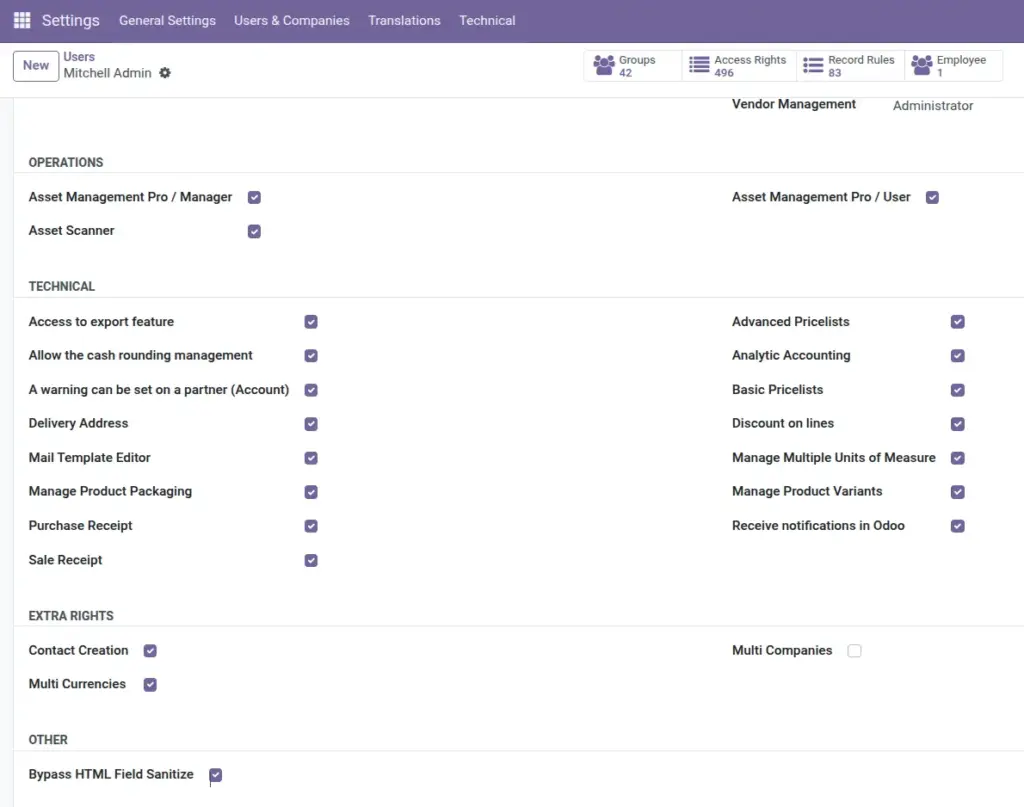
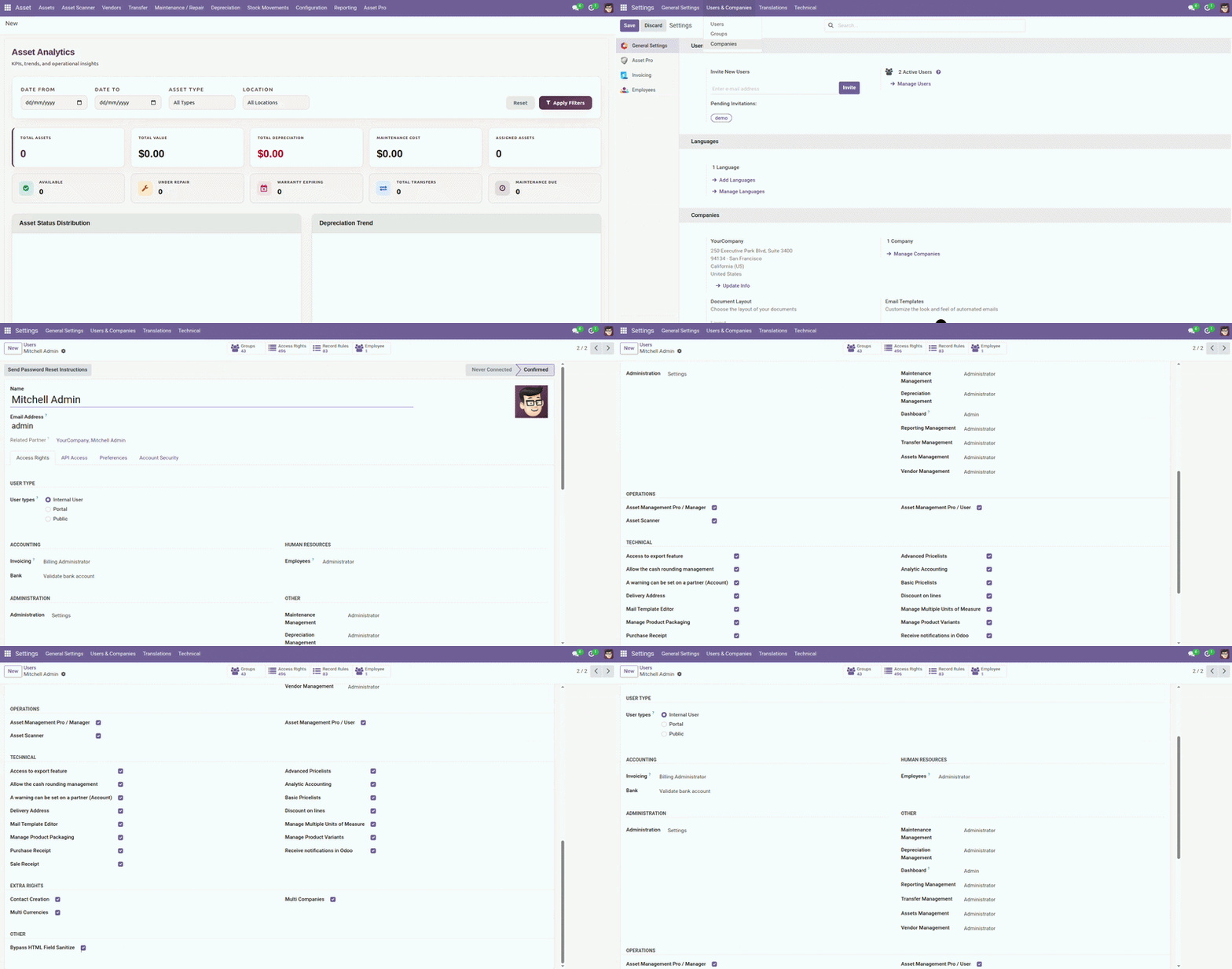
Asset Management Pro supports better role-based access and permissions for teams that need controlled asset operations.
This is useful when different users or teams need different levels of access for asset records, transfers, approvals, reports, maintenance, or company-specific asset data.
For multi-company and multi-location businesses, proper security configuration helps keep asset data organized and controlled across teams.
Asset Management Complete Walkthrough
Watch our complete Odoo Asset Management walkthrough to see asset setup, depreciation management, transfer and assignment, maintenance tracking, reporting, and practical asset workflows inside Odoo.
Watch the YouTube Walkthrough
For a detailed step-by-step explanation, read our Odoo Asset Management Guide.
You can also review our Odoo Asset Management Module case study to understand how the module supports asset tracking and financial reporting use cases.
When Should You Start with the Free Version?
Start with the free version when your business needs a simple way to manage assets in Odoo.
The free app is suitable when you need:
- Asset records
- Asset types
- Asset tracking
- Asset transfers
- Depreciation tracking
- Maintenance tracking
- Vendor information
- Asset label printing
- Standard reports and analytics
It is a good option for small teams, early-stage Odoo users, and companies that want to test asset management workflows before upgrading.
When Should You Choose Asset Management Pro?
Choose Asset Management Pro when your business needs more advanced asset control.
The Pro version is suitable when you need:
- Complete asset lifecycle visibility
- QR code asset tracking
- Advanced depreciation
- Maintenance scheduling
- Multi-company asset management
- Multi-location asset tracking
- Asset approval workflows
- Asset budget management
- Advanced dashboards and reports
- REST API support
- Predictive analytics
- Role-based security and permissions
Asset Management Pro is a stronger fit for growing companies, multi-location businesses, IT teams, operations teams, finance teams, and companies with a larger asset base.
Why Choose WebbyCrown’s Odoo Asset Management Apps?
WebbyCrown’s asset management apps are built for businesses that want a practical way to manage assets inside Odoo without starting from scratch.
The free version helps teams begin with asset records, tracking, depreciation, maintenance, transfers, vendors, labels, and reporting. The Pro version gives growing businesses more control with QR scanning, approvals, budgets, dashboards, multi-company support, multi-location tracking, REST API access, and advanced lifecycle visibility.
This gives your business a flexible path: start with the free app, then upgrade to Pro when your asset operations become more complex.
For custom reports, workflow changes, integrations, or company-specific asset processes, you can Hire Odoo Developers from WebbyCrown.
Download Free or Buy Pro on Odoo Apps
Ready to manage assets in Odoo with better tracking, depreciation, maintenance, transfers, reports, and lifecycle control?
Start with the free Asset Management app or choose Asset Management Pro for advanced QR tracking, approvals, budgets, dashboards, multi-company support, and multi-location asset operations.
WebbyCrown can also help with installation, configuration, field customization, dashboard setup, custom reports, workflow changes, integrations, and advanced Odoo asset management customization.
FAQs
What is the best Odoo app for asset management?
The best Odoo app for asset management depends on your requirements. The free Asset Management app is suitable for asset tracking, depreciation, transfers, maintenance, vendors, labels, and reporting. Asset Management Pro is better for advanced asset lifecycle management, QR code tracking, approvals, budgets, dashboards, multi-company support, and multi-location tracking.
Is there an Odoo module for complete asset lifecycle management?
Yes. Asset Management Pro supports complete asset lifecycle management in Odoo, including acquisition, tracking, depreciation, maintenance, transfers, approvals, budgets, reporting, and disposal-related workflows.
How to manage assets in Odoo?
You can manage assets in Odoo by creating asset records, assigning asset types, adding purchase and location details, tracking assigned users, managing depreciation, scheduling maintenance, recording transfers, and reviewing reports.
How to track fixed assets in Odoo?
You can track fixed assets in Odoo by maintaining an asset register with acquisition date, cost, assigned user, location, depreciation information, maintenance history, and transfer records.
How to manage asset depreciation in Odoo?
You can manage asset depreciation in Odoo by using asset depreciation fields and methods to track asset value over time. The free app supports depreciation tracking, while Asset Management Pro adds more advanced depreciation control.
Can Odoo track asset depreciation and maintenance together?
Yes. With WebbyCrown’s asset management apps, your team can track depreciation and maintenance information together inside Odoo, helping finance and operations teams work with the same asset records.
How to schedule asset maintenance in Odoo?
You can schedule asset maintenance in Odoo by creating maintenance activities, recording repair history, tracking service needs, and managing preventive maintenance. Asset Management Pro is better for advanced maintenance scheduling and operational visibility.
Can Odoo manage QR code asset tracking?
Yes. Asset Management Pro supports QR code asset tracking with built-in QR scanner functionality, making it easier to identify and manage physical assets quickly.
How to track assets with QR codes in Odoo?
You can track assets with QR codes in Odoo by using QR labels or scanner-supported workflows to open asset records quickly. Asset Management Pro is the better option when QR scanning is important for your team.
Which Odoo app supports asset transfers, locations, and approvals?
The free Asset Management app supports asset transfers and location-based tracking. Asset Management Pro adds stronger support for asset transfers, multi-location tracking, and approval workflows.
How to transfer assets between locations in Odoo?
You can transfer assets between locations in Odoo by recording the asset movement, selecting the new location or responsible user, and maintaining transfer history for accountability.
How to manage multi-company assets in Odoo?
You can manage multi-company assets in Odoo with Asset Management Pro, which supports stronger multi-company visibility, company-based asset control, and structured asset operations across business entities.
How can I track assets across multiple companies and locations in Odoo?
Asset Management Pro supports multi-company and multi-location asset tracking, helping businesses monitor assets across branches, departments, warehouses, offices, or separate company structures.
How to create asset approval workflows in Odoo?
You can create asset approval workflows in Odoo with Asset Management Pro to manage approvals for asset transfers, budgets, maintenance decisions, disposal processes, and other asset-related actions.
Does Odoo support asset reporting and dashboards?
Yes. The free app supports asset reporting and analytics. Asset Management Pro adds advanced dashboards and deeper reporting for teams that need better asset visibility and decision-making.
How to generate asset reports in Odoo?
You can generate asset reports in Odoo by using reporting and dashboard views to review asset status, depreciation, maintenance, costs, transfers, locations, and asset performance.
Can I manage IT assets and equipment in Odoo?
Yes. You can manage IT assets and equipment in Odoo, including laptops, desktops, monitors, printers, devices, furniture, tools, machines, and office assets.
How to manage IT equipment and office assets in Odoo?
You can manage IT equipment and office assets in Odoo by creating asset records, assigning them to employees or locations, printing labels, tracking transfers, scheduling maintenance, and reviewing reports.
Is Asset Management Pro available for Odoo 19?
Yes. Asset Management Pro is available for Odoo 19 and is designed for advanced asset lifecycle management, QR code tracking, approvals, budgets, dashboards, and multi-location asset control.