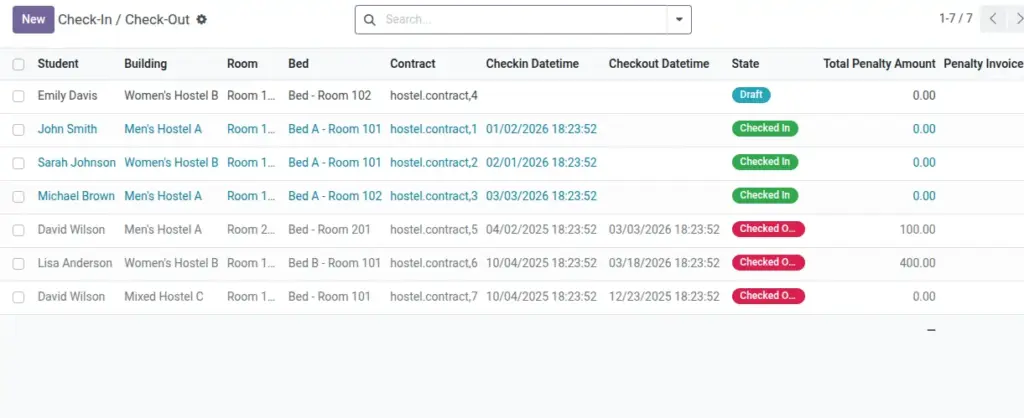
Summary of penalties categorized as Damage for the selected period.
Overview
This report summarizes penalties categorized as Damage—typically raised during check‑out or inspections for broken/missing items. It provides visibility into where costs occur, who is responsible, and which items or rooms see the most incidents.
- Use cases: Recover costs, analyze trends by building/room, and inform preventive maintenance.
- Data origin: Penalty lines using Penalty Types with category = Damage.
- Outputs: Student details, location, penalty type, amounts, and linked invoices if generated.
How It Works
- Penalties are recorded at check‑out with a category.
- This report filters category = Damage and totals amounts.
Step‑by‑Step Guide
- Go to Reports → Damage Charges.
- Set a date range and optional Building/Room filters.
- Generate and export if required.
Fields Table
| Field Name | Description | Example |
|---|---|---|
Student |
Who is charged |
Ravi Kumar |
Bed / Room |
Location |
B1 / 201‑A |
Penalty Type |
Name from master |
Broken Chair |
Amount |
Charge value |
₹ 400 |
Invoice |
Linked invoice if created |
INV/2026/0071 |
Field name explanation : Category = Damage comes from the Penalty Type used at check‑out.
Tips
- Use consistent Penalty Type names for clearer summaries.
Fields explanation
- Student: Resident responsible for the damage; used for billing and recurrence checks.
- Bed / Room: Exact location of the item damaged to support follow‑ups and audits.
- Penalty Type: Preset label; category = Damage ensures inclusion in this report.
- Amount: Charge value; may differ from defaults based on assessment.
- Invoice: Linked invoice if created; empty means pending invoicing/collection.
Common Mistakes
- Mixing “Damage” and “Other” categories makes totals less useful.
Image