Record arrivals and departures with photos, signatures, and penalty invoices if needed.
Overview
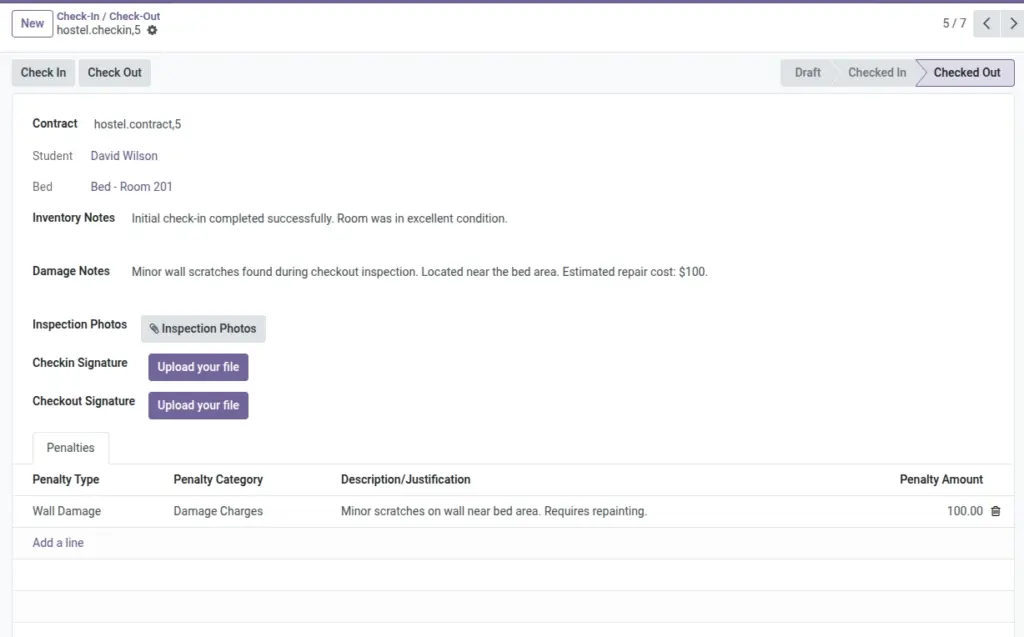
The Check‑In / Check‑Out workflow governs how students formally arrive and depart, enforcing documentation and ensuring accountability. At check‑in, it validates documents, records condition photos and signatures, and activates the contract. At check‑out, it drives room inspection, captures damages/violations, reconciles deposits, and closes the allocation cleanly.
- Why it matters: Prevents disputes, keeps occupancy accurate, and ensures correct billing.
- Controls: Blocks check‑in if mandatory documents are missing/expired (configured in Settings).
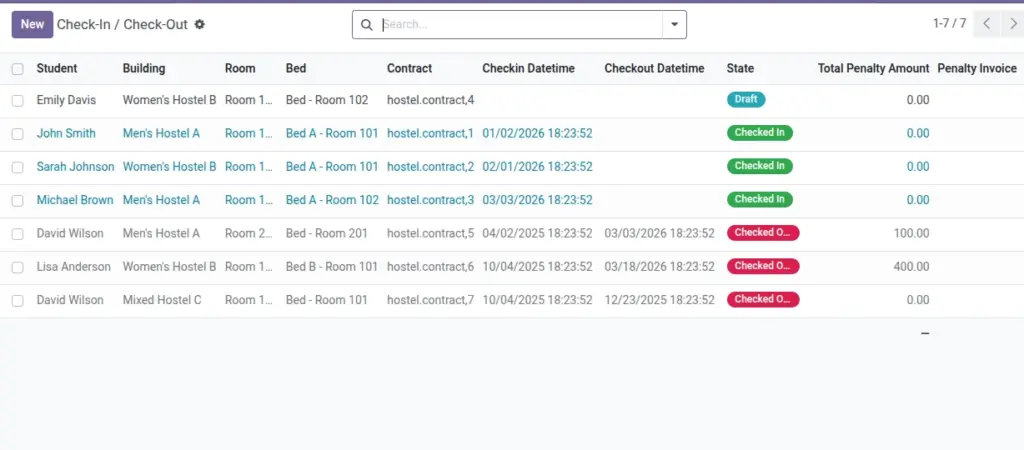
- Outputs: Occupancy history, penalty lines, and optional penalty invoice linked to the record.
How It Works
- Check‑In can be blocked if required documents are missing or expired (set in Settings).
- Photos and signatures help resolve disputes later.
- Penalties (damage or violations) can be invoiced automatically.
Step‑by‑Step Guide
- Go to Operations → Check‑In / Check‑Out → New.
- Select the Contract. Student and Bed fill automatically.
- On arrival, click Check‑In to set date/time and activate the contract.
- On departure, add any penalties and click Check‑Out to close the contract and create the invoice.
Fields Table
| Field Name | Description | Example |
|---|---|---|
Contract |
Linked contract |
Priya Sharma — B2 |
Check‑In / Check‑Out Time |
Arrival and departure timestamps |
2026‑06‑01 10:05 |
Inventory Notes |
Condition on arrival |
All fixtures OK |
Damage Notes |
Issues found at checkout |
Broken lamp |
Photos |
Inspection photos |
3 attachments |
Signatures |
Check‑in/out signatures |
Captured |
Penalties |
List of penalty lines |
Damage charge |
Penalty Invoice |
Generated invoice link |
INV/2026/0012 |
State |
Draft / Checked In / Checked Out |
Checked In |
Field name explanation : Penalties use “Penalty Types” (Damage/Violation/Other) to categorize charges.
Fields explanation
- Contract: Source allocation; provides student and bed context.
- Check‑In / Check‑Out Time: Timestamps to establish occupancy and billing boundaries.
- Inventory Notes: Condition at arrival; reference for deposit/penalty decisions.
- Damage Notes: Issues found at departure; can generate Damage penalties.
- Photos: Visual evidence attached for both events.
- Signatures: Acceptance/acknowledgment at check‑in/out.
- Penalties: Line items (Damage/Violation/Other) added during check‑out.
- Penalty Invoice: Accounting invoice link if created; pay to settle dues.
- State: Draft → Checked In → Checked Out; drives allowed actions.
Tips
- Photograph the room during both check‑in and check‑out for clarity.
- Use Penalty Types with default amounts to save time.
Common Mistakes
- Forgetting to set contract dates — check‑in won’t activate without them.
Image