Overview
Why it matters: Not every pay run is the same: a bonus may skip certain deductions; a final settlement may need full tax but not recurring allowances. Payslip types let you define behaviour per run so you do not manually toggle dozens of options on every payslip.
What this covers: Under Configuration → Payslip Types you create categories (e.g. Regular Salary, Bonus, Advance, Final Settlement) with a short code. Flags control whether to include overtime, leaves, earnings/deductions, and tax, and whether the type is recurring (typical monthly payroll).
Choosing the right type on a payslip keeps calculations aligned with policy for that event.
How it works
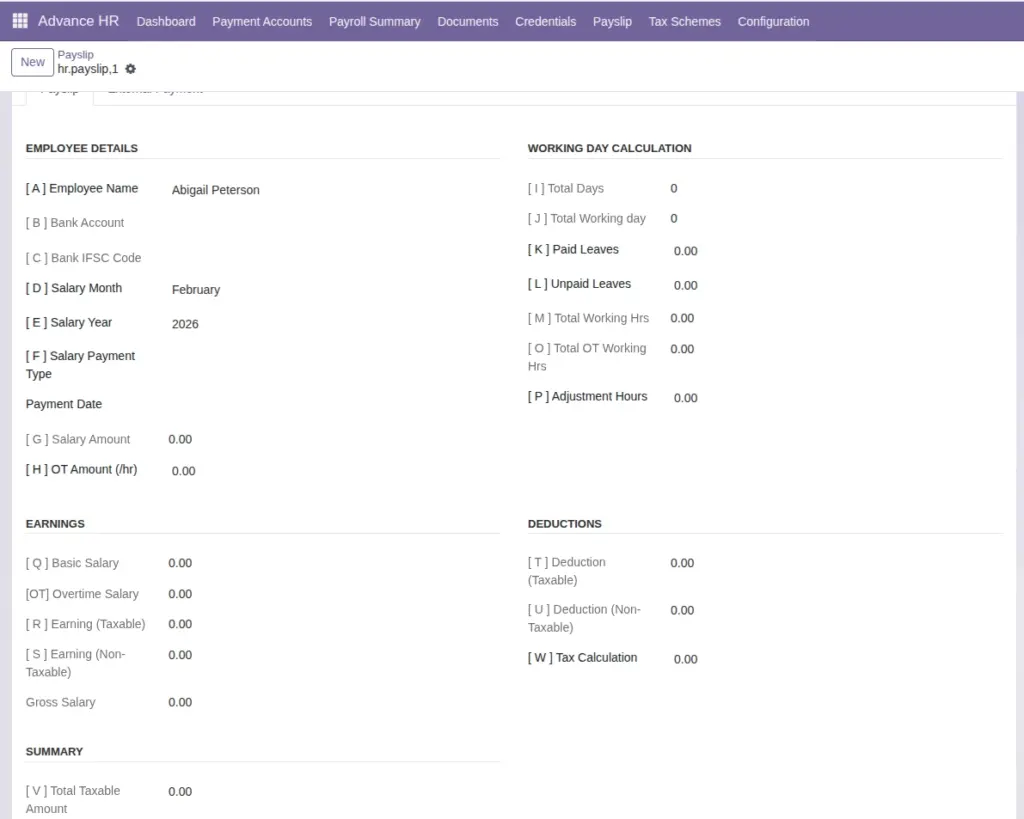
When a payslip uses a type, the form can show or hide options (for example OT calculation) based on Include Overtime, Include Leaves, Include Earnings/Deductions, and Apply Tax. Recurring Type marks standard monthly payroll. Codes are unique per company and stored uppercase.
Step-by-step
- Go to Configuration → Payslip Types.
- Create types your payroll team actually uses (keep the list short).
- Set flags to match policy (e.g. bonus without OT).
- Assign the type on payslips when creating or editing (where shown).
Fields Table
| Field | Purpose |
|---|---|
Name / Code |
Label and short code (e.g. REG, BON). |
Include Overtime |
Whether OT is calculated on this payslip. |
Include Leaves |
Whether leave balances affect this run. |
Include Earnings/Deductions |
Pull salary entry lines. |
Apply Tax |
Run tax scheme logic. |
Recurring Type |
Typical monthly salary vs one-off. |
Active |
Available for selection. |
Field labels explained
Name / Code
Name
is shown in dropdowns; Code is a short unique key per company (often uppercased) for imports and integrations.
Include Overtime
When enabled, OT hours and OT pay logic run for this payslip type; turn off for flat bonuses.
Include Leaves
When enabled, approved leave affects paid/unpaid day calculations for this run.
Include Earnings/Deductions
Pulls structured lines from the salary entry; disable for manual-only payslips if your process allows.
Apply Tax
Runs tax scheme deductions; disable only when policy says this run is net or non-taxable.
Recurring Type
Marks standard monthly payroll vs one-off events (bonus, settlement).
Active
Hides obsolete types from pickers while preserving historical payslips.
Common mistakes
- Using a type that disables OT when this run should include overtime.
- Duplicate codes in the same company—creation is blocked by uniqueness.