
Setup Advance HR
Install the module, enable it in Odoo, and give users the right access — explained for first‑time users.

Simple, step-by-step help for HR teams to manage people, time, and payroll.

By Akash Soni May 31, 2026
Install the module, enable it in Odoo, and give users the right access — explained for first‑time users.
Control who can view, create, edit, and approve HR records.
Global options under Settings → Advance HR: hours rules, dashboard, and timers.
Set up the basics so payroll runs smoothly from day one.
Capture the right details to support payroll and attendance.
Store payment details and control the default payout account.
Configure lookup values used on employee records (Odoo HR Configuration).
Track passports, IDs, work permits, and certificates with expiry dates.
Organize employees by pay schedule, country, and tax rules.
Set up the country, calculation method, and brackets for automatic tax deductions.
Define base pay and reusable entries like HRA, Bonus, and PF.
Control when overtime starts, monthly limits, and holiday/weekend rules.
Define paid/unpaid leaves and which days are not counted as work.
Choose how hours are counted for payroll calculations.
Store login and access details separately from bank payment information.
Define categories of payslip runs (regular salary, bonus, advance, settlement) and what each includes.
Lists under Advance HR → Configuration that feed payroll, documents, and credentials.
Monitor allocated vs used paid leave by month and handle unused leave amounts.
Extra fields on analytic timesheet lines: work type and start/end times.
Create monthly payslips for all or selected employees.
Choose which widgets appear on the Activity Dashboard and bulk-create layouts.
Close out tasks and finalize timesheets for accurate payroll.
Print or download professional payslips for employees.
See each day’s hours, OT, leaves, and day-off reasons before finalizing pay.
Draft → lock → approve → paid, with recalculation and day checks in between.
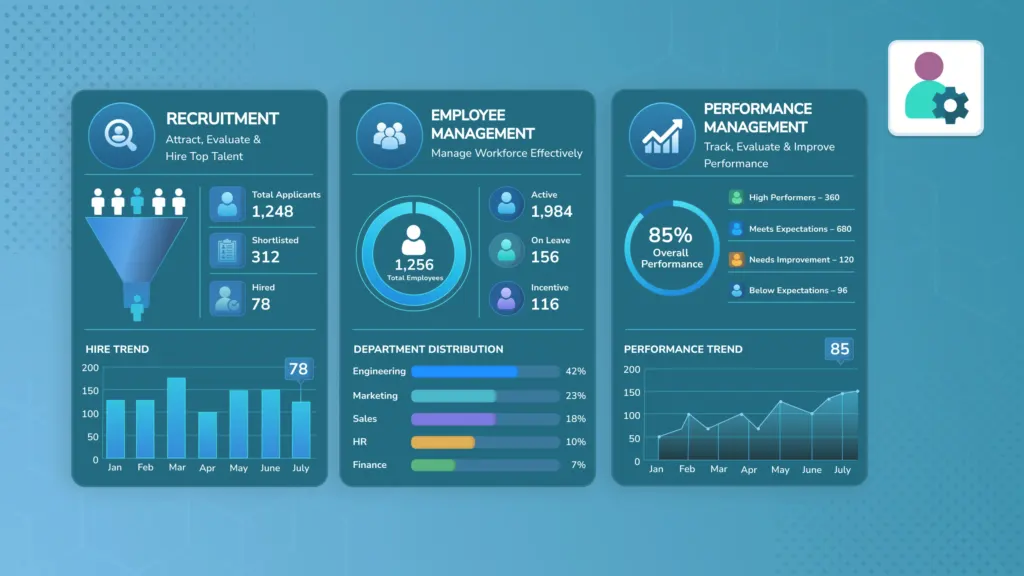
See workforce, tasks, leaves, and department stats at a glance.
Built around payroll automation, compliance, employee data integrity, and secure documentation.

Punching code, employment type/status, work type, emergency contacts.

Payout accounts, login/credential records, document tracking with expiry.

Payroll groups, tax schemes and brackets, configuration masters (payment types, earnings catalog, etc.).

Earnings/Deductions with fixed, percentage, or formula logic; templates; payslip categories (regular, bonus, etc.).

Thresholds, monthly limits, weekend/holiday rules, approvals.

Holiday exclude rules, paid leave allocation/usage tracking.

Hours source settings; timesheet lines with work type and start/end times; task timers.

Generation wizard, day-by-day review, lock/approve/paid lifecycle.

Widget layout (admin), HR activity dashboard, printable payslip PDF.