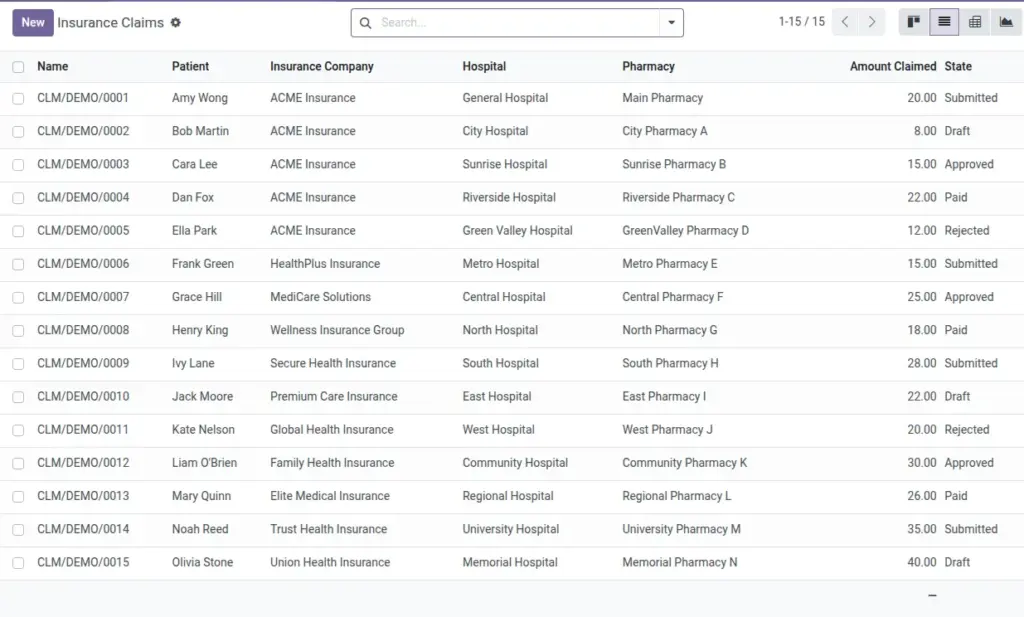
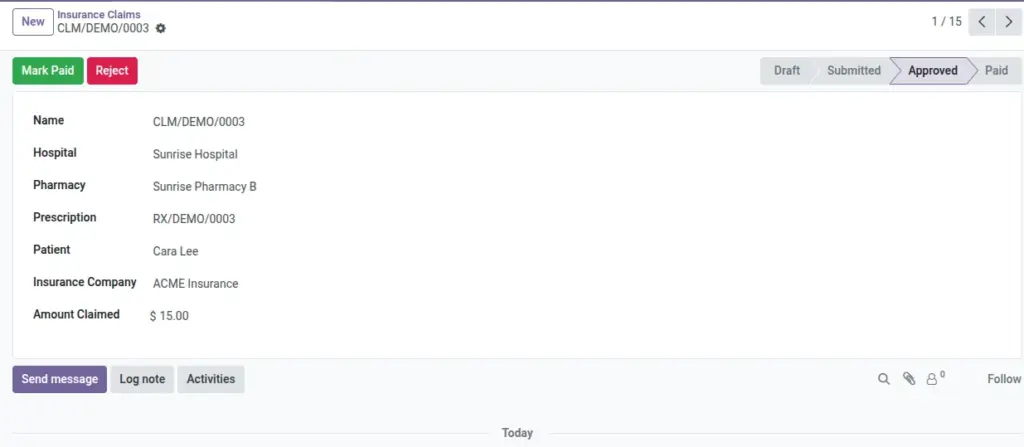
Create and track claims for prescriptions. Submit, approve, mark paid, or reject.
Overview
Insurance claims connect billing to a specific prescription and patient so you can track reimbursement from submission to payment. Selecting the source prescription auto-fills the hospital and pharmacy context, keeping reports consistent and minimizing rework.
Clear states (Draft → Submitted → Approved → Paid/Rejected) make it easy for your team to see what needs attention today and what has already been resolved, improving cash flow visibility and reducing follow‑up delays.
How It Works
- When you select a Prescription, patient/hospital/pharmacy fill in.
- Update the State as the claim moves through the insurer’s process.
Step-by-Step Guide
- Go to Pharmacy → Operations → Insurance Claims → New.
- Select the Prescription. Confirm the Patient and Insurance Company.
- Enter the Amount Claimed.
- Click Submit. Later, mark as Approved or Rejected, and finally Paid.
Fields Table
| Field Name | Description | Example |
|---|---|---|
Hospital |
Hospital tied to the claim. |
City General |
Pharmacy |
Branch processing the claim. |
CGH OP Pharmacy |
Prescription |
Source prescription for the claim. |
RX/2026/0021 |
Patient |
Insured person. |
Jane Doe |
Insurance Company |
Payer organization. |
HealthCo |
Amount Claimed |
Claimed amount with currency. |
USD 120.00 |
State |
Draft, Submitted, Approved, Paid, Rejected. |
Submitted |
Field Names Explained
Hospital
The hospital responsible for the claim context.
Pharmacy
The branch handling the related prescription/claim.
Prescription
Source RX; auto‑fills patient and location context.
Patient
The insured person; must match the prescription.
Insurance Company
Organization expected to pay the claim.
Amount Claimed
Value requested for reimbursement with currency.
State
Progress milestone (Draft/Submitted/Approved/Paid/Rejected).
Tips
- Attach insurer forms and communications to keep everything in one place.
Common Mistakes
- Mismatching Hospital/Pharmacy with the prescription will be blocked.
Image