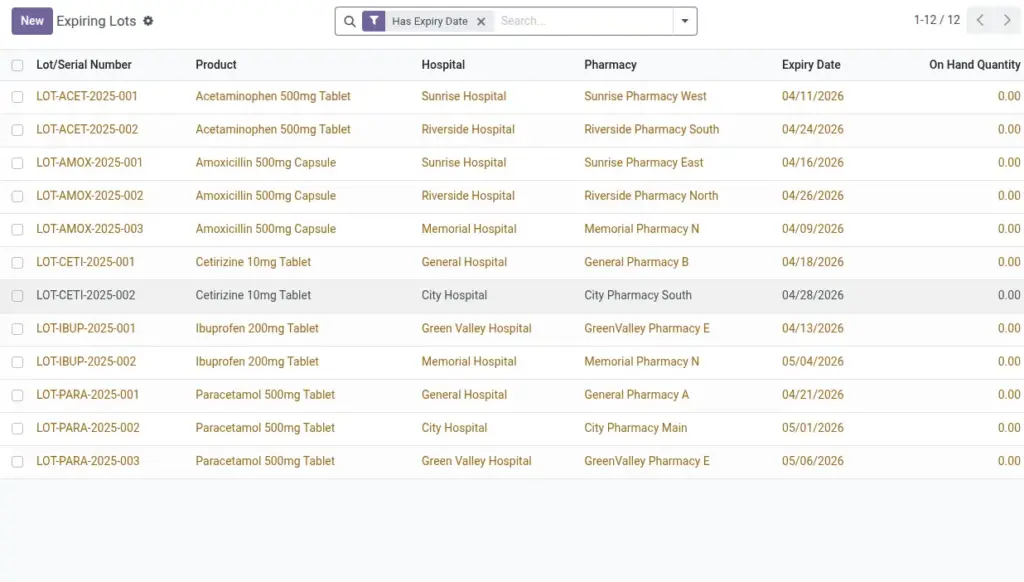
Monitor shortages and find lots expiring in the next 30 days at each hospital and branch.
Overview
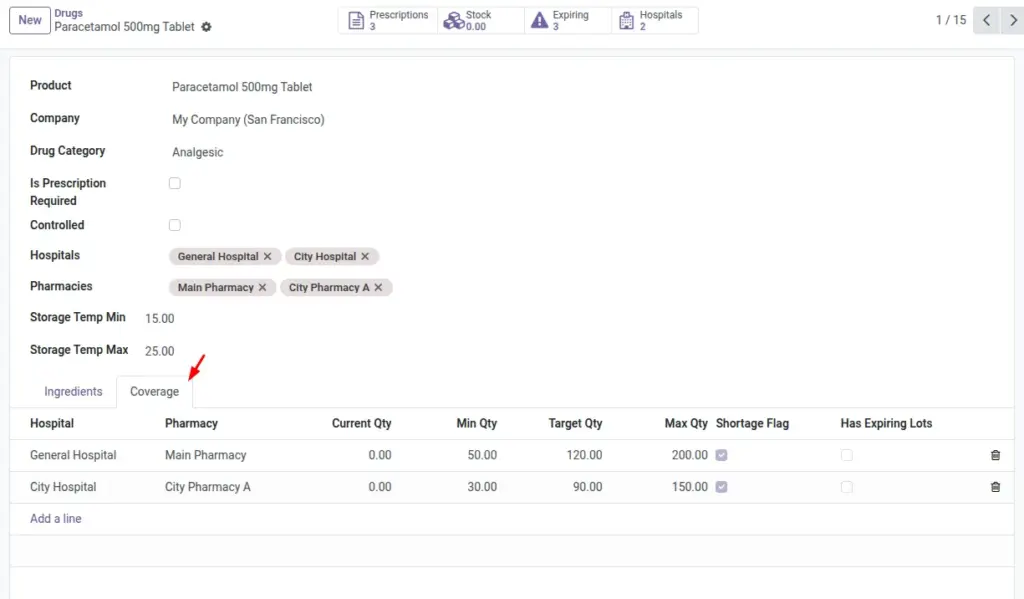
Coverage lines define stock policies per hospital or branch so you maintain the right levels without tying up cash. Minimums raise shortage alerts, targets guide replenishment, and maximums avoid overstock. Alongside this, Expiring Lots highlight batches that will go out of date soon, focusing attention on items that need action first.
By reviewing coverage and expiry regularly, teams can prevent stockouts, reduce waste, and improve patient service with fewer last‑minute substitutions.
How It Works
- Coverage aggregates stock from the warehouse or location of the hospital/branch.
- Expiring Lots show any lot with an expiry date within the next 30 days.
Step-by-Step Guide
- Open a Drug and go to Hospital Coverage.
- Add a line per Hospital (and optional Pharmacy).
- Fill Min, Target, Max, and review Current Qty.
- Use smart buttons to open Expiring Lots or Stock.
Fields Table
| Field Name | Description | Example |
|---|---|---|
Min Qty |
Alert level to reorder. |
50 |
Target Qty |
Ideal stock level. |
100 |
Max Qty |
Ceiling to avoid overstock. |
200 |
Current Qty |
Live calculated quantity. |
87 |
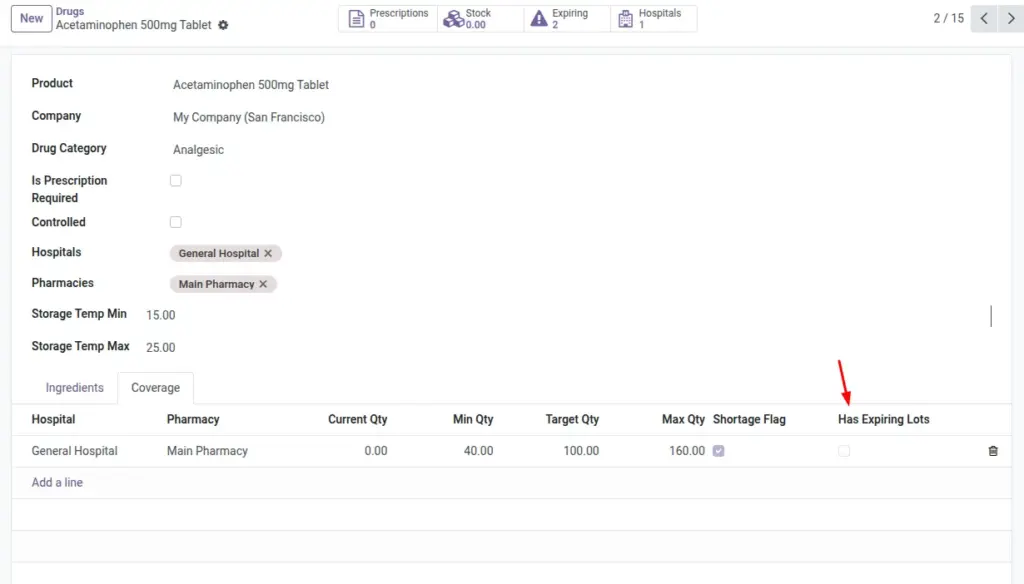
Has Expiring Lots |
True if lots expire in 30 days. |
Yes |
Field Names Explained
Min Qty
Reorder alert threshold; signals low stock.
Target Qty
Ideal on‑hand level to work toward.
Max Qty
Do‑not‑exceed level to avoid overstock.
Current Qty
Calculated on‑hand including relevant child locations.
Has Expiring Lots
True if any lot expires within the next 30 days.
Tips
- Sort coverage lines by Has Expiring Lots first to action urgent items.
Common Mistakes
- Not setting Min Qty means no shortage alerts will be raised.
Image