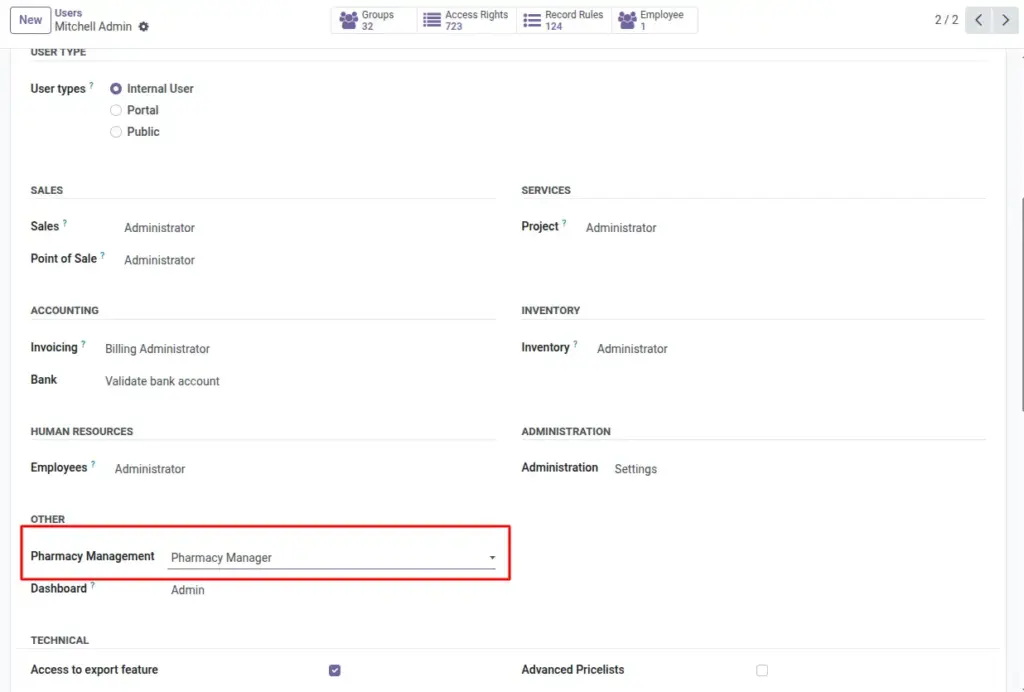
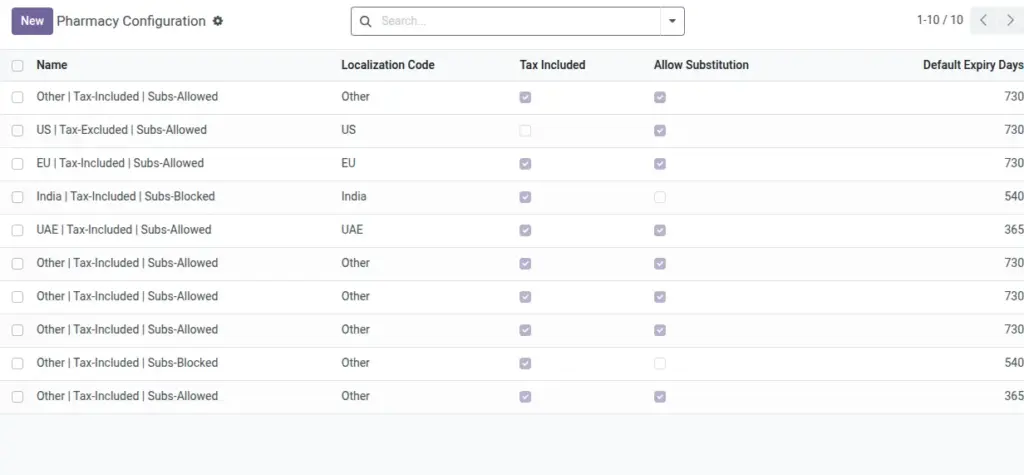
Configure pricing mode, localization, substitution policy, and default expiry settings for your pharmacies.
Overview
Pharmacy Settings define key commercial and regulatory behaviors across branches. Choose tax display mode (included or excluded), set localization that reflects your region’s conventions, and decide whether medicine substitution is allowed. If substitutions are enabled, link a substitution policy that contains your approved brand↔generic mappings.
Standardizing these choices at the start prevents pricing disputes, reduces training time, and aligns all branches to your operating policies.
How It Works
- Tax Included toggles whether prices display tax-included.
- Localization adapts behavior and defaults by region.
- Substitution Policy links to approved brand↔generic maps.
- Default Expiry Days helps set expected expiry windows for new items.
Step-by-Step Guide
- Go to Pharmacy → Configuration → Pharmacy Settings (Pharmacy Config) → New.
- Choose Localization (e.g., US, EU, India) and whether Tax Included is used.
- Enable or disable Allow Substitution.
- If needed, pick a Substitution Policy (from Substitution Map).
- Fill Default Expiry Days if you want a standard reference for shelf life.
- Save. The computed Name summarizes your configuration.
Fields Table
| Field Name | Description | Example |
|---|---|---|
Tax Included |
Show product prices including tax. |
Enabled |
Localization |
Regional behavior preset. |
India |
Allow Substitution |
Permit brand↔generic swaps. |
Yes |
Substitution Policy |
Reference to approved mappings. |
Generic-Preferred Map |
Default Expiry Days |
Typical expiry window for items. |
730 |
Field Names Explained
Tax Included
Display prices tax‑inclusive (on) or exclusive (off).
Localization
Regional preset influencing defaults and formats.
Allow Substitution
Enables brand↔generic swaps where permitted.
Substitution Policy
Reference of approved substitutions to follow.
Default Expiry Days
Typical shelf‑life reference for new items.
Tips
- Create one configuration per region if your company spans multiple countries.
- Review Default Expiry Days regularly for accuracy.
Common Mistakes
- Enabling substitution without agreed policies can cause confusion—use approved maps.
Image