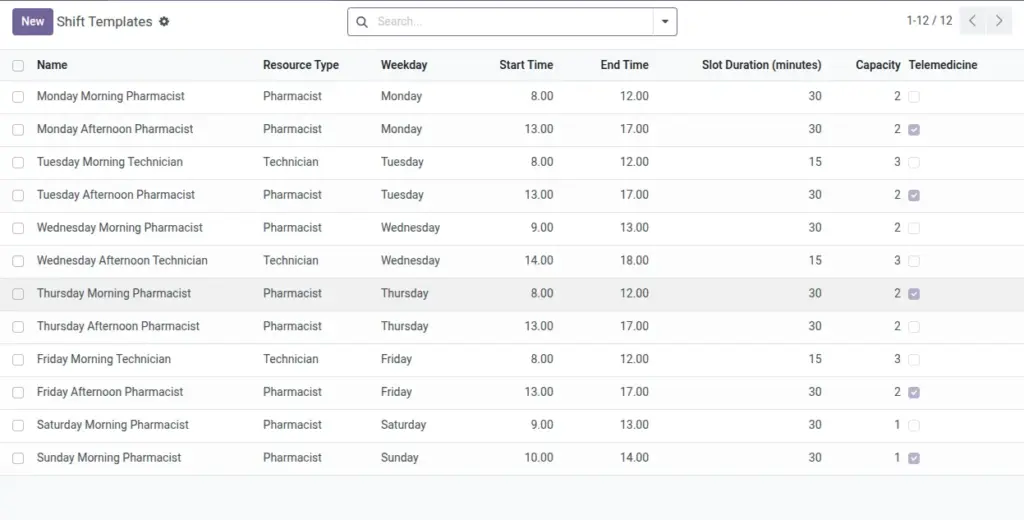
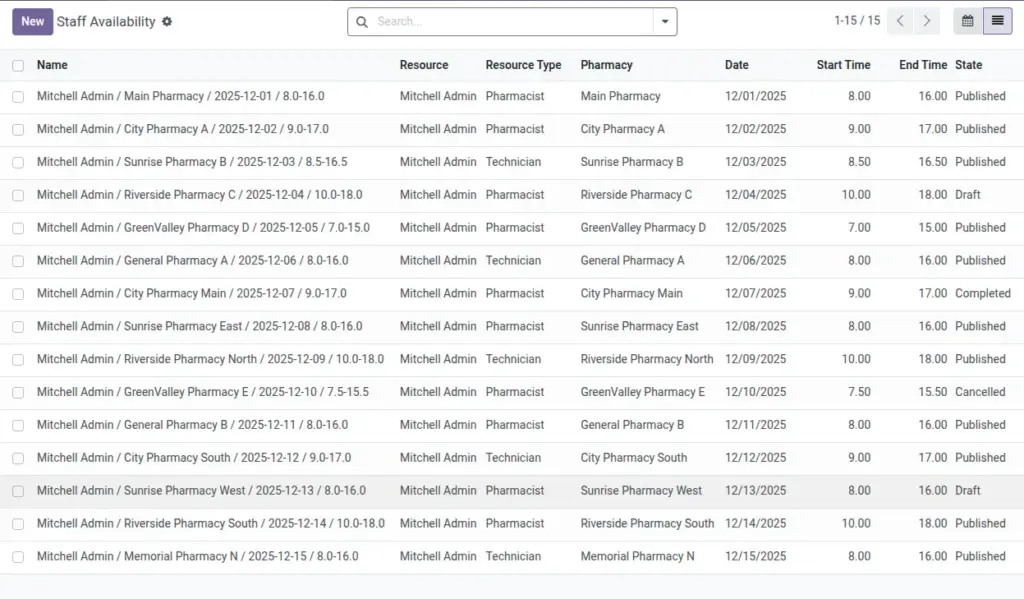
Publish clear availability for pharmacists and technicians using shift templates.
Overview
Staffing visibility prevents service gaps and overbooking. With Shift Templates you define typical working patterns (weekday, hours, capacity), then publish real dated Availability slots for specific users and branches. The system blocks overlaps for published slots, protecting your schedule quality.
This lets managers plan coverage in advance, respond to demand changes quickly, and communicate a clear rota to pharmacists and technicians.
How It Works
- Shift Templates define weekday, times, duration, and capacity.
- Availability sets the user, branch, date, and picks from a template.
- Only one published slot can cover the same time for the same person and branch.
Step-by-Step Guide
- Go to Pharmacy → Configuration → Shift Templates → New. Fill details and save.
- Go to Pharmacy → Configuration → Staff Availability → New.
- Select User and Pharmacy, pick a Date, and choose your Shift Template.
- Set State to Published to go live.
Fields Table
| Field Name | Description | Example |
|---|---|---|
Resource Type |
Pharmacist or Technician. |
Pharmacist |
User |
Person scheduled. |
Alex Johnson |
Pharmacy |
Branch for the shift. |
CGH OP Pharmacy |
Date |
The day of availability. |
2026-04-08 |
Start/End Time |
Working hours for the slot. |
09:00–17:00 |
Slot Duration |
Length of booking slots. |
30 minutes |
Capacity |
How many can be handled per slot. |
1 |
State |
Draft, Published, Completed, Cancelled. |
Published |
Field Names Explained
Resource Type
Pharmacist or Technician for the slot/template.
User
The person scheduled to work the slot.
Pharmacy
Branch where this availability applies.
Date
Calendar date for the availability entry.
Start/End Time
Working hours of the slot (e.g., 09:00–17:00).
Slot Duration
Length of each appointment window in minutes.
Capacity
Max number that can be handled per slot.
State
Draft, Published, Completed, or Cancelled state of availability.
Shift Template
Reusable definition that pre‑fills fields for speed.
Tips
- Use templates per weekday for predictable coverage.
Common Mistakes
- Publishing overlapping slots for the same user/branch—system will prevent it.
Image