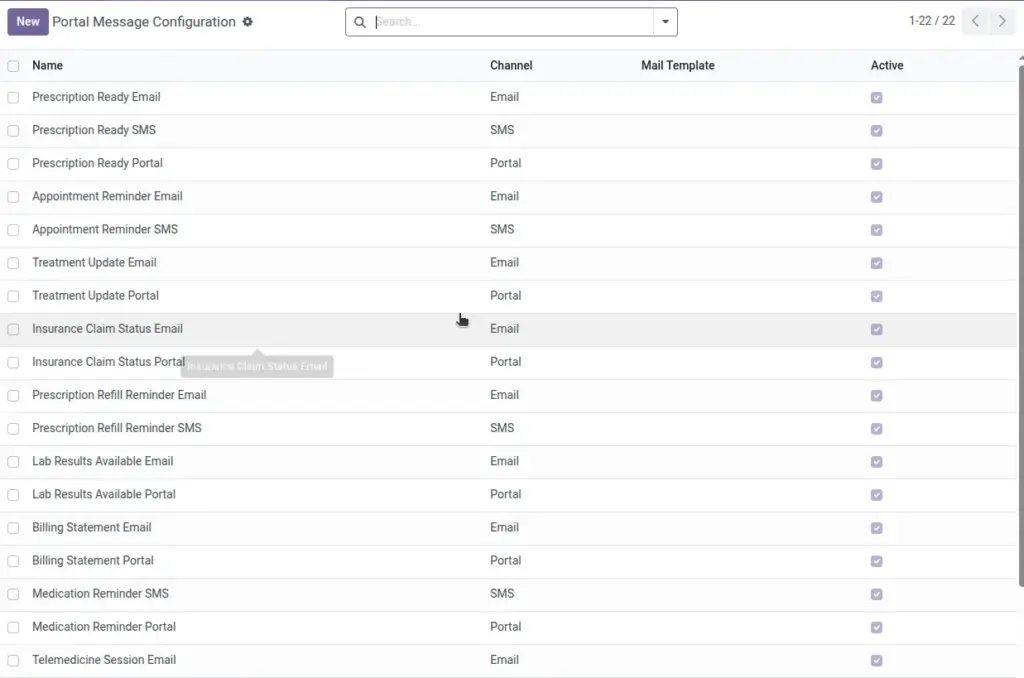
Standardize your patient communications with channels (email/SMS/portal) and templates.
Overview
Consistent messaging improves patient trust and reduces back‑and‑forth. Communication configurations let you choose a channel (email, SMS, or portal) and, for email, attach a reusable template so wording and branding stay on point. You can enable or disable configurations over time without losing history.
Standard templates for common situations—like prescription ready, missing insurance info, or recall notices—save time and keep tone and instructions uniform across branches.
How It Works
- Channel can be Email, SMS, or Portal.
- Mail Template is used for Email channel messages.
- Active toggles whether a configuration is usable.
Step-by-Step Guide
- Go to Pharmacy → Configuration → Message Templates (Portal Message Config) → New.
- Enter a Name for the configuration.
- Select a Channel and, if Email, choose the Mail Template.
- Save and keep Active enabled to use it.
Fields Table
| Field Name | Description | Example |
|---|---|---|
Name |
Internal label for the configuration. |
RX Ready for Pickup (Email) |
Channel |
Where the message is sent. |
|
Mail Template |
Template to use for Email. |
Prescription Ready Template |
Active |
Whether this config is available. |
Enabled |
Field Names Explained
Name
Internal label that describes when to use the message.
Channel
Email for rich content; SMS for short/time‑sensitive; Portal for in‑app.
Mail Template
Required when Channel is Email; defines subject/body.
Active
Toggle availability without deleting the configuration.
Tips
- Create separate templates for RX Ready, Insurance Info Needed, and Recall Notice.
Common Mistakes
- Forgetting to set a Mail Template for Email channel results in empty messages.
Image