Move stock to patients with delivery pickings, record dispensing, and manage returns safely.
Overview
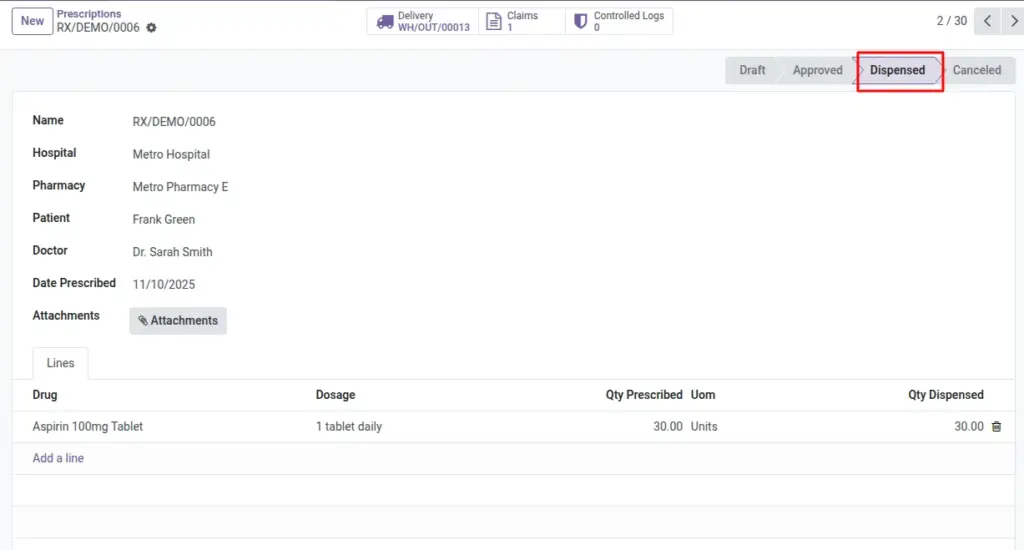
After a prescription is approved, dispensing turns the medical order into real stock movement and patient handover. Creating a delivery picking ensures items move from the correct warehouse or branch location to the customer location with full traceability. Recording quantities dispensed updates each line so you know what the patient actually received.
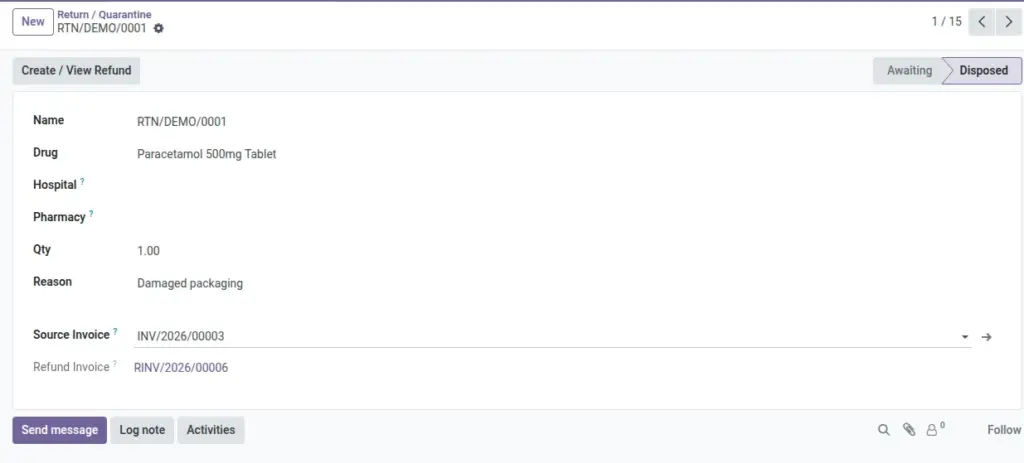
When items come back, Return Quarantine lets you log the quantity, reason, and source invoice, then create a refund (credit note). This protects patients, keeps financials accurate, and gives you a clear audit trail for inspections.
How It Works
- Create Delivery builds stock moves from the branch warehouse/location to the customer.
- Dispense updates line quantities to what was given.
- Return Quarantine tracks returned drugs and can create a refund.
Step-by-Step Guide
- Open an Approved Prescription.
- Click Create Delivery to generate a picking and moves.
- Click Dispense to record dispensed quantities (up to prescribed).
- For returns, go to Pharmacy → Operations → Return Quarantine → New.
- Select Drug, Invoice, and set Qty and Reason.
- Click Create Refund to generate a credit note.
Fields Table
| Field Name | Description | Example |
|---|---|---|
Delivery Picking |
Stock transfer for the prescription. |
WH/OUT/00321 |
Return Qty |
Quantity being returned to quarantine. |
10 |
Return Reason |
Why the patient returned the drug. |
Adverse reaction |
Refund Invoice |
Credit note generated from return. |
RINV/2026/0042 |
Field Names Explained
Delivery Picking
The stock transfer record created for this prescription.
Return Qty
Quantity being returned; must be greater than zero.
Return Reason
Short explanation of why the patient returned the item.
Refund Invoice
Credit note generated from the return referencing the source invoice.
Tips
- Always create a Delivery first to ensure traceability of stock.
Common Mistakes
- Dispensing without a delivery makes it harder to audit stock movements.
Image