

Overview
Demo data lets you practice safely. It typically includes one or more Screenings with models, pre-set keywords, and a variety of Applicants and AI Scores. Use it to learn workflows, test filters, and agree on thresholds—before you handle real candidate information.
How It Works
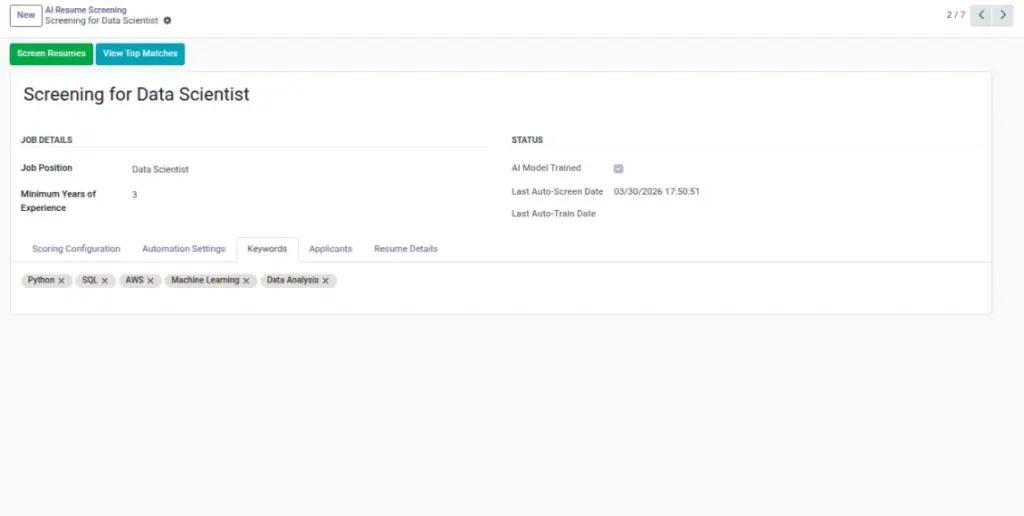
When demo data is loaded, you’ll find prebuilt Screenings (often already trained) and Applicants with example scores. Open a demo Screening to see keywords and status, then visit the Applicants list to practice sorting, filtering, and moving candidates through stages. This environment behaves like production—just with safe sample records.
Step-by-Step Guide
- Open AI Resume Screening and select a demo screening.
- Review the AI Model Trained status and keywords.
- Open Applicants to see high/medium/low scores and practice filtering.
Fields Table
| Field Name | Description | Example |
|---|---|---|
Demo Screening |
Preconfigured screening with model and settings. |
Software Developer (Demo) |
AI Score |
Used to learn sorting/filters. |
75 |
Keywords |
Example terms used for matching. |
Python, Odoo, Git |
Field Explanations
Demo Screening
A ready-to-use screening (often already trained) to experiment with.
AI Score
Values spanning low/medium/high to demonstrate ranking and filters.
Keywords
Example terms to show how matching influences scores.
Tips
- Document your preferred filters during demo practice.
- Align on score thresholds with the hiring team.
Common Mistakes
- Forgetting to disable demo data in production environments.
- Assuming demo keywords fit your real job needs.
Image