

Overview
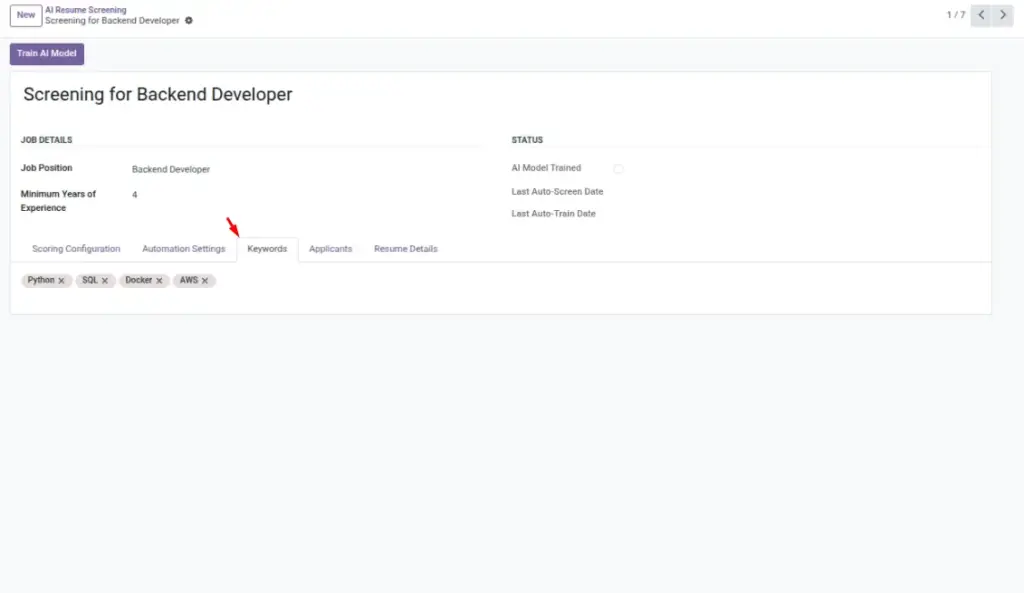
Keywords are your “must-see” signals. They tell the AI which skills, tools, platforms, or certifications should influence the score. Well-chosen keywords help the system distinguish strong resumes from average ones. Balance core competencies (e.g., Python) with enabling tools (e.g., Git, Docker) to reflect the whole role.
Keep the list focused. Too many niche terms can lower overall scores unnecessarily; too few can make scores less selective.
How It Works
The AI extracts text from resumes and compares it to your keyword list. It can account for slight variations (e.g., plurals, verb forms) through linguistic normalization, so “analyze” and “analysis” can both count. More relevant keyword matches typically increase the score, weighted by your Keyword Score Weight.
Step-by-Step Guide
- Open your Screening.
- In the Keywords field, add terms one by one.
- Save and train (or re-train) the model.
Fields Table
| Field Name | Description | Example |
|---|---|---|
Keywords |
Skills/tools to match in resumes. |
Python, Odoo, PostgreSQL, Git |
Keyword Score Weight (%) |
Influence of keyword matches on final score. |
40.0 |
Field Explanations
Keywords
The set of terms the AI should match in resume text (skills, tools, certs).
Keyword Score Weight (%) (on Screening)
How strongly keyword matches influence the final 0–100 score.
Tips
- Balance core skills (Python) and ecosystem tools (Git, Docker).
- Revisit the list after a hiring round to improve precision.
Common Mistakes
- Too many niche keywords—few resumes will match.
- Extremely generic terms (e.g., “team player”)—not useful for screening.
Image