
Setup Access Control Studio
A complete beginner’s guide to install Access Control Studio in Odoo and open it for the first time - written for people who are new to adding apps.

Control what people can see and do in Odoo - menus, fields, buttons, records, and more - without writing code. This guide is written for managers and administrators, not developers.

By Akash Soni July 14, 2026
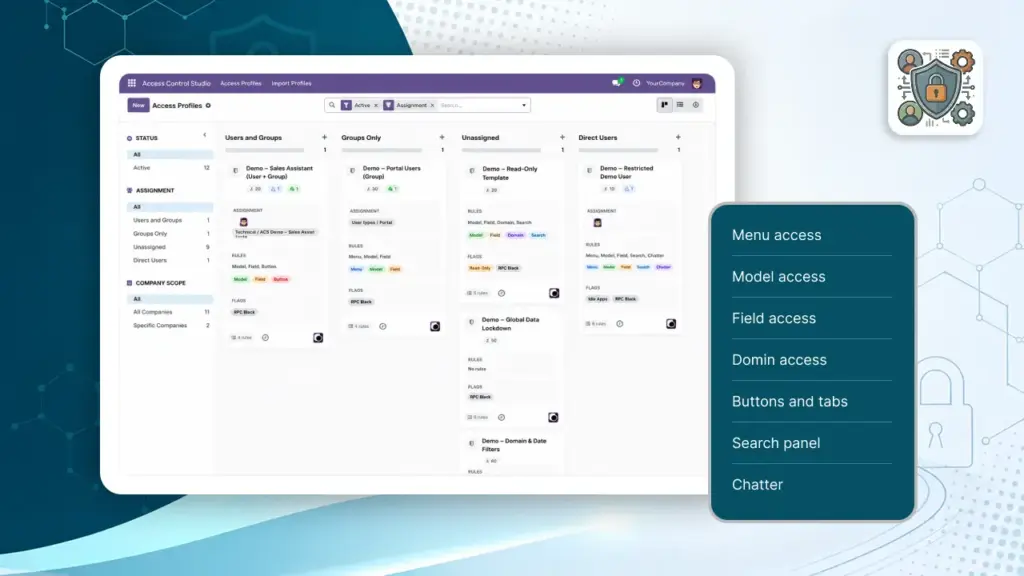
A complete beginner’s guide to install Access Control Studio in Odoo and open it for the first time - written for people who are new to adding apps.
After Access Control Studio is installed, learn how to open it and who should manage access profiles in your company.
Know who can open Access Control Studio, who can change rules, and who is never limited by those rules.
An Access Profile is a named package of rules. Assign it to people or teams, and Odoo applies those rules when they work.
The Access Profiles board (Kanban) is your daily console - scan who is assigned, what rule types exist, archive drafts, and filter quickly.
Global switches apply across Odoo for everyone on the profile - ideal for read-only roles, locking down login, or blocking imports everywhere.
Use Menu Access to remove apps and submenu items from someone’s navigation - for example, hide Settings or Accounting from sales staff.
Model Access decides what people can do on a type of record - for example Contacts, Sale Orders, or Products - including create, edit, delete, views, and reports.
Field Access controls individual pieces of information on a form - hide salary, make phone numbers read-only, or require a field before saving.
Domain Access filters the list of records - for example, only today’s documents, only my customers, or only records linked to my team.
Remove dangerous or distracting buttons and notebook tabs - Confirm, Cancel, smart buttons, or a whole “Extra Info” tab - with optional Discover to find their names.
Simplify how people search and group lists - hide filters, favorites, custom filters, or the left search panel for a cleaner screen.
Control the message history on records - hide the whole chatter, or only send message, log notes, activities, followers, or attachments.
See Odoo exactly as another person does - the safest way to verify a profile before go-live.
Back up your access rules or copy them between databases with Export (JSON/CSV) and Import (JSON).
Automatically apply a baseline Access Profile when a new internal employee or portal user is created.
Understand what happens when someone matches several profiles, and who is never restricted by Access Control Studio.
Copy these ready-made recipes for common roles. Each scenario lists which profile settings to turn on and which chapters to open for detail.
Quick answers when something does not look restricted, looks too restricted, or a user cannot sign in.

Download, upload, activate the app, and open the menu.

Managers, Administrators, and your first profiles.

Kanban cards, assignment groups, archive, and filters.

Hide navigation and control create/edit/delete per record type.

Protect sensitive fields and limit which rows people see.

Ready-made role recipes and troubleshooting answers.