
Before You Start (Access & Roles)
Ensure the right people can use the app; enable outgoing email.

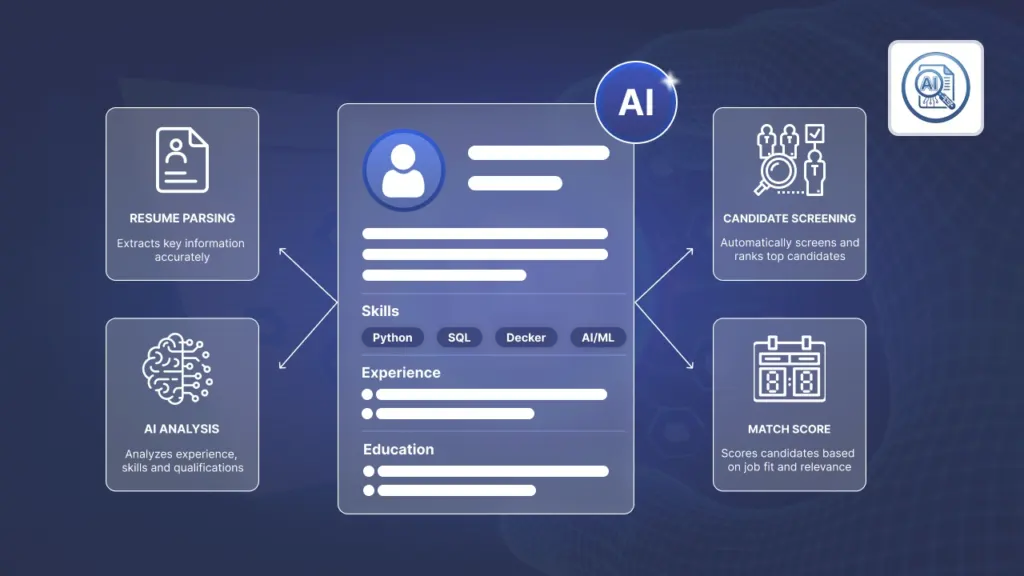
An AI-powered resume analysis and screening system that extracts text from PDF resumes, scores candidates on a 0–100 scale using machine learning + weighted scoring, validates experience, evaluates ATS-friendly structure, and automates screening workflows with configurable notifications.

By Akash Soni March 25, 2026
Ensure the right people can use the app; enable outgoing email.
Where to find the menu in Odoo and what you can do with it.
Kanban and list basics; where scores appear; sorting and filters.
Create a screening profile for each job position. This is the base for training and scoring.
Training prepares the system to score resumes for your role. Do this before screening.
Score new applicants and update scores when more resumes arrive.
Sort and focus on the highest scoring candidates first.
Tell the AI what matters most for the role (skills, tools, certifications).
Let Odoo train and screen on a schedule and notify you about top candidates.
Customize subjects and recipients for high-score notifications.
The AI score (0–100) is built from parts like keywords and experience.
Make sure resumes contain readable text so the AI can score them.
Import many applicants and fix common data issues quickly.
Explore the app safely with preloaded screenings, applicants, and scores.
Fix common issues quickly with simple checks.
Respect candidate data and keep your process fair and compliant.

Reads PDF resumes and extracts text for analysis.

Calculates a clear score so you can compare candidates quickly.

Looks for must-have skills and tools you define.

Considers minimum years of experience for the role.

Rewards resumes with clean, scannable structure.

Auto-trains and auto-screens on a schedule to save time.

Notifies HR when an applicant crosses your score threshold.

See AI scores in lists and sort to find top candidates first.

Practice safely with sample screenings and applicants.