Overview
Why it matters: IT and HR often need a structured record of who has access to which systems, separate from how they are paid. Mixing bank details with login metadata creates confusion and security risk; Advance HR splits payment accounts from credentials on purpose.
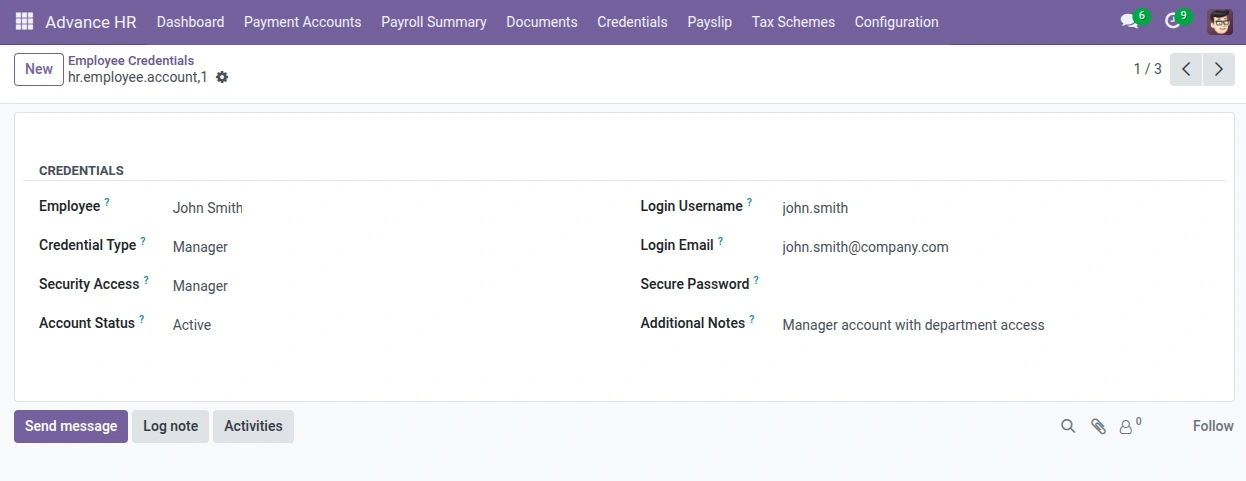
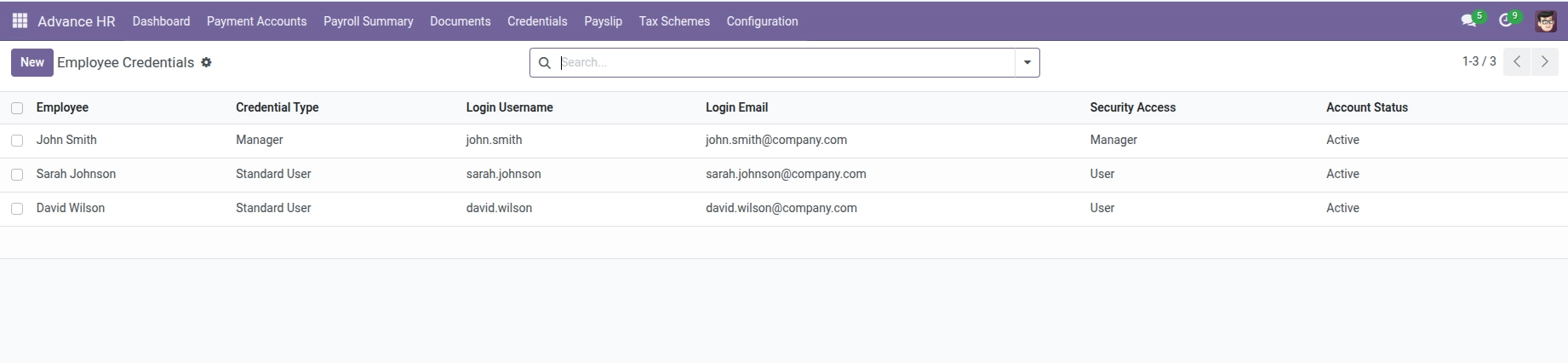
What this covers: Under Advance HR → Credentials you store non-bank access: credential type (from Account types), username, email, and security level (e.g. Admin, User, Manager). Use it for portals, VPNs, or internal apps—not for salary bank transfers.
Always follow your company’s policy on storing passwords or secrets; treat these records as confidential.
How it works
Each credential line links to an employee and a Credential Type (configured under Configuration → Account types). You record username, email, access level (e.g. Admin, User, Manager), and optional password notes. Types are maintained in Configuration Masters.
Step-by-step
- Open Advance HR → Credentials.
- Create a new line and select the Employee.
- Choose Credential Type (must exist in Account types).
- Enter Login Username and Login Email.
- Set Security Access (Admin, User, or Manager).
- Save. Restrict visibility using Advance HR security groups where needed.
Fields Table
| Field Name | Description | Example |
|---|---|---|
Employee |
Person this credential belongs to. |
Maria Smith |
Credential Type |
Category from Account types (VPN, portal, etc.). |
VPN Access |
Login Username |
User ID for the system. |
msmith |
Login Email |
Email tied to the account. |
|
Security Access |
Role tier (Admin, User, Manager). |
User |
Secure Password |
Optional stored secret—handle per policy. |
(hidden) |
Field labels explained
Employee Links
the credential row to one worker; use separate rows for each system if needed.
Credential Type
Picks from Account types so reporting groups “VPN”, “Admin panel”, etc. consistently.
Login Username
Primary sign-in name the IT team or app expects—may differ from the work email.
Login Email
Registered email for recovery or SSO; required on the form for traceability.
Security Access
Broad privilege level for this credential (not Odoo groups)—useful for access reviews.
Secure Password
If your deployment stores it, restrict screen access and follow password rotation policy; prefer vaults when possible.
Tips
- Do not use the bank menu for portal or VPN credentials—use Credentials.
- Follow your company policy on storing passwords (Odoo may store a secure password field; treat it as sensitive).
Common mistakes
- Confusing Credentials with Payment Accounts when only payout details are needed.
- Skipping Account types setup, so no credential categories appear.