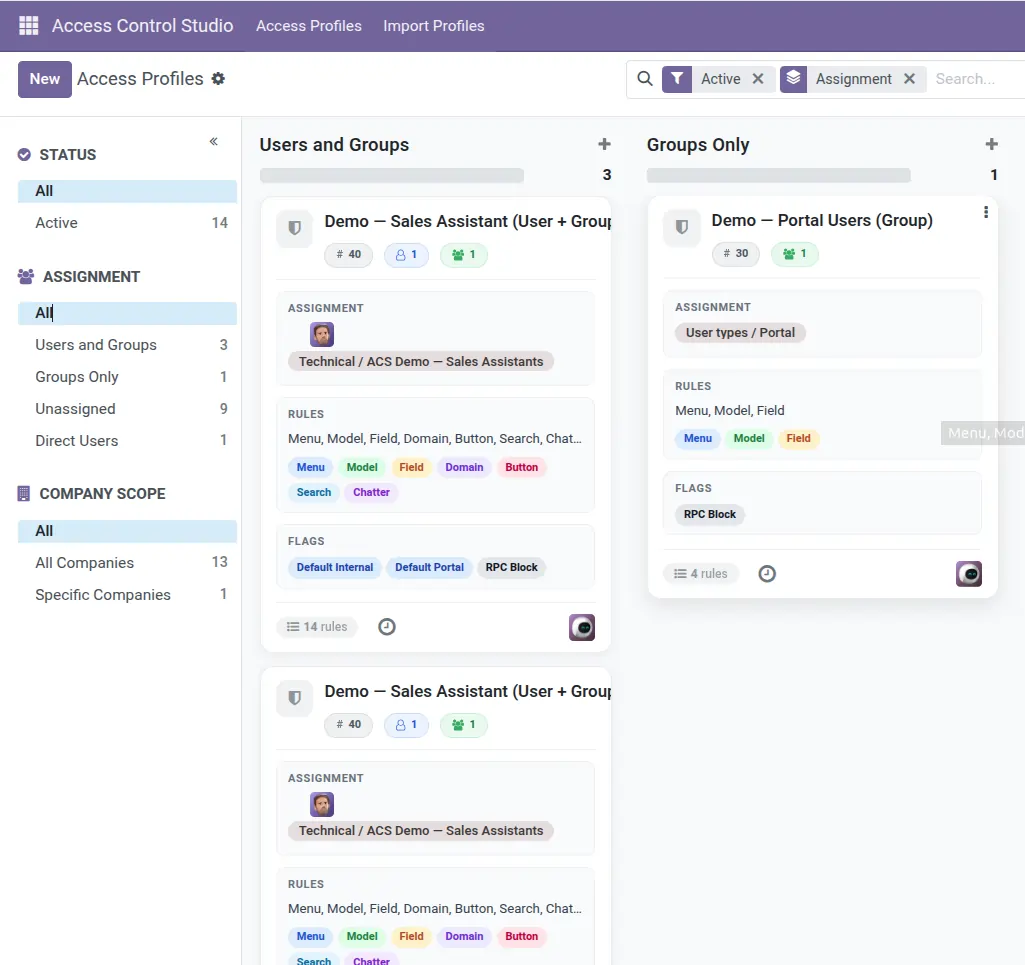
Understand what happens when someone matches several profiles, and who is never restricted by Access Control Studio.
Overview
Real companies stack rules: a company-wide default profile, a department profile, and maybe an exception on one user. ACS combines matching profiles so restrictions accumulate.
People in Access Control Studio / Administrator (and similar full admin cases) are exempt – profiles do not limit them. That keeps the system manageable and safe.
How It Works
If Profile A hides the Accounting menu and Profile B hides Export on Contacts, a user in both gets both restrictions.
Hides and blocks generally unite (more restriction wins). That is why testing the combined user is essential.
Archived profiles do not participate. Unassigned profiles do nothing. Company-limited profiles apply only in those companies.
Step-by-Step Guide
- List which profiles apply to a sample user (direct user membership + their Odoo groups).
- Note global flags and each tab’s rules across those profiles.
- Use Test as User on that person – do not reason only from one profile form.
- If something is over-restricted, remove the user from the extra profile or soften that profile’s rule.
- Keep a written matrix (Role → Profiles) for your company.
Fields Table
These are the settings you will see for this feature, explained in everyday language.
| Field Name | Description | Example |
|---|---|---|
Users on profile |
Direct assignment. |
Adds that profile to the person |
Groups on profile |
Everyone in the group inherits the profile. |
Sales / User |
Companies on profile |
Limits profile to those companies; empty = all. |
EU Company |
Active |
Only active profiles apply. |
Archived = off |
Administrator group |
ACS rules do not restrict these users. |
IT admin |
Multiple profiles |
Restrictions combine (more hides/blocks). |
Default + Sales Limited |
Field Explanations
Each field from the table above is explained in more detail here.
Users on profile
Most specific way to attach rules to one person.
Groups on profile
Scales with your existing Odoo team groups.
Companies on profile
Use in multi-company databases when access differs by company.
Active
Archive to disable without losing configuration.
Administrator group
Exemption is intentional. Use Test as User to see real staff experience.
Multiple profiles
Plan for stacking. Prefer fewer clearer profiles over many overlapping ones.
Tips
- Prefer a small set of role profiles over dozens of tiny ones.
- Put shared baselines in the default profile; put differences in role profiles.
- When debugging “why can’t I export?”, list all matching profiles first.
Common mistakes
- Assuming the last profile edited is the only one that applies.
- Troubleshooting while logged in as Administrator.
- Stacking contradictory required/invisible field rules without a combined test.
Image