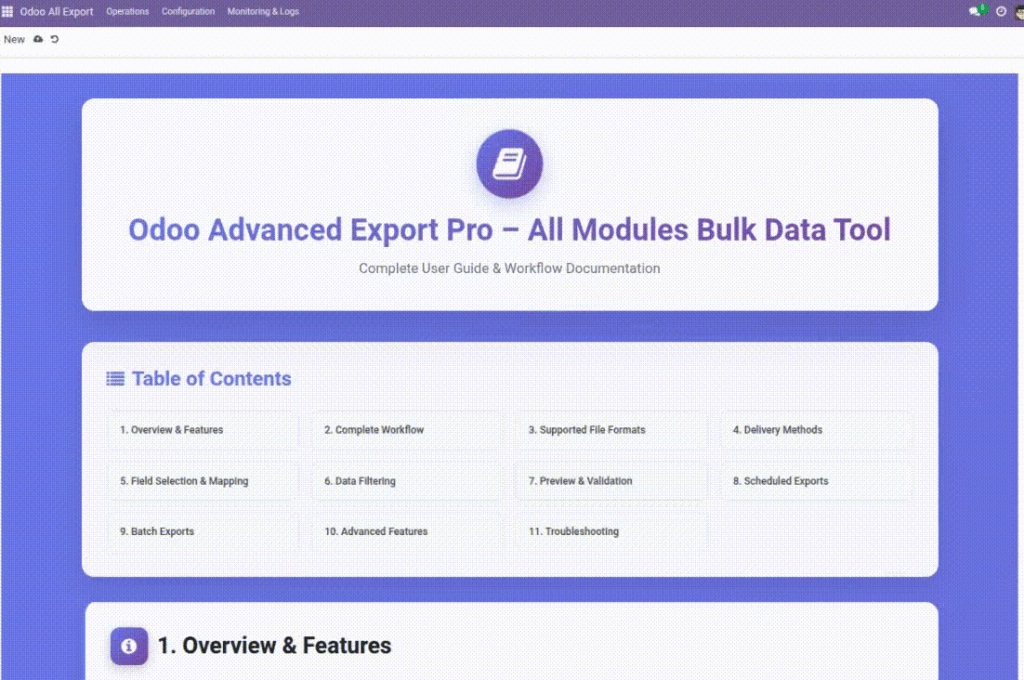
This is the built‑in help page inside Odoo. Use it as a quick reference when you’re exporting.
Overview
The module includes an in‑app Help Guide screen inside Odoo. It’s meant to be a quick reference that users can open while working — without switching to external documentation.
The Help Guide summarizes the full export workflow, supported formats, delivery methods, and common troubleshooting tips. It’s especially useful for new users who want to understand the overall flow before creating their first export.
Example: A new team member opens Help Guide to learn the steps (Model → Fields → Filters → Preview → Export) before building a template.
How It Works
- Open the Help Guide from the export menus.
- Use the table of contents to jump to a topic.
- Follow the workflow steps when creating a new export.
Step-by-Step Guide
- Go to Odoo All Export → Monitoring & Logs → Help Guide.
- Read Overview & Features to understand what the tool can do.
- Follow Complete Workflow when building a new export.
- Use Supported File Formats to pick the right output for your audience.
- Use Delivery Methods to set where the export should go.
- If you hit an issue, jump to Troubleshooting.
Fields Table
| Field Name | Description | Example |
|---|---|---|
Table of Contents |
Clickable list of topics on the help screen. |
“Supported File Formats” |
Complete Workflow |
End-to-end steps for exporting. |
Select Model → Fields → Preview → Export |
Supported File Formats |
List of available export formats. |
CSV, Excel, JSON |
Delivery Methods |
Where files can be sent. |
Email, FTP/SFTP, Cloud |
Troubleshooting |
Common problems and fixes. |
“Preview not showing data” |
Field Explanations
Table of Contents
Use it to find the right topic fast instead of scrolling.
Complete Workflow
Follow these steps when you’re unsure what to do next.
Supported File Formats
Helps you choose the best format for spreadsheets vs systems.
Delivery Methods
Confirms what destinations your company can use (depends on setup and permissions).
Troubleshooting
Start here if something fails; it often points to the fix.
Tips
- Use the Help Guide as a quick checklist for new team members.
- If a section mentions a feature you can’t see, it may be a permission setting.
- Pair the in‑app guide with this website guide for deeper, step-by-step instructions.
Common Mistakes
- Assuming every format/delivery method is enabled in every database.
- Skipping preview — many export issues are visible there first.
Image