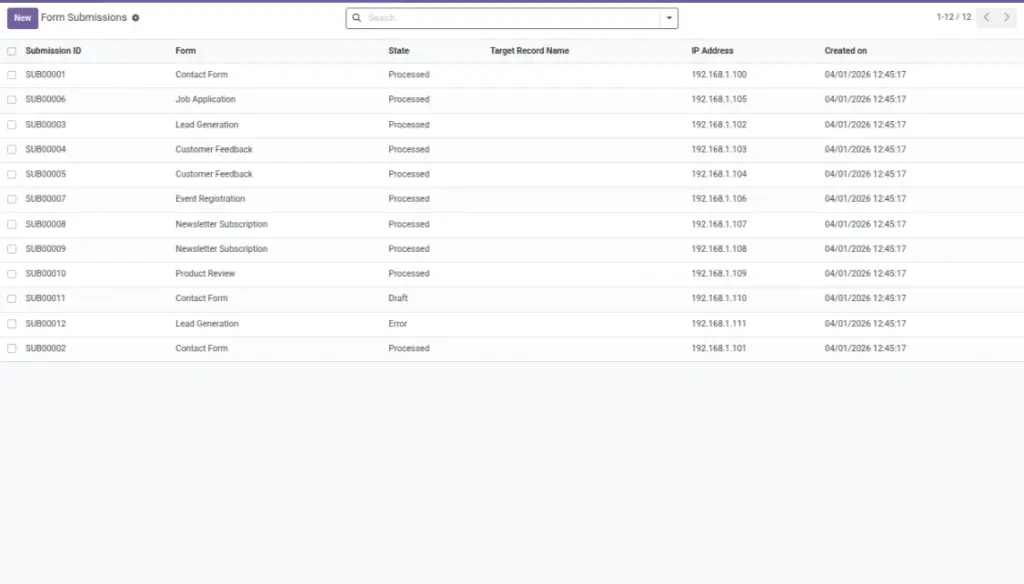
View, process, export, and link submissions to Odoo records.
Overview
This chapter is for the day‑to‑day work after your form is live. Submissions are where your team reviews what people sent, downloads attachments, and turns entries into actions.
From submissions you can:
- Read answers in a clean table view (easy for non‑technical users)
- See when the submission arrived and which form it came from
- Process the submission to create/update an Odoo record (when mappings exist)
- Open the created record directly (for example, the Lead)
- Export to CSV for reporting or sharing with a team
Example: Your sales team can quickly filter recent submissions, process them into Leads, and follow up with the best ones first.
How It Works
When a user submits a form, a submission record is created with the raw data and a formatted preview. If your form has mappings, the system can create or update a target record automatically.
Step-by-Step Guid
- Go to Dynamic Forms → Submissions.
- Open a submission to view the answer table and the raw JSON.
- Click Process to create/update the target record if mappings exist.
- Use View Target Record to jump into the Odoo record.
- Select multiple submissions and use Export to CSV if needed.
Fields Table
| Label | Description | Example |
|---|---|---|
Submission reference |
Submission ID for reference. |
SUB00045 |
Raw answers (technical view) |
The raw answers as stored data. |
Structured data (JSON) |
Answers table (readable) |
Formatted table view of the answers. |
HTML table |
Status |
Draft, submitted, processed, or error. |
Processed |
Linked Odoo record |
Link to the created/updated Odoo record. |
Lead #124 |
Attachments |
Uploaded files attached to the submission. |
Resume.pdf |
Fields explanation
Submission reference
Unique ID for this submission (useful when you need to reference it)
Raw answers (technical view)
The answers saved from the form (stored as structured data)
Answers table (readable)
A human‑friendly view of the answers (easy to read)
Status
Current status (submitted, processed, or error)
Linked Odoo record
If created, the Odoo record linked to this submission
Attachments
Any uploaded files saved with the submission
Tips
- Even without mappings, submissions are fully viewable and exportable.
- Mark one mapping as a label field to make Odoo records easy to find.
Common Mistakes
- Expecting relational fields to auto-map — keep mappings to simple types unless custom handling is added.
- Forgetting to publish the form before testing submission.