
Setting Up Advance Dashboard
Download, install, activate, and give your team access. Start here if you are new.

Build beautiful, interactive dashboards with charts, KPI tiles, and live data - no coding required. This guide walks you through installation, setup, and everyday use in plain, simple language.

By Akash Soni June 23, 2026
Download, install, activate, and give your team access. Start here if you are new.
Learn where menus, buttons, and screens live inside the Advance Dashboard app.
Pick a layout template, set colours, and build your first dashboard from scratch.
Add KPI tiles, bar charts, pie charts, lists, and more - connected to your real Odoo data.
Control time periods and keep dashboards up to date automatically.
Run dashboards full-screen on TVs with automatic slide rotation.
Share dashboards as PDF, email them to colleagues, or move them between databases.
Control who can view, edit, or manage dashboards in your organisation.
Import 70 ready-made dashboards for Sales, HR, CRM, Inventory, and more.
Configure defaults and build advanced widgets with custom database queries (managers only).
Click any chart or KPI to jump straight to the underlying Odoo records.
Copy any dashboard with all its widgets - perfect for team variations and templates.
Fix missing menus, empty widgets, access errors, and other common problems.

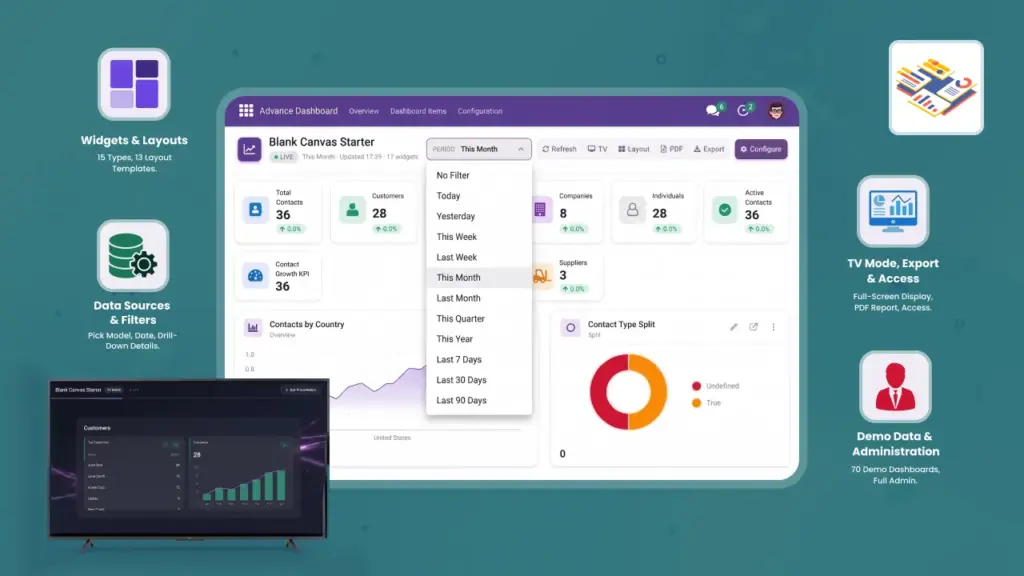
Arrange tiles, charts, and lists on a flexible grid. Resize and move widgets until your dashboard looks perfect.

KPI tiles, bar charts, pie charts, gauges, progress bars, sparklines, and data tables — all from your Odoo data.

Switch between Today, This Month, Last 30 Days, and more with one click. Every widget updates instantly.

Display dashboards full-screen on office TVs and wallboards. Perfect for team meetings and reception areas.

Choose who can see each dashboard — by team, by person, or open to everyone in your company.

Ready-made dashboards for Sales, CRM, HR, Inventory, Accounting, and 15+ more Odoo apps.