Overview
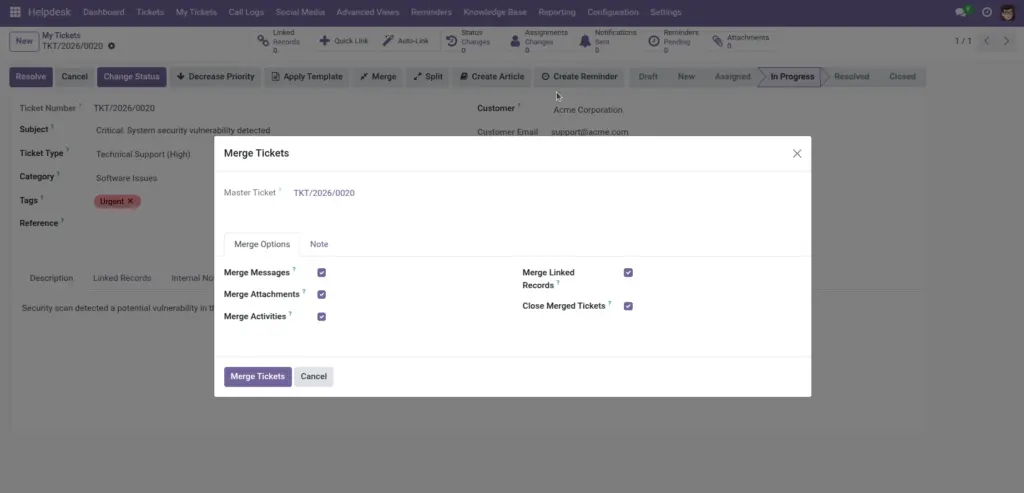
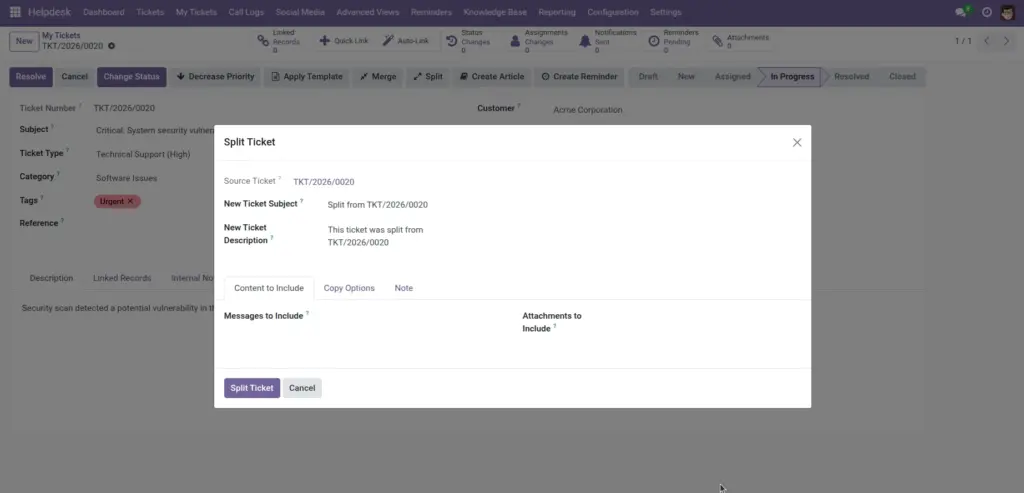
Some customer conversations include multiple unrelated issues, while other cases are duplicated across several tickets. Split and merge features help teams keep ticket records clean, avoid repeated work, and maintain a clear support timeline. Using these tools correctly improves case ownership, reporting accuracy, and customer communication.
How It Works
Use split to break one broad ticket into separate focused tickets when different issues need different owners or workflows. Use merge when multiple tickets represent the same problem so that updates and resolution stay in one place. Status, assignment, and priority history logs keep full audit visibility so managers can review every important change later.
Step-by-Step Guide
- Open the ticket that needs clean-up.
- Click Split Ticket for separate issues, or Merge Tickets for duplicates.
- Review parent/child or merged ticket references.
- Check status and assignment history tabs.
- Inform customer which ticket number remains active.
Fields Table
| Field Name | Description | Example |
|---|---|---|
Parent Ticket |
Main ticket after splitting. |
TIC/2026/0101 |
Child Tickets |
Tickets created from split action. |
TIC/2026/0102, TIC/2026/0103 |
Merge Source Tickets |
Tickets selected to merge. |
3 duplicate login tickets |
Status History |
Timeline of status changes. |
New → Assigned → In Progress |
Assignment History |
Timeline of ownership changes. |
Rahul to Priya |
Priority Changes |
Record of urgency updates. |
Medium to Urgent |
Fields Explanation
Parent Ticket
Keeps primary case context.
Child Tickets
Allow separate tracking for separate problems.
Merge Source Tickets
Reduces duplicate work and confusion.
Status History
Shows full lifecycle for review.
Assignment History
Useful for handover transparency.
Priority Changes
Explains why urgency changed.
Tips
- Split early when issues are clearly different.
- Merge only after confirming duplicates with customer details.
- Always add an internal note after split/merge actions.
Common Mistakes
- Merging unrelated tickets by mistake.
- Not informing customers about new ticket number after split.
- Ignoring history logs during escalations.
Image