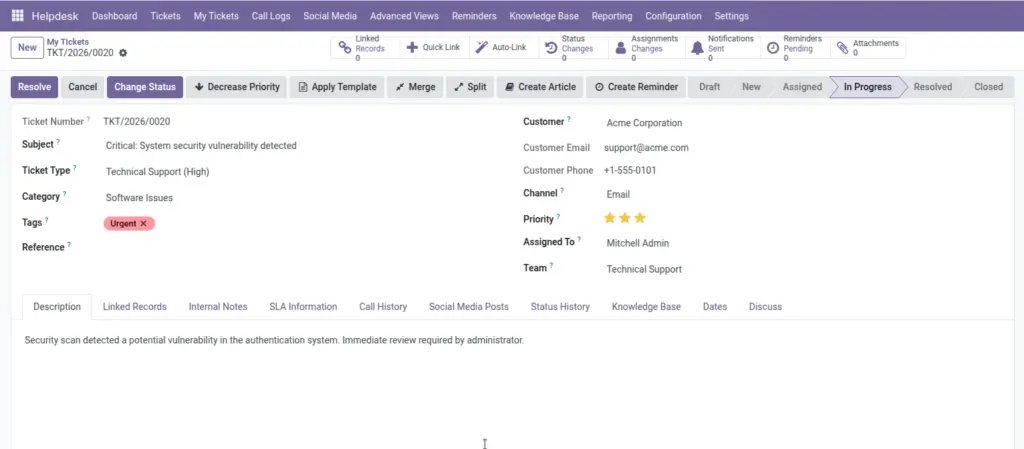
Overview
The customer portal gives users a self-service space where they can raise requests, track progress, and communicate with support without repeated manual follow-up. It reduces back-and-forth calls and provides transparency by showing real-time ticket updates. For growing support teams, portal usage improves efficiency while keeping customers informed and confident.
How It Works
Customers log in, submit issue details through a structured ticket form, and receive a reference number for future communication. They can revisit the portal to check status changes, add updates, and respond to agent questions within the same ticket thread. This creates one clear conversation history for both support teams and customers, reducing misunderstandings.
Step-by-Step Guide
- Open the customer portal and sign in.
- Click Create Ticket.
- Enter subject, description, and category.
- Submit and save the ticket number.
- Open My Tickets to track status and add replies.
Fields Table
| Field Name | Description | Example |
|---|---|---|
Subject |
Short issue title shown in ticket list. |
Invoice not generated |
Description |
Detailed explanation of customer problem. |
Order is delivered but invoice missing. |
Category |
Selects issue type for better routing. |
Billing |
Status |
Shows current support progress. |
In Progress |
Ticket Number |
Reference for future communication. |
TIC/2026/0088 |
Replies |
Conversation updates from customer and agent. |
Customer added screenshot. |
Fields Explanation
Subject
Helps support teams identify the request quickly.
Description
Better details mean faster resolution.
Category
Routes issue to the correct team.
Status
Gives transparency to the customer.
Ticket Number
Avoids confusion when discussing a case.
Replies
Keeps all updates in one place.
Tips
- Encourage customers to add screenshots in first message.
- Share expected response time on portal pages.
- Use simple form labels for non-technical users.
Common Mistakes
- Submitting multiple tickets for same issue.
- Using vague subjects like “Need help”.
- Not checking status updates before calling support.
Image