Overview
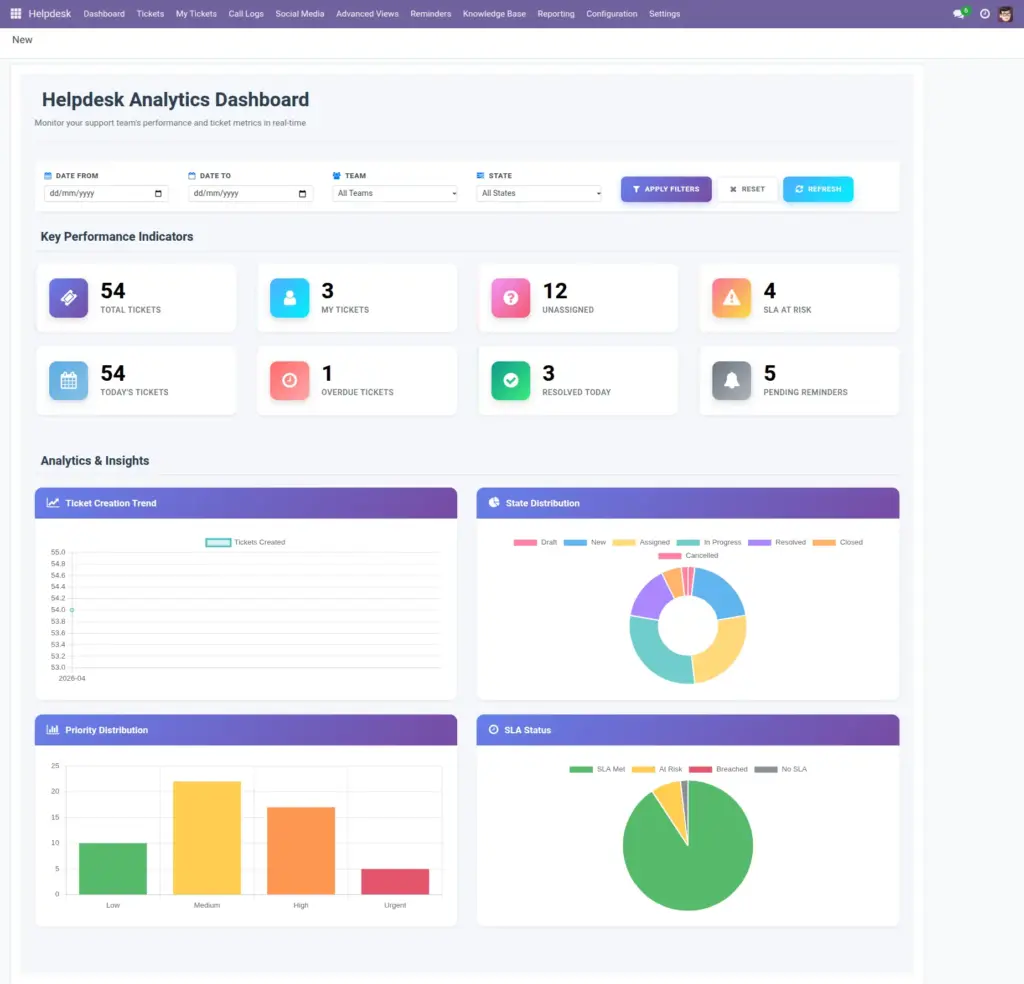
The Helpdesk app is organized to support the full daily routine of a support team, from checking workload to closing customer issues. The main Helpdesk menu includes separate areas for live ticket work, monitoring, reporting, and configuration, so users can quickly move from one task to another. This chapter gives new users a clear map of the interface, helping them understand where each function lives before they begin handling real tickets.
How It Works
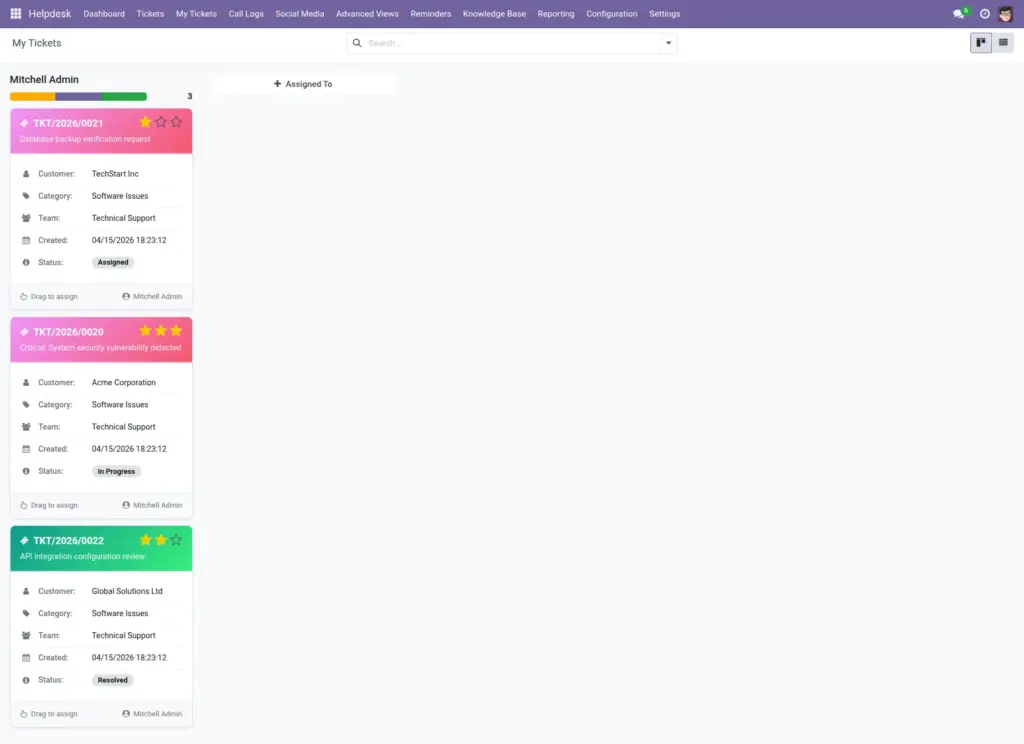
Most users begin their day on the Dashboard to review current workload, urgent items, and pending actions. From there, agents open My Tickets to process assigned requests, use Reminders for follow-ups, and update ticket stages as work progresses. Team leads and managers move between Advanced Views and Reporting to monitor queue health, agent performance, and SLA risks, ensuring operations stay on track.
Step-by-Step Guide
- Open Helpdesk from the main Odoo apps menu.
- Go to Dashboard to view your current queue.
- Use Tickets > My Tickets for assigned work.
- Use Call Logs, Social Media, and Knowledge Base as needed.
- Managers can configure rules in Configuration.
Fields Table
| Field Name | Description | Example |
|---|---|---|
Dashboard |
Main overview page for ticket activity. |
Shows overdue, unassigned, and open tickets. |
Tickets |
Core section where all ticket records are managed. |
Open a ticket to update status and notes. |
My Tickets |
Filtered list of tickets assigned to you. |
Agent sees only their working queue. |
Call Logs |
Phone support records linked to tickets. |
Create a ticket directly from a call. |
Social Media |
Posts or messages that can become tickets. |
Convert a complaint comment into a ticket. |
Reporting |
Performance and service quality reports. |
View SLA compliance this week. |
Fields Explanation
Dashboard
Use this first to understand today’s workload.
Tickets
This is the main work area for issue handling.
My Tickets
Helps each agent focus only on assigned work.
Call Logs
Keeps phone interactions organized and traceable.
Social Media
Captures customer conversations from online channels.
Reporting
Helps managers check trends and service outcomes.
Tips
- Pin My Tickets in your favorites for faster daily access.
- Check Overdue Tickets at least twice a day.
- Use dashboard counts to plan team shifts.
Common Mistakes
- Working from All Tickets when you only need My Tickets.
- Ignoring Unassigned Tickets, which increases delays.
- Skipping dashboard checks before starting work.
Image