
Installation / Enable module
This chapter helps a new user install the addon in Odoo, update the Apps list, install the module, and give users the right access.

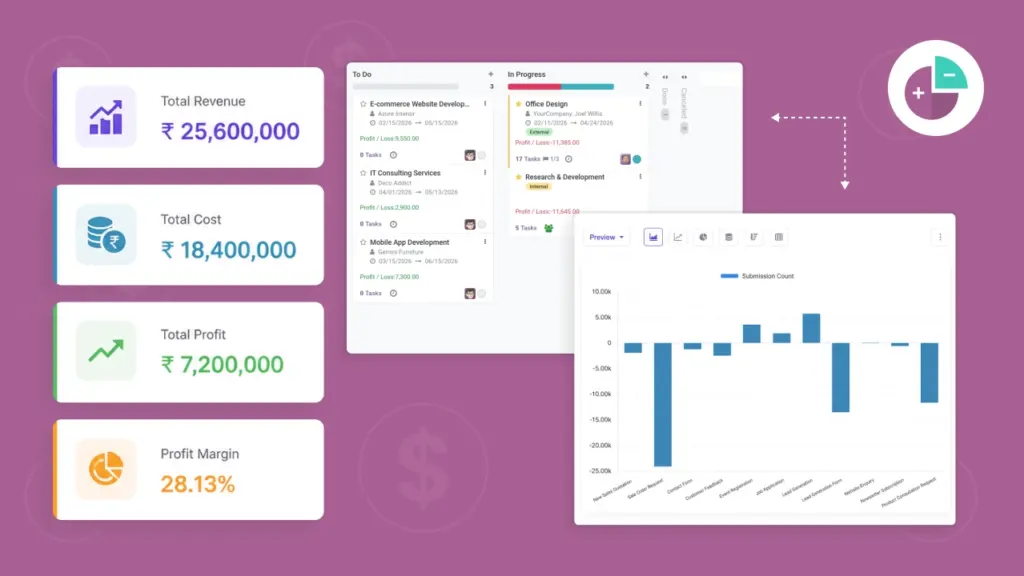
This module adds a simple profit/loss view to Odoo Projects by combining: client payments, employee timesheet cost, and external expenses. You can spot losing projects early and explain the “why” with clear numbers.

By Akash Soni May 31, 2026
This chapter helps a new user install the addon in Odoo, update the Apps list, install the module, and give users the right access.
The module uses simple roles so the right people can enter costs, while sensitive profit numbers stay controlled.
This module shows Profit/Loss in a few places so you can spot issues quickly—without hunting through menus.
Profit/Loss helps you answer a simple question: “Is this project making money after costs?”
Status looks small, but it can change Profit/Loss a lot. This chapter explains what “Paid” really does in this module.
Use this weekly routine to keep Profit/Loss accurate and to catch problems early—before they become surprises.
Employee time cost is taken from timesheets and shown on the project so profit/loss reflects the cost of time spent.
Track costs you pay outside of employee time—like hosting, licenses, vendors, travel, and subscriptions—per project.
Use Client Costs to record the money you receive from a client for a project (advance payments, milestones, final payment).
If the Profit/Loss number surprises you, it’s usually caused by one of a few common issues. Use this page to fix it quickly.
Compare projects at a glance. This report is typically available to Administrators only.
Here’s what the Profit / Loss module adds to your day-to-day work in Projects. These features are designed to help you understand profitability fast and take action early.


