Overview
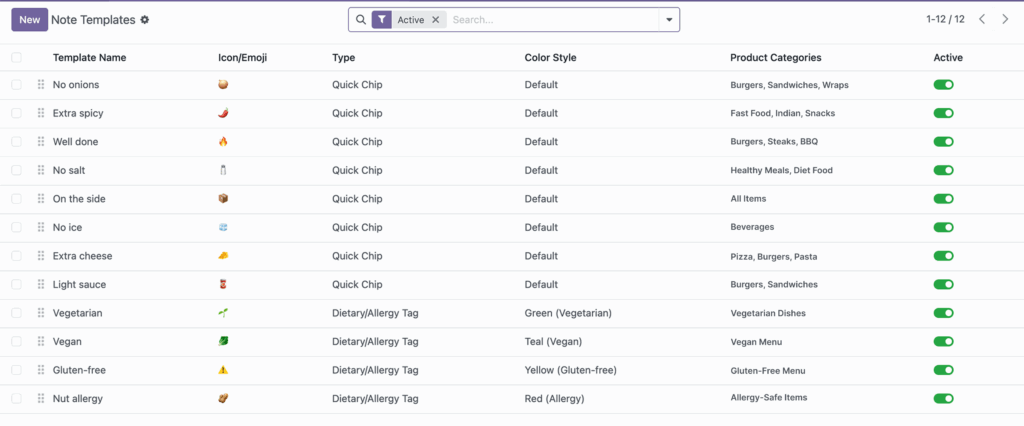
Note templates should be maintained regularly, just like your product menu. Over time, some notes become outdated, while new customer requests become more common.
This chapter focuses on keeping your template list clean, sorted, and easy to manage. Good maintenance ensures customers always see relevant note options and staff can handle orders with fewer errors.
How It Works
The Note Templates list supports ordering, filtering by type, grouping by color style, and active/archived status. This helps managers quickly clean up old templates and keep the best ones visible.
Step-by-Step Guide
- Open the Note Templates list view.
- Sort or drag by sequence to improve display order.
- Use filters for Quick Chips or Dietary Tags.
- Archive templates that are outdated or seasonal.
- Review active templates monthly and remove duplicates.
Fields Table
| Field Name | Description | Example |
|---|---|---|
Sequence |
Controls the order seen by customers. |
10, 20, 30 |
Color Style |
Visual style used for dietary/allergy tags. |
Green (Vegetarian) |
Active |
Whether template is live or archived. |
Archived |
Type Filter |
Search helper to view one template type at a time. |
Quick Chips |
Company |
Template ownership in multi-company setup. |
Main Restaurant LLC |
Fields Explanation
Sequence
Use lower sequence for high-frequency notes.
Color Style
Keep color meaning consistent across all dietary tags.
Active
Archive old templates instead of deleting, so you can restore later.
Type Filter
Speeds up audits by focusing on one group at a time.
Company
Important when each branch should manage its own template set.
Tips
- Perform a monthly “template cleanup” routine.
- Move top-selling request templates to the first positions.
- Use archived status to keep history without showing old options.
Common Mistakes
- Keeping duplicate templates with slightly different wording.
- Not adjusting sequence after adding new templates.
- Leaving temporary campaign notes active after campaign ends.
Image