
Getting Started
Download, install, and activate the plugin, and find your way around the new admin menus.

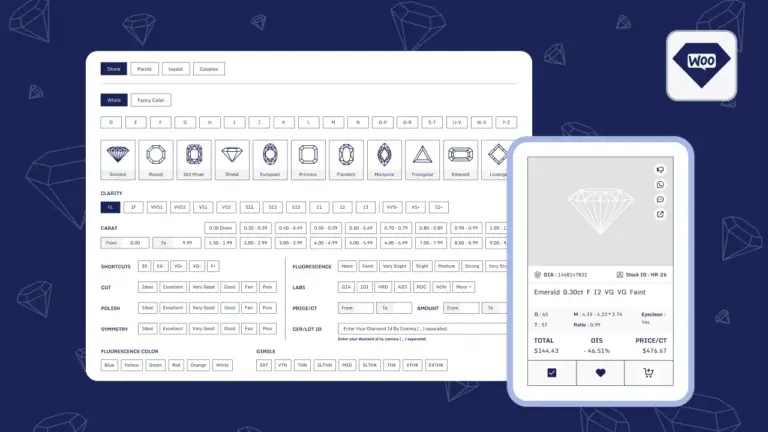
Turn your WooCommerce store into a diamond and gemstone shop. List natural diamonds, lab-grown diamonds, and gemstones - from your own inventory or live from your RapNet account - and let customers search, compare, and buy with confidence.

By Akash Soni July 2, 2026
Download, install, and activate the plugin, and find your way around the new admin menus.
Add your RapNet API Key and Secret to show live marketplace listings, or skip it to sell your own stock only.
Choose your shop page, grid layout, loading style, and which diamond details customers can see.
Add your profit margin on top of every diamond's base price with a percentage or fixed markup rule.
Add, edit, and remove Natural and Lab-Grown diamonds from your own store inventory.
Add, edit, and remove gemstones like sapphires, rubies, and emeralds from your shop.
Define the approved list of Shapes, Colors, Clarity grades, and more for diamonds and gemstones.
Bulk upload hundreds of stones at once from a spreadsheet, and export your inventory any time.
Set up fallback photos and shape icon graphics so your shop always looks complete.
See the filters shoppers use to find diamonds, and how they connect to your inventory data.
Let shoppers save diamonds for later and compare up to three stones side by side.
Understand how one-of-a-kind diamonds move through WooCommerce's cart and checkout safely.
Learn exactly who on your team can manage diamonds, gemstones, and settings today.
Everything you need to run a diamond and gemstone shop from your WordPress dashboard - no coding required.

Connect your RapNet trading account to show live marketplace listings, with automatic fallback to your own inventory if the connection is ever unavailable.

Manage natural and lab-grown diamonds in two separate, easy-to-use inventory lists – add, edit, and remove stones any time.

List sapphires, rubies, emeralds, and other gemstones alongside your diamonds using the same simple workflow.

Add your own profit margin automatically on top of every stone’s base price, as a percentage or a fixed amount.

Define the exact Shapes, Colors, Clarity grades, and other options your shop offers – used for both filtering and data validation.

Upload hundreds of diamonds or gemstones at once from a spreadsheet, with column mapping and error checking built in.

Let shoppers filter by Shape, Carat, Color, Clarity, Cut, Price, Lab, and dozens of other precise details.

Shoppers can save stones for later and compare up to three diamonds side by side, with ready-made shortcodes to display both lists.

Every diamond is treated as the unique item it is – quantity locked to one, and automatically unavailable once sold.