
Set up Accounting Pro for the first time
Download, upload to addons, restart Odoo, update app list, activate, demo data, user rights, refresh — explained in plain language.

Richer invoices, smarter payments, and clearer bank records - built for finance and operations teams using Odoo Accounting.

By Akash Soni May 26, 2026
Download, upload to addons, restart Odoo, update app list, activate, demo data, user rights, refresh — explained in plain language.
Where to enable invoice lines, payments, and bank fields — and how demo data works.
KPI tiles, date range, charts, and one-click lists for follow-up.
How you contact customers, dunning style, and when to skip auto-reminders.
Risk level, credit status, fraud flag, fulfillment priority, and delivery notes.
Quality status, checks, where stock moved from and to, and regulatory flags.
Expiry, clearance pricing, return windows, recalls, and supply-chain priority.
Strategy, routing profile, batches, risk score, approvals, and policy outcome.
Who pays bank fees, FX contract references, landed cost, buckets, and cash-flow tags.
Sanctions results, purpose codes, remittance style, and inbound payment details.
Usage type, KYC, verification, risk, fraud flags, and beneficiary type.
Preferred rails, fee profile, cut-off time zone, remittance contact, mapping rules.
Saved views for high-risk unpaid, treasury grouping, KYC on banks, and pivot tips.
Accounting → Configuration → Account Pro: strategies, statuses, rails, buckets, fee profiles — and notes for lists without a menu.
Module not in Apps, Activate errors, missing menus, empty dashboard, demo data - quick checks for admins.
Replace the add-on, restart, update Apps list, run Upgrade, then smoke-test Settings, lists, dashboard, invoice, payment, and bank.
Accounting Pro extends Odoo’s Accounting app with extra structure on invoices, invoice lines, payments, and partner bank accounts. Your admin turns each area on in Settings so teams only see what they use.

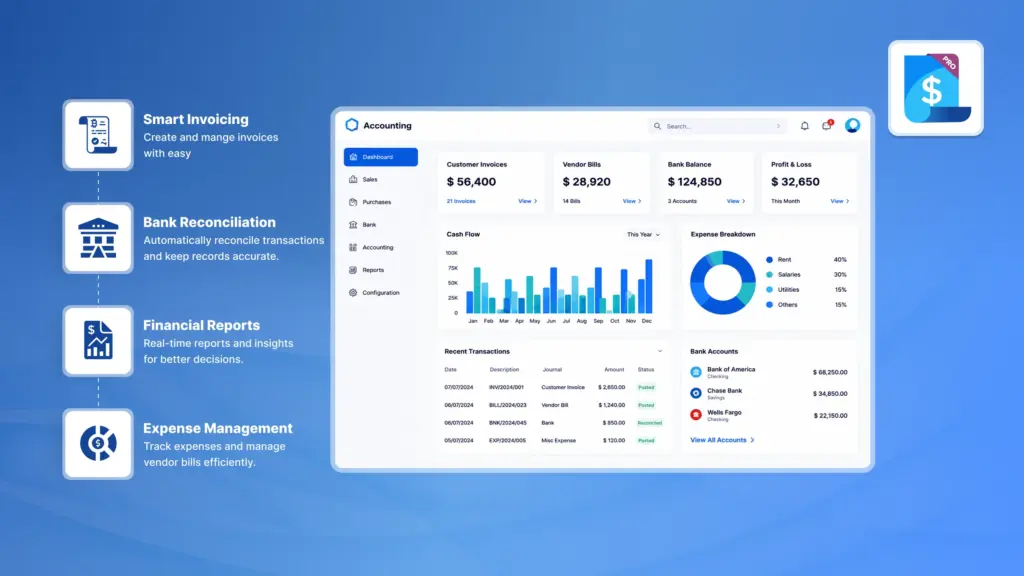
One screen for overdue money, high-risk customers, reminder scope, payables aging, payment volume, fees, KYC alerts, and revenue trends – with clicks through to the underlying lists.

Communication profiles, preferred channels, collection strategies, notes, and “exclude from auto-reminders” when a case needs a human touch.

Risk level with reasons, credit-control status, fraud-check flag, fulfillment priority, consolidation groups, and delivery constraints on the invoice.

Quality status and checks, source and destination locations, storage needs, traceability (batch vs serial), regulatory flags, country of origin, and line-level compliance documents.

Expiry and clearance pricing, return links and windows, recall campaigns, and supply-chain priority including ATP-style hints for planners.

Payment strategies, routing profiles, batch IDs, approval levels, risk scores, fraud flags, and policy outcomes for outbound and inbound payments.

SHA / OUR / BEN fee models, bank and PSP fees, FX source and contract references, landed payment cost, treasury buckets, cash-flow labels, and liquidity priority – plus total cost visibility.

Sanctions screening, partner KYC status, regulatory purpose codes, remittance advice options, and rich fields for inbound customer money (source, channel, advances, references, automation flags).

Usage types (payout, payroll, tax, escrow…), KYC and verification trail, risk and fraud indicators, beneficiary and country profiles, preferred rails, fee preferences, and treasury notes.

Saved analyses for high-risk unpaid invoices, payments by treasury bucket or strategy, invoices by credit or fulfillment attributes, and bank accounts by KYC – on top of standard Odoo reporting.

Enable only the field packs you need per team. Load optional Accounting Pro demo data from Settings to populate the dashboard for training.