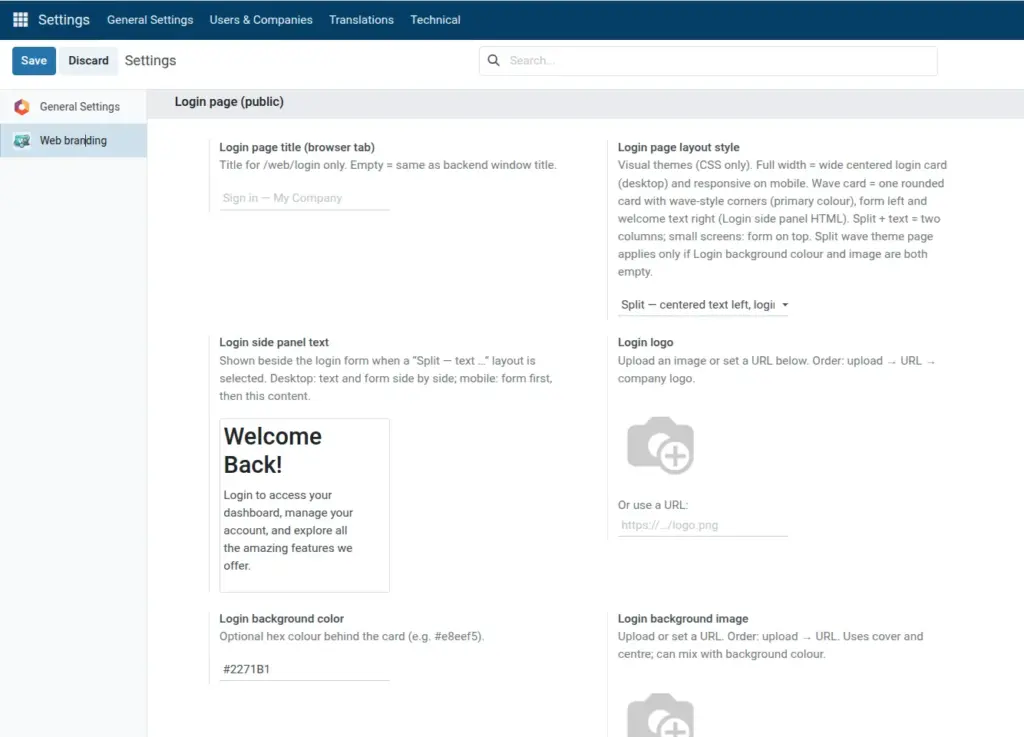
Put your logo on the login form and set a background color or image.
Overview
This chapter configures the Login logo (upload or URL) and the page background using a hex color, an image upload, an image URL, or a combination. Together they define the first visual impression before users enter credentials.
Logo and background are independent: you can use a company logo with a plain color, a logo on top of a photo, or only a subtle color with no custom logo if the layout already suits you.
All options live under Login page (public) in Web branding. Nothing here changes the backend UI after login.
How It Works
For the logo, Login logo (upload) overrides Login logo URL when an upload is present. If both logo fields are empty, Odoo can fall back to the company logo depending on your setup and version.
For the background, an uploaded image overrides the image URL when set. The image is typically shown full-page with cover-style scaling; Login background color fills behind or around the image depending on transparency and layout.
Very large image files slow the first paint of the login page; compress marketing photos before upload or serve them from a fast CDN via URL.
Step-by-Step Guide
- Go to Login page (public) in Web branding settings.
- Upload or URL for Login logo.
- Set Login background color and/or background image upload or URL.
- Save and preview /web/login.
Fields Table
| Field Name | Description | Example |
|---|---|---|
Login logo (upload) |
Image above the login form |
logo.png |
Login logo URL |
Used if no upload |
https://mysite.com/logo.png |
Login background color |
Hex color behind the card |
#e8eef5 |
Login background image (upload) |
Full-page background |
office.jpg |
Login background image URL |
Used if no upload |
https://mysite.com/bg.jpg
|
Field Explanations
Login logo (upload)
Image file stored in Odoo, shown above the login fields. If you set this, it overrides the URL field for the logo.
Login logo URL
Link to your logo when you do not use an upload. Used only when the upload field is empty; handy for CDN-hosted assets.
Login background color
Hex color for the page behind the card. Can show as a tint or fill behind a background image depending on layout and image transparency.
Login background image (upload)
Full-page background picture stored in Odoo; typically displayed with cover/center behavior. Combine with a readable card and background color for contrast.
Login background image URL
External image URL when no upload is used. Same visual role as the upload field; leave both empty if the layout’s built-in background is enough.
Tips
- Tip: Use horizontal logos with transparent PNG on a background color that matches the logo’s intent so the card area stays clean.
- Tip: Prefer slightly lighter page colors or a dark semi-transparent overlay (if your layout supports it) so the white login card stays readable.
- Tip: Test with your real Login page layout style; split layouts crop background differently than centered card layouts.
Common Mistakes
- Mistake: High-contrast busy photos behind the form so field labels and buttons fail accessibility checks.
- Mistake: Setting a huge 8K wallpaper file as upload, which increases load time for every visitor.
- Mistake: Using HTTP image URLs on an HTTPS-only site, which browsers may block.
Image