


An activation is a record of a specific computer, server, or website using a license key. Each time your software calls the plugin’s API to “activate” a key on a device, a slot is used. This is how the plugin enforces your Max Activations limit – and how you can see exactly where each key is being used.
What Is an Activation?
Think of activations like seats at a table. If a license allows 3 activations, there are 3 seats. Each time someone installs your software on a new computer and activates the key, they take one seat. When all 3 seats are taken, no more devices can be added – the next activation attempt will be rejected.
When a device is deactivated (the software is uninstalled or the user removes the device), that seat is freed up again and another device can take it.
Activations are only tracked if your software integrates with the plugin’s REST API. Without API calls, keys are still valid – they just will not have activation records. See REST API for how your software connects to the API.
Activation Record Fields
| Field | What It Means | Example |
|---|---|---|
Instance ID |
A unique identifier for the device or website using this key. Your software generates this ID (could be a domain name, machine ID, or random string) and sends it with each API call. |
my-client-website.com, desktop-home-john |
Instance Label |
A human-friendly name for the device. Optional – your software can send this to make the activation list easier to read in the admin. |
John’s Home Computer, Client Production Site |
Status |
Whether this activation is currently active or has been deactivated. |
Active / Deactivated |
Activated At |
The date and time this device was first activated. |
15 Jan 2025, 09:32 |
Deactivated At |
The date and time this device was deactivated (if it has been). Empty if still active. |
20 Mar 2025, 14:10 |
Last Seen |
The most recent time this device “checked in” with the plugin API (e.g. a periodic license check). Helps you see if a device is still actively using the software. |
Yesterday, 8:15 AM |
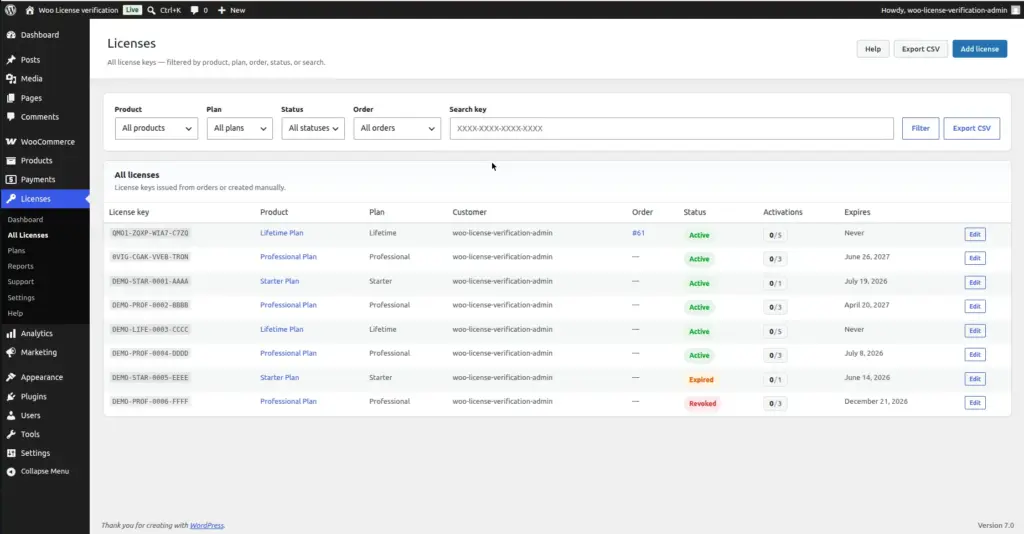
Viewing Activations for a License
To see all devices using a specific key:
1. Go to License Verification → Licenses
Find the key you want to inspect.
2. Click the key to open its edit page
The edit page shows a summary panel that includes the current activation count (e.g. “2 of 3 activations used”).
3. Scroll to the Activations panel
Below the edit fields, there is an “Activations” section that lists every device that has ever activated this key, along with its status, label, and last-seen date.
Image
Manually Deactivating a Device
If a customer lost access to a device, got a new computer, or simply needs to move their license to a different machine, you can manually free up an activation slot from the admin:
1. Open the license key for editing
Find it in License Verification → Licenses and click it.
2. Scroll to the Activations panel
Find the device activation you want to remove.
3. Click "Deactivate" next to that device
The slot is immediately freed. The customer can now activate on a new device – the old device’s software will no longer be accepted when it next checks in.
Image
What Happens When the Limit Is Reached
When a license has used all its activation slots and software on a new device tries to activate:
- The API returns a 409 Conflict response
- The software should inform the user: “This license has reached its activation limit”
- The customer can deactivate an existing device through their My Account page or by contacting you
The activation limit is based on simultaneously active activations – not total activations ever. A customer who has deactivated 5 old devices and has 2 currently active only uses 2 slots, even if the total history shows 7 activations.
Tips
- When a customer contacts you to say their key is blocked because they replaced their computer, simply deactivate the old device from the admin. This takes 10 seconds and creates a great customer experience.
- Ask your software developer to always send an instance_label (a friendly name) with each activation API call. This makes the admin panel much more readable – “John’s MacBook” is far more useful than a random machine ID string.
- If you have no API integration, activations will never be recorded – but keys will still verify as valid. Activation tracking only works when your software actively calls the activate endpoint.
- The “Last Seen” timestamp tells you if a customer is still actively using the software. If a device was last seen 2 years ago, the customer has probably moved on – a good candidate for manual deactivation to free the slot.