
Getting Started
Install the plugin, activate it, set up staff accounts, and open the order board for the first time.

A complete warehouse fulfillment portal for WooCommerce. Give your warehouse team a dedicated Kanban board, workflow statuses, picker assignment, bin locations, barcode scanning, and shipping tracking - all outside of the WordPress admin.

By Akash Soni June 30, 2026
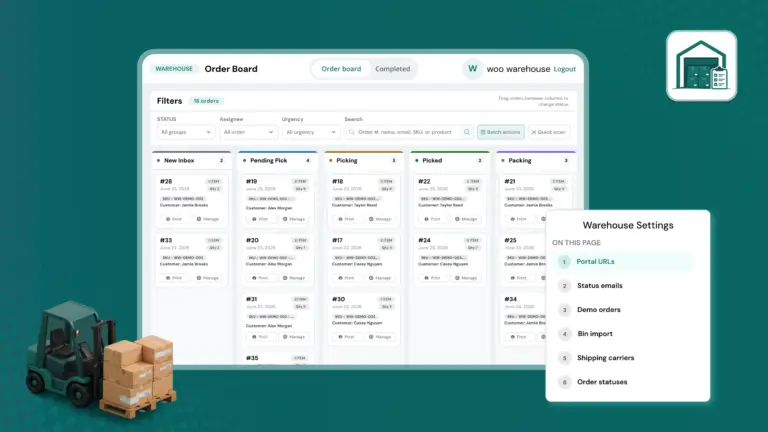
Install the plugin, activate it, set up staff accounts, and open the order board for the first time.
Understand the Kanban order board, read order cards, move orders between columns, and flag priority orders.
Create, edit, reorder, and color-code your warehouse workflow stages.
Assign warehouse staff to specific orders and control what each picker sees on the board.
Tag products with shelf and bin positions so pickers know exactly where to find each item in the warehouse.
Use a handheld barcode scanner to look up orders by order number, tracking number, or product SKU.
Add tracking numbers and carrier information to orders and configure your shipping carrier list.
Browse, search, and manage the warehouse archive of fulfilled orders.
Set up Warehouse Staff and Warehouse Manager user accounts with the right level of access.
Automatic email alerts when pickers are assigned to orders or when order priority changes.
Configure portal URLs, portal style, orders per page, carriers, status emails, and demo data.
Print clean picking and packing slips from any order card for use on the warehouse floor.

All active WooCommerce orders displayed as cards in a live drag-and-drop workflow board – without using the WP admin.

Fully configurable warehouse statuses – Pending Pick, Picking, Picked, Packing, Ready to Ship, Shipped. Create your own custom stages.

Assign individual orders to specific warehouse staff members. Pickers only see orders assigned to them on the board.

Tag every product with a warehouse shelf/bin location. Locations appear on order cards to guide pickers directly to the right shelf.

Scan order barcodes, tracking numbers, or product SKUs with any handheld scanner to instantly jump to the matching order.

Add carrier and tracking numbers to shipped orders. One-click links open the tracking page for UPS, FedEx, USPS, DHL, and custom carriers.

Two dedicated WordPress roles – Warehouse Staff and Warehouse Manager – each with separate permissions. No full admin access needed.

Print a clean picking slip directly from any order card – shows all line items, quantities, bin locations, and customer details.