Summarize This Article With AI
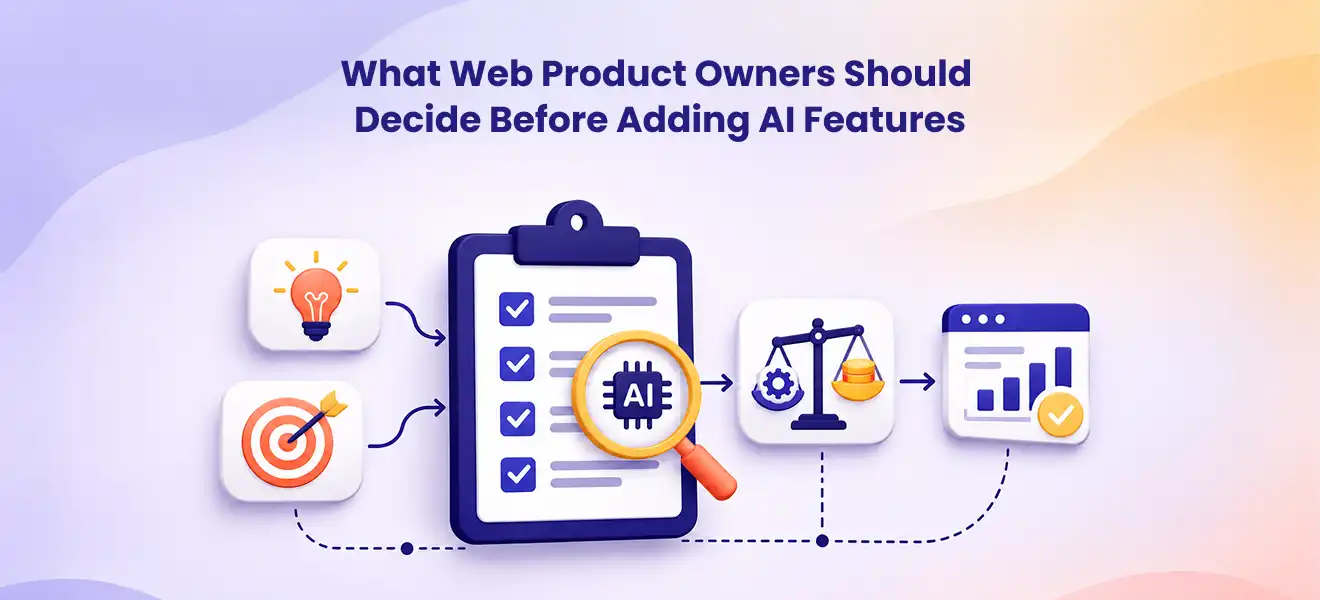
Before adding AI features, identify a user task that is slow, costly, or difficult to complete today. Then ask whether AI can improve it enough to justify the extra work: preparing data, connecting systems, checking outputs, and handling mistakes. Those costs continue after launch. For a larger or less clear opportunity, AI strategy consulting can help a team assess the use case before committing to development.
Consider a support team thinking about adding a ChatGPT-powered reply draft to its web product. If agents already find approved answers quickly, the draft may add review work without saving time. If they spend minutes searching scattered guidance, a draft could help. But only if it is accurate and easy to correct. The team should measure the current process first, including how long the task takes and how often answers need correction.
Before technical choices take over, the product owner should define what success would look like. Would the feature reduce handling time, help users complete a task, or lower the number of errors? Set a baseline so the team can compare the current process with the AI-assisted one.
If a search filter or workflow change solves the problem, use that approach.
Make AI’s Role Clear Before Users Depend on It
An AI feature changes the way people use a product. Decide what it should do, what users need to see, and how they can correct it.
Take a Grammarly-style writing suggestion. The product should show which words it proposes changing and let the user accept or ignore the edit. A hidden rewrite that replaces the whole message may save a step, but it can also remove meaning or change the writer’s tone. Give users a clear way to stay in control.
The same choice matters when AI gives advice or summarizes information. Show when an answer is uncertain, and make it easy to check the source or reach a person. If the feature cannot complete a task, explain what happened and offer a next step. A vague error message leaves users stuck.
These choices shape the user experience as much as the model’s accuracy does. More automation can reduce effort. But it also gives users fewer chances to catch mistakes. For actions that affect money, access, or important records, ask for confirmation before the change takes effect. For lower-impact suggestions, a review-and-edit step may be enough.
Check the Data and Connections Before You Choose a Model
A promising idea can fail because the product lacks useful data or cannot reach it safely. Check what information the feature needs, where it lives, who may use it, and also whether it is accurate enough for the task.
For instance, a support answer tool connected to Zendesk might need approved help articles and selected ticket details. Giving it access to every customer record could expose information the feature does not need. Old or incomplete articles can also produce confident but wrong answers. Decide which sources are allowed and who will keep them up to date.
Then map the connections. The feature may need to send a request to an AI service, retrieve product data, and return a result to the app. Each step adds possible delay or failure. If an outside service is unavailable, decide whether the product should show an error, offer a simpler option, or pass the task to a person.
Model use can also create variable API costs, so estimate spending at expected usage and at a busier level. Include the cost of retries, human review, testing, as well as support. A feature that looks affordable in a demo may cost more when many users rely on it.
Before committing, check:
- Is the needed data available, current, and permitted for this use?
- Which systems must the feature connect to, and what happens if one is unavailable?
- How will the team measure answer quality, speed, and cost?
A small prototype can reveal gaps before full development. Test it with realistic examples, including unclear requests and cases where the system should decline to answer. If the data is weak or the connections are too costly to maintain, narrow the feature or use a simpler approach.
Set Limits and Name Who Owns the Outcome
Decide what the feature may do on its own and where a person must step in. That line should be clear before launch.
As an example, if an assistant can initiate a refund through Stripe, the product needs rules for who is eligible, what amount is allowed, and when a staff member must approve the request. The AI should not decide those business rules on its own. The application should check them before any change takes effect.
Name who handles incorrect answers, user complaints, and changes to the rules. “The AI team” is too vague. Support staff may need a way to report bad results. Engineers need a way to investigate them, and someone must decide whether to pause the feature when errors rise. The team’s product owner should make sure those responsibilities are assigned before launch.
Protect user information, too. Limit the data the feature can access to what its task requires, and tell users when their information is being used. Keep a record of actions that affect accounts or transactions so the team can review what happened.
These safeguards add work and may slow some tasks. That is a real tradeoff. For low-impact suggestions, automatic use may be reasonable. For financial or account changes, a confirmation step can prevent a fast mistake from becoming a costly one.
Pilot the Feature Against a Baseline Before Expanding It
Start with a limited group of users. A feature flag can expose the feature to that group while the rest of the product keeps working as before.
Compare results with the current process. Track whether users complete the task, how long it takes, how often they correct the output, and what each completed task costs. An analytics tool like Amplitude can help record product usage. But the team still needs to check whether the feature is useful and accurate.
Set the decision rule before the pilot begins. If users save time but spend more effort correcting errors, the feature may need changes. If it works only for a narrow set of requests, limit its scope. If it adds cost without improving the task, stop.
For a team that needs help assessing technical assumptions, SysGears can be one source of outside input. The product team should still own the success measures and go/no-go decision. Expand only when the pilot shows a clear improvement and the team can support the feature after launch.
Plan for Changes After Launch, Not Just the Pilot
A pilot is a snapshot. Real users will bring new questions, and product data or business rules may change. Decide who will review corrections and complaints once the feature is live, and how the team will decide whether a problem needs a quick fix, a change in scope, or a pause.
Keep examples of failures. Review them against the feature’s purpose: Did it save time? Did users accept its answers? Did it create extra support work? A rise in use alone does not prove the feature is helping.
Changes to prompts, data sources, or connected systems can affect results. Retest common and difficult cases after meaningful changes, and give users a clear fallback when the feature cannot help. That upkeep takes time. If nobody can own it, choose a narrower feature or delay launch.