Summarize This Article With AI
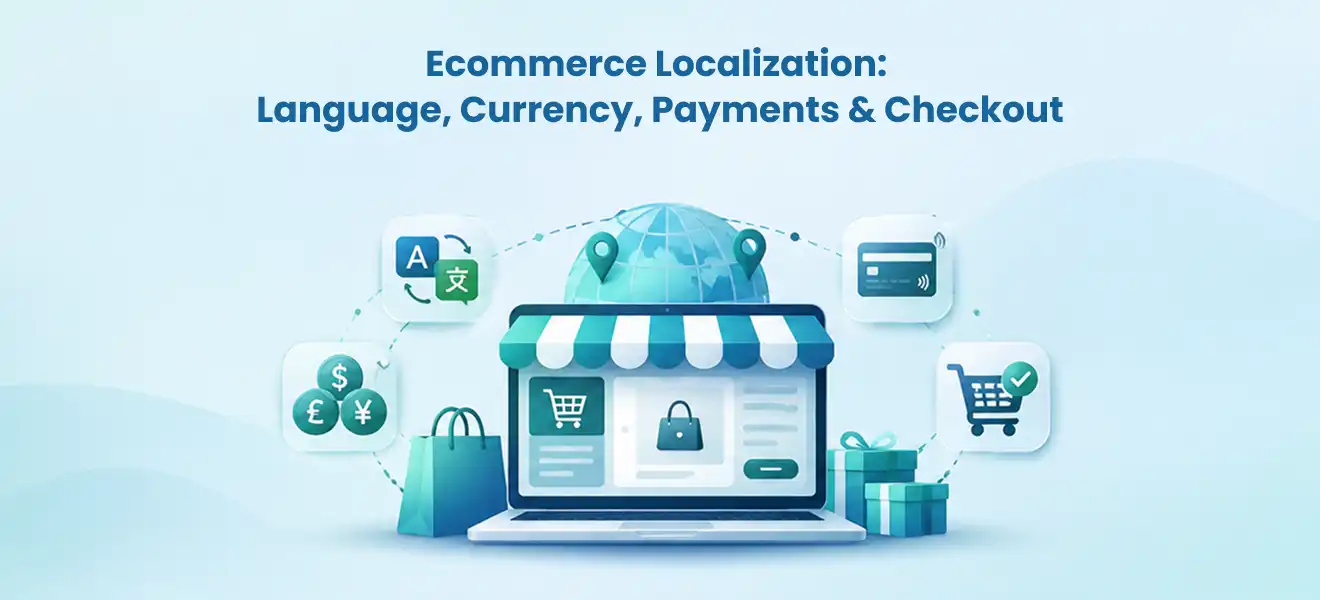
Ecommerce localization means adapting the entire buying journey to a specific country or region—not simply translating product descriptions. A localized store lets shoppers understand products in their preferred language, see trustworthy prices, use suitable payment methods, understand delivery and duties, and complete checkout without unpleasant surprises. Start with one well-defined market, verify the complete transaction from product page to refund, and expand only after the operational details work.
Key takeaways
- Language, country, currency, and shipping destination are related but different settings. Do not assume one selector controls everything.
- A price displayed in euros does not necessarily mean the customer can pay in euros. Verify the actual checkout currency and supported payment processor.
- Localize delivery promises, returns, taxes, and product availability—not just headlines and banners.
- Give each search-relevant language or region its own crawlable URL when appropriate, and validate hreflang, canonicals, and product data against the live pages.
- Test full orders and refunds in every launch market; measure completed orders and friction, not just visits to translated pages.
A US store may already receive visitors from Canada, the United Kingdom, or Germany, but international traffic alone does not mean the business is ready to sell in those markets. A customer can read an excellent German product page and still abandon the order when the checkout switches to US dollars, shows an unavailable payment method, or reveals unexpected delivery charges. This guide provides a practical market-by-market implementation plan for ecommerce owners, product teams, and technical leaders.
1. What Does Ecommerce Localization Actually Include?
Translation is one part of localization. Translation changes text from one language to another. Localization changes the offer and purchase experience so it makes sense for a particular market. The work spans frontend content, commerce rules, payment configuration, fulfillment, and customer support.
| Layer | What customers need | The team or system that owns it |
|---|---|---|
| Language and content | Understandable descriptions, sizing, emails, policies, support | Content/CMS and localization team |
| Currency and pricing | Clear price, taxes, discounts, exchange-rate behavior | Commerce platform, finance, payment operations |
| Product availability | Items and variants that can actually ship to their country | Catalog, inventory, merchandising |
| Checkout and payments | Supported local payment options, correct final currency | Payment provider and checkout team |
| Shipping and returns | Realistic delivery times, duties, return address and refund expectations | Logistics, compliance, customer service |
| Discoverability | Search-accessible regional pages with consistent language signals | SEO and development |
The first operational decision is the market definition. A market might be one country, a group of countries with the same offer, or separate customer segments with distinct price lists. A shared language does not always justify shared shipping, tax, or payment rules. English-speaking shoppers in the US and the UK, for example, may need different currencies, delivery policies, sizing conventions, and returns instructions.
Build a market requirements sheet before choosing tools
For each planned market, document the following: country or region; primary language and fallback language; displayed and charged currency; payment processor and eligible methods; tax and duty handling; sellable SKUs; warehouse and delivery zones; return location; customer-support hours; and the region-specific URL. Record who approves each field. This simple sheet prevents the content team from publishing a translated storefront before finance, payments, and fulfillment are ready.
Illustrative planning example—not a configuration recommendation: A US brand may keep the US store in English with USD checkout, open an English-language Canadian experience with CAD pricing and Canada-specific shipping, and create a German-language experience for Germany with EUR checkout. Whether those payment and currency combinations are possible depends on the store’s processor, account eligibility, and platform setup.
2. Localize Language, Product Information, and Customer Communication
Start with the information shoppers rely on to decide whether a product suits them. Translate the product title and description, but also adapt units, size charts, materials, compatibility instructions, care requirements, warranty terms, and delivery policies. A literal translation of an unfamiliar US shoe size or an inches-only furniture measurement can make a perfectly understandable page commercially unhelpful.
Separate translatable content from regional business rules. A translation workflow can produce a German product description; it cannot decide whether an item can be delivered to Switzerland or which import charges the buyer will pay. Those decisions belong in the catalog, shipping, and checkout systems.
Prioritize pages by buying risk
- Product and collection pages: names, attributes, variant labels, sizing, images when culturally or legally necessary, specifications and search terms.
- Conversion flows: cart, checkout instructions, payment error messages, promo explanations, account creation and consent controls.
- Trust and post-purchase content: shipping, returns, refunds, warranties, contact information, order emails and help-center content.
- Discovery content: navigation, on-site search synonyms, category terminology, product SEO titles and descriptions where supported.
A translation quality check should use a fluent reviewer familiar with the product category, especially for regulated descriptions, safety information, warranty wording, and legal policies. Machine translation can speed drafting; it does not remove the need to verify meaning and market-specific claims. Maintain a glossary for brand names, materials, units, technical terms, and words that must not be translated.
Shopify-specific implementation note
Shopify explains that published languages can receive their own URLs and that checkout and notifications can display the customer’s language where supported. Product and theme translations, translated URL handles, and supported-language limits depend on the store’s plan and configuration. Review the official Shopify language requirements and the localization and translation guidance before selecting a translation workflow. These details can change, so do not hard-code plan limits into your expansion strategy.
What to test: Change the language from a product page, add a variant to the cart, sign in, check out, and view the order email. The chosen language should remain understandable throughout; where the platform falls back to another language, make the fallback explicit and review the impact on buyer trust.
3. Match Currency Display, Actual Payment Currency, and Final Price
International shoppers care about the amount they will actually pay—not just the currency symbol above the Add to Cart button. Distinguish four values in your implementation:
- Base price: the merchant’s underlying product price or price book.
- Presentment price: the price the customer sees in the selected market.
- Checkout charge currency: the currency used when the payment is authorized or captured.
- Settlement and refund behavior: how funds reach the merchant and how refunds or adjustments are processed.
These values can differ. Currency conversion, market-specific fixed prices, rounding, tax rules, and processor capabilities influence the final transaction. For example, a product shown as CAD 80 must not silently switch to USD at payment unless that behavior is disclosed and the customer can review the total. Avoid saying “multi-currency checkout” until the payment provider and real checkout flow support it.
A current Shopify limitation merchants must verify
Shopify’s Markets currency documentation says processing payments in multiple currencies requires Shopify Payments or Adyen as the payment processor. With other processors, the shopper may browse prices in a market currency but pay in the store’s default currency. Shopify also documents checkout behavior that can change with the customer’s shipping destination and checkout configuration. Check your specific store, country eligibility, processor, and checkout before promising a local-currency charge.
Plan the price policy, not just currency conversion
A brand must decide whether it wants a live exchange-rate conversion, a market-specific fixed price, or another approved price rule. Finance should review margin after exchange-rate movement, processing costs, taxes, promotions, returns, and shipping subsidies. Pricing displays must consistently communicate whether tax is included and whether duties can be charged later.
| Pricing choice | Advantage | Main risk to test |
|---|---|---|
| Automatic conversion | Faster rollout across markets | Exchange-rate changes, rounding, conversion fees |
| Market-specific fixed prices | More predictable local offer and positioning | Price-book maintenance and cross-market consistency |
| Localized display only | Provides browsing context where payments are constrained | Checkout reverting to the store's default currency |
Use the same test SKU and shipping destination to compare the product page, cart, checkout, payment receipt, order record, and refund. If those screens disagree, the store is not transaction-ready—even if the homepage has the right currency selector.
4. Adapt Payments, Delivery, Duties, and the Checkout Journey

Localization reaches its most important point at checkout. The customer’s shipping country may determine applicable market settings and fulfillment restrictions; a preferred browsing language alone does not prove the buyer can complete a transaction for that destination. Shopify’s market-localization documentation explains how country/language selection interacts with location and checkout address.
Check local payment methods by actual eligibility
Do not assemble a universal list of “best local payment methods” and assume every store can enable them. Availability depends on processor, merchant entity, market, currency, payment method, customer context, and platform settings. Payments may also vary by device or transaction type. In Shopify, check the official international payments guidance, then verify methods using the merchant’s own checkout account.
For each target market, test at least one supported card method and each important locally preferred method that is actually enabled. Review authorization, failed payment recovery, refunds, payment notifications, fraud checks, and contact details on the receipt. A wallet logo on a landing page is not evidence that the wallet works in the configured currency at checkout.
Make landed cost and shipping terms understandable
A converted item price can still mislead buyers if delivery charges, taxes, or customs fees appear only after they enter a full address. Define how taxes are displayed, who pays duties, whether shipping is Delivered Duty Paid (DDP) or another agreed term, the carrier’s capabilities, and whether a return shipment crosses a border. Avoid stating that one tax presentation method is legally correct everywhere; rules depend on country, product, seller status, and transaction.
Shopify’s duties and taxes for markets documentation describes tax-inclusive versus added-at-checkout displays and optional duty collection. Its duties and import taxes guidance explains that customs charges depend on product classification, origin, and destination. Merchants should involve qualified tax, customs, and legal advisers for market-specific requirements.
Offer the correct catalog and a believable delivery promise
Not every item can ship to every destination. Restrict unavailable products or variants where appropriate, and communicate delivery windows based on the fulfillment source and customs process. A market switch should never create a sellable SKU that the warehouse cannot fulfill. Return terms need the same care: specify eligibility, timeframe, who pays return postage, the return address, and how refunds are communicated in the buyer’s currency.
A useful acceptance test: Start in the US market, select the Canadian market, add an eligible item, enter a Canadian shipping address, apply a valid promotion, complete payment, cancel or refund in a test environment, and compare every currency and tax amount in the order and finance records. Repeat with a destination where the product is unavailable; the site should prevent an impossible purchase before payment.
A relevant WebbyCrown implementation example
WebbyCrown’s NAILD.de Shopify case study documents a DACH-focused storefront spanning Germany, Austria, and Switzerland. The published case study describes multilingual and multi-currency experiences, regional tax/shipping presentation, and localized checkout and payment logic. It is an example of the scope of localization work, not proof that any one payment configuration or uplift will generalize to another store.
5. Make Regional Storefronts Discoverable Without Creating Duplicate-URL Problems
International SEO is about helping search engines and shoppers reach the right regional page. It is not a reason to mass-produce near-identical pages for every country. Create a separate localized URL where there is a genuine language or market experience to serve, then make the relationship between versions clear.
Google’s multilingual and multi-regional guidance recommends distinct URLs for language versions rather than relying only on cookies or browser settings. Its `hreflang` guidance describes reciprocal alternate links, valid language-region codes, and the optional x-default fallback. Google can discover some variants without annotations, but explicit relationships make the site easier to interpret.
Choose URL architecture for the business, not a ranking myth
| URL strategy | Example | Practical consideration |
|---|---|---|
| Subfolder | example.com/de/ | Central domain and simpler shared operations for many teams |
| Subdomain | de.example.com | Separate deployment or governance boundaries may help |
| Country domain | example.de | Distinct regional identity, with greater domain and operational overhead |
These are illustrative URLs, not a recommendation to launch three copies of a site. Select one model that your commerce platform, analytics, localization workflow, and maintenance team can support. Shopify’s international SEO for markets guide explains that supported Markets configurations can generate hreflang tags, canonical URLs, sitemaps, and crawl access. A customized headless storefront or multiple independent shops still requires its own implementation audit; do not assume platform defaults cover custom code.
Technical review checklist for each language or region
- Confirm the localized product URL returns usable content and can be reached through ordinary links without a mandatory geo-redirect.
- Verify the page language matches visible text. Do not translate only the header while leaving product descriptions unchanged.
- Validate reciprocal hreflang references and a sensible fallback. Check country codes carefully: en-GB, not en-UK.
- Review canonicals: a meaningful French product page should not automatically canonicalize to the English page just because both describe the same SKU.
- Keep prices, available products, and currency identifiers accurate on the page and in any supported product structured data.
- Include intended regional URLs in sitemaps, check indexing in Search Console, and test what a crawler sees without a country cookie.
For merchant-listing content, Google’s Product/Offer documentation describes price, currency, availability, and shipping data. Google recommends distinct URLs per currency for offers presented in multiple currencies. Product structured data is a *storefront implementation concern*, not schema that should be added to this informational blog without a reason.
Avoid a common trap: A site may redirect everyone to a country-specific page based on IP, including search crawlers. That can obscure alternate market URLs. Keep a clear manual country/language selector and do not lock users—or crawlers—into a location they cannot change.
6. Use a Market-Ready Checkout Contract Before Launching
The following framework is an editorial implementation model, not a claim that WebbyCrown follows a named proprietary methodology. Assign one owner and one observable test to each market dependency. A market is ready only when the customer-facing promise matches the backend transaction.
| Launch gate | Owner | Pass test |
|---|---|---|
| Locale and content | Content/UX | Product, policy, confirmation email and errors are coherent |
| Catalog eligibility | Merchandising/ERP | Blocked items cannot be purchased in that market |
| Pricing and currency | Finance/payments | Product, cart, charged amount and refund reconcile |
| Payment methods | Payments/QA | Enabled methods work; rejected methods fail clearly |
| Tax, duties and delivery | Finance/logistics | Customer sees correct approved charge and delivery terms |
| International SEO | SEO/engineering | Locale URLs, canonicals and hreflang pass review |
| Support and returns | Operations | Support can complete a real return or refund case |
A rollout sequence that limits rework
Step 1 — Choose the smallest viable market. Prioritize countries with proven demand or operational readiness. Confirm shipping permissions, applicable rules, payment access, and support capability before translating hundreds of pages.
Step 2 — Create the market requirements sheet. Agree on currencies, language, catalog, tax presentation, payment providers, returns, and ownership. Resolve unclear cases with finance, logistics, and legal specialists.
Step 3 — Implement one complete product journey. Use representative SKUs: a simple product, a variant, an item with a delivery restriction, and a discounted product. Follow each through product, cart, checkout, capture, order confirmation, and refund.
Step 4 — Add content and SEO coverage. Translate high-value pages, verify local product vocabulary, configure canonical and hreflang relationships, and keep regional pages crawlable.
Step 5 — Test on mobile and with real operating constraints. Use multiple shipping addresses, browsers, payment methods, and checkout failures. Inspect currency, tax, delivery, and consent behavior. Confirm what occurs when a buyer changes country halfway through checkout.
Step 6 — Launch in stages and monitor exceptions. Watch payment declines, shipping errors, unexpected currency changes, unavailable-product orders, refund failures, and untranslated checkout content. Give each incident an owner and a rollback or correction procedure.
If the store uses a separate ERP or warehouse system, validate the order currency, exchange-rate reference, SKU, tax amounts, inventory reservation, shipping destination, and refund records across systems. Integration success is not “orders synced” if totals and market rules do not reconcile.
7. Measure Localization by Completed Purchases and Buyer Friction
Traffic to a translated page is a useful discovery signal, but it is not evidence that localization works. Segment the funnel by market and language, and separate acquisition from checkout execution. Use completed orders, margin, customer-service issues, and refund patterns to evaluate whether the expansion deserves more investment.
| Metric | Why it matters | Diagnostic question |
|---|---|---|
| Regional organic landing visits | Measures local discoverability | Are intended locale URLs earning relevant impressions and clicks? |
| Product-to-cart rate | Tests product clarity and fit | Does product information answer local buying questions? |
| Checkout completion rate | Tests payment and delivery friction | Are buyers dropping at currency, shipping, or payment? |
| Payment failure rate | Exposes integration and eligibility problems | Which method and destination produce declines? |
| Unexpected-charge contacts | Tests total-price transparency | Are taxes or duties surprising customers? |
| Refund and return rate | Tests delivery fit and policies | Are expectations or fulfillment promises mismatched? |
| Contribution margin by market | Checks business sustainability | Does revenue still make sense after payments, shipping, returns, and support? |
Illustrative diagnostic example: If the German-language store receives more product views after translation but checkout completion does not improve, inspect the charged currency, payment-method availability, delivery terms, and error messages before rewriting more page copy. That is a troubleshooting hypothesis, not a measured result.
Where possible, compare a newly localized market with its own earlier performance and annotate launch dates, promotions, ad spend, product mix, and policy changes. Avoid treating differences between countries as proof that localization caused an outcome: shipping economics and customer demand may differ substantially. Keep WebbyCrown’s broader ecommerce development services in mind only if the implementation requires catalog, payment, checkout, or systems engineering beyond platform configuration.
Frequently Asked Questions
What is ecommerce localization?
Ecommerce localization is the adaptation of an online store to a market’s language, currency, product rules, payments, delivery, and customer expectations. Translation is only the language component.
Is translating product pages enough to sell internationally?
No. A translated store can still fail at checkout if it cannot charge the displayed currency, cannot ship the item, or does not explain duties and returns. Verify a complete order flow for every market.
Does a currency selector guarantee customers pay in that currency?
No. Currency display and payment processing are separate. Shopify documents that multi-currency processing requires supported processors such as Shopify Payments or Adyen; account and market eligibility still matter.
Should every country have its own domain?
Not necessarily. Subfolders, subdomains, and country domains can all work. Choose based on content differences, platform capabilities, governance, maintenance, and your ability to keep locale URLs consistently crawlable.
What is the difference between multilingual and multi-regional SEO?
Multilingual SEO helps searchers reach content in the right language. Multi-regional SEO helps match pages to the right country or region. A store may need both, but not every language requires a country-specific variant.
Does `hreflang` replace canonical tags?
No. They serve different purposes. hreflang describes alternative language or regional pages; canonical signals identify the preferred URL for duplicate or substantially similar content. Review them together so valid localized pages are not accidentally suppressed.
How should I handle taxes and import duties at international checkout?
Define the applicable rules for each market with qualified advisers, configure how charges are displayed, and state who pays import duties. Confirm that checkout, fulfillment documents, and customer policies agree before launch.
Can I use machine translation for ecommerce localization?
It can help create a first draft, but product claims, size guidance, returns, checkout messages, safety information, and legal wording need appropriate review. Keep a glossary and test the end-to-end experience.
What should I test before launching a localized store?
Test market switching, translation quality, product availability, charged currency, payment authorization, tax and shipping calculations, discount behavior, order emails, refunds, returns, canonical URLs, and hreflang signals.
How do I know whether ecommerce localization is working?
Track regional discovery alongside checkout completion, failed payments, unexpected-charge complaints, refunds, returns, and contribution margin. Evaluate changes with context rather than attributing every sales difference to localization.
Conclusion: Localize the Transaction, Not Just the Storefront
A successful international storefront makes the same promise on every screen: the item is available, its description makes sense, the amount and currency are clear, payment can be completed, shipping is realistic, and post-purchase support works. Start with one market, give every operational dependency an owner, and verify a real transaction before expanding the catalog or translating the next country.
For merchants planning a Shopify-based expansion with market-specific catalog, payment, and checkout requirements, WebbyCrown’s Shopify website development services are a relevant next step for discussing implementation scope. Review the requirements with your finance, fulfillment, and compliance teams before committing to a rollout.