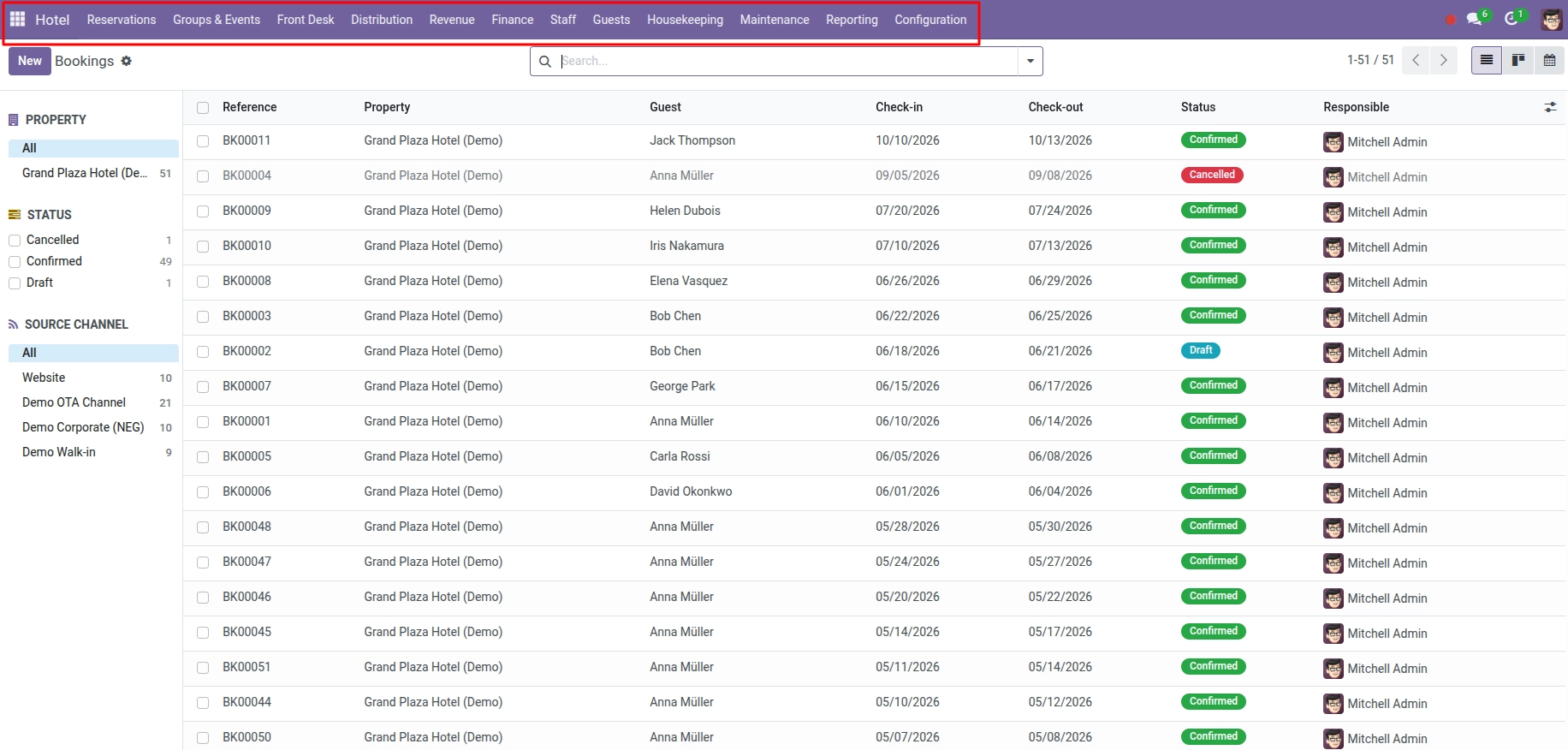
Learn where to find the Hotel app and what each part of the menu is for.
Overview
Hotel Management is your property management system inside Odoo. It helps you sell rooms, run the front desk, clean and repair rooms, bill guests, and see how the business is performing – all from one Hotel menu at the top of Odoo.
If you have not installed the app yet, start with Setup Hotel Management first. Once installed and permissions are set, return here to learn the menus.
Before your team takes live bookings, a manager should set up the property, rooms, and rates. After that, front-desk and reservation staff use the same app every day.
How It Works
When you open Odoo, look for the Hotel app icon in the main menu bar. Inside Hotel you will see sections that match real hotel jobs:
- Reservations – create and view bookings
- Front Desk – today’s arrivals, departures, and room status
- Guests – guest contact profiles
- Housekeeping – cleaning tasks and room boards
- Maintenance – repair work orders
- Finance – guest folios and invoices
- Configuration – setup (managers only)
- Reporting – occupancy, revenue, and KPIs
Your administrator assigns you either Hotel User or Hotel Manager access. Managers can change settings, see invoices, and manage staff attendance.
Step-by-Step Guide
- Log in to Odoo with the username and password your administrator gave you.
- Click the Hotel app in the top menu. If you do not see it, ask your administrator to add you to the Hotel User group.
- Skim the left menu to learn where bookings, front desk, and housekeeping live.
- If you are a manager, start with Configure Your Property before staff create bookings.
- If you handle reservations, go to Reservations & Bookings to create your first booking.
User Roles
| Role | What you can do | Example |
|---|---|---|
Hotel User |
Bookings, front desk, housekeeping, maintenance, basic folios |
Front-desk agent confirming tonight’s arrivals |
Hotel Manager |
Everything above plus configuration, invoices, deposits, staff records |
Revenue manager setting rate plans and reviewing reports |
Field Explanations
Hotel User
Standard access for reservation and operations staff. You can work with bookings and daily tasks but cannot change property setup or accounting settings.
Hotel Manager
Full access including Configuration menu, guest invoices, deposit invoices, employee lists, and attendance reporting.
Hotel menu
The main entry point for all hotel features in Odoo. Every chapter in this guide maps to a section inside this menu.
Tips
- Bookmark the Today’s Arrivals screen if you work at the front desk – it is the fastest way to start each morning.
- Use the search bar at the top of any list in Odoo to find a booking by guest name or reference number.
Common Mistakes
- Skipping property setup Trying to create bookings before rooms and room types exist. Always complete property setup first.
- Using the wrong company If you manage multiple hotels in one Odoo database, check the company selector (top right) before creating records.
Image