
Setup Hotel Management
Install the app in Odoo, load demo data, and give users access.

This guide helps front-desk staff, reservation agents, and managers use Hotel Management every day - from taking a booking to cleaning rooms and sending the guest invoice. No technical background needed.

By Akash Soni June 13, 2026
Install the app in Odoo, load demo data, and give users access.
Find the Hotel app, understand your role, and learn the main menu.
Set up hotels, room types, individual rooms, and amenities.
Define standard rates and adjust prices night by night (BAR).
Set cancellation rules and collect advance payments from guests.
Create bookings, add rooms and extras, and confirm reservations.
Manage arrivals, departures, and the live room status board.
Store guest contact details and booking history in one profile.
Capture demand when full, and temporarily block rooms from sale.
Turn a stay into charges, then invoice the guest at checkout.
Assign cleaning tasks and update room status after each stay.
Log repairs and mark rooms out of order until work is finished.
Contract room blocks, track pickup, and manage rooming lists.
Track booking sources and set minimum-stay or stop-sale rules.
Review occupancy, revenue, channel mix, and operational KPIs.

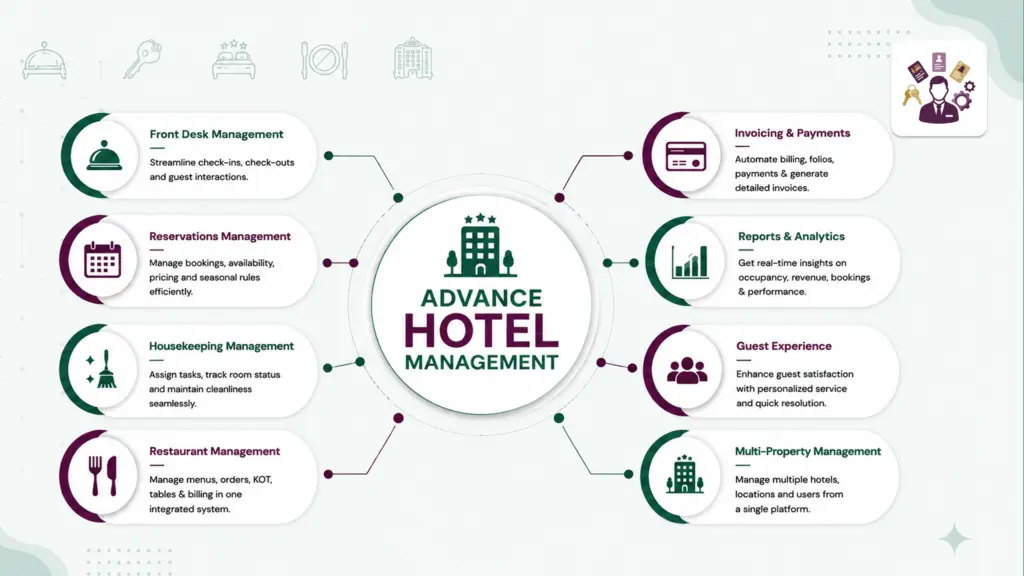
Reserve rooms, apply rates, and avoid double-bookings automatically.

See today’s arrivals and departures, and check room status at a glance.

Create folios, collect deposits, and issue invoices linked to stays.

Assign housekeeping tasks and track maintenance until rooms are sellable again.

Manage wedding blocks, conferences, and rooming lists in one workflow.

View occupancy, revenue, RevPAR, and housekeeping turnaround times.