


This chapter explains each feature in simple language for normal users, including what each section does, when to use it, and how to complete daily actions step by step.
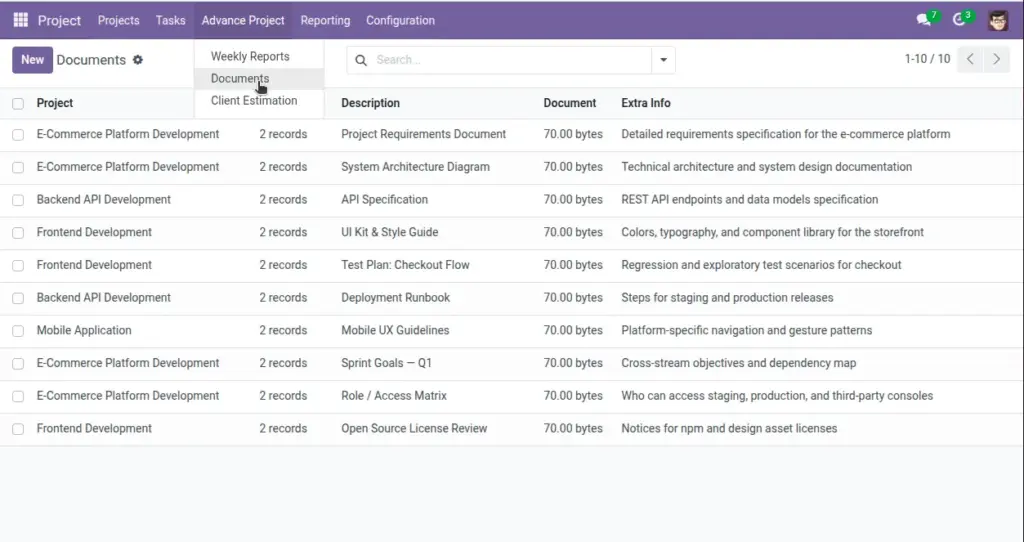
Documents
Store project files and control employee-level access from project form and task form.
When To Use
Use this section when you want to upload requirement documents, reports, screenshots, or reference files and share them only with specific team members.
Important Fields
| Field Label (User View) | Technical Name | Purpose |
|---|---|---|
|
Description |
project_description |
Short note about file content. |
|
Document |
document |
Upload project file. |
|
Share With Employees |
share_with_employee_ids |
Select employees who can see this document in tasks. |
|
Extra Information |
extra_info |
Additional details for the document. |
Field Explanation
Description (project_description):
Briefly explains what the uploaded file contains.
Document (document):
Stores the file attachment for the project.
Share With Employees (share_with_employee_ids):
Defines which employees can view this document from related tasks.
Extra Information (extra_info):
Captures any additional notes about the document.
How It Works
- Manager uploads documents in the project Documents tab.
- Manager selects employees in share list.
- When employee opens task, system shows only documents shared with that employee.
User tip: add a clear description for every file so team members can identify the right document without opening each attachment.
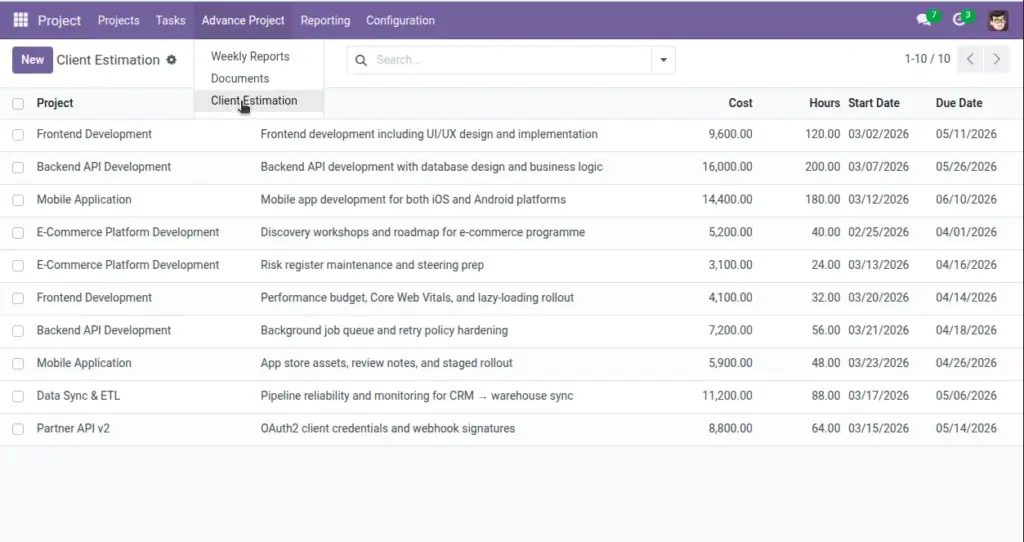
Client Estimation
Track estimation records for planning and budget discussion with client.
When To Use
Use this tab during project planning, scope review, and client change requests to keep expected effort and cost transparent.
Important Fields
| Field Label (User View) | Technical Name | Purpose |
|---|---|---|
|
Description |
description |
Work item description. |
|
Estimated Hours |
hours |
Estimated effort in hours. |
|
Estimated Cost |
cost |
Estimated cost. |
|
Start Date / Due Date |
start_date / due_date |
Planned timeline. |
Field Explanation
Description (description):
Defines the specific work item being estimated.
Estimated Hours (hours):
Expected effort needed to complete the work item.
Estimated Cost (cost):
Planned budget value for that work item.
Start Date / Due Date (start_date / due_date):
Planned start and finish window for execution.
System behavior: all estimation lines are stored per project and visible in the project form under Client Estimation tab.
Practical Workflow
- Add each work item as one estimation line.
- Enter estimated hours and cost for that item.
- Set start and due dates to build a realistic timeline.
- Review all lines with client before work starts.
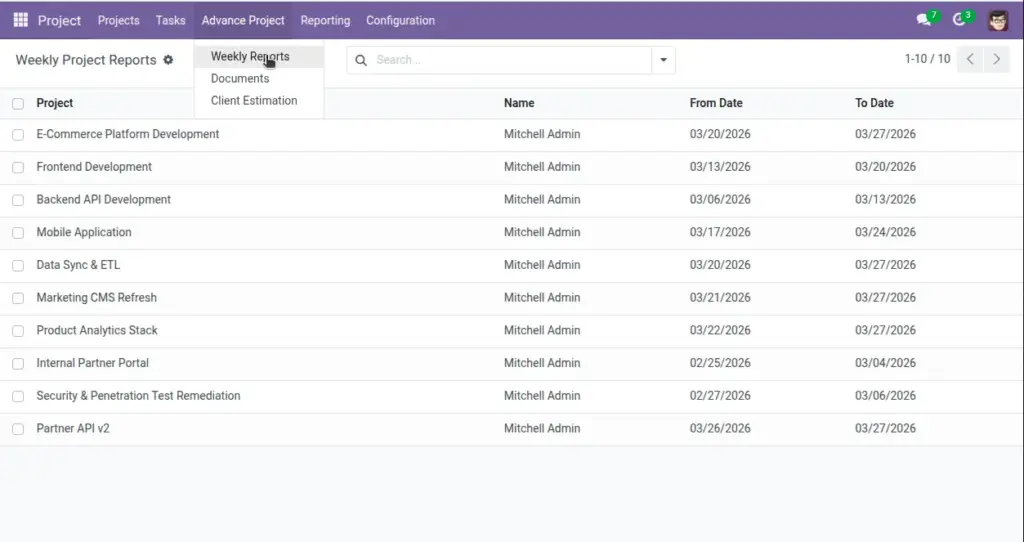
Weekly Reports
Weekly report records are generated from project data and date range.
Why It Matters
Weekly reports provide a quick progress snapshot for managers and stakeholders without checking every task manually.
Important Fields
| Field Label (User View) | Technical Name | Purpose |
|---|---|---|
|
Last Report Date |
last_report_date |
Shows latest report update date on project. |
Field Explanation
Last Report Date (last_report_date):
Indicates when the project weekly report was last generated or updated.
How It Works
- System prepares report range (last 7 days).
- Counts task data for each project.
- Sends report using email template.
What To Check
- Confirm task stages are updated before report day.
- Check Last Report Date to ensure the latest report was generated.
- Verify recipients receive the weekly email correctly.