


Credential
Store access data like URL, user, password, and key file for project operations.
When To Use
Create a credential when your team needs secure access details for server login, database access, API integration, or external tools used in a project.
Important Fields
| Field Label (User View) | Technical Name | Purpose |
|---|---|---|
|
Name |
name |
Credential display name. |
|
Project |
credential_type_id |
Project link for this credential. |
|
Credential Type |
url / port |
Type such as SSH, DB, API. |
|
URL / Port |
user / password |
Host and port information. |
|
Username / Password |
pem / file_name |
Login credentials. |
|
Key File / File Name |
user_ids |
Key file upload and filename. |
|
Shared Users |
– |
Users allowed to view this credential. |
Field Explanation
Name (name):
The title shown in lists, so users can quickly identify this credential.
Project (project_id):
Connects the credential to a specific project and makes it available in that project context.
Credential Type (credential_type_id):
Defines the credential category, such as SSH, Database, or API.
URL / Port (url / port):
Stores the host address and network port needed for access.
Username / Password (user / password):
Stores login values used for authentication.
Key File / File Name (pem / file_name):
Keeps uploaded private key details for key-based login.
Shared Users (user_ids):
Limits credential visibility to selected team members only.
How It Works
- User creates credential and links it to a project.
- System automatically adds this credential to the project credential list.
- Tasks under that project inherit credential references from project.
Best Practice
- Share credentials only with required users.
- Use clear names such as Production SSH or Client API Key.
- Update credential records immediately when login details change.
Credential Type
Credential Type is a master table for organizing credential categories.
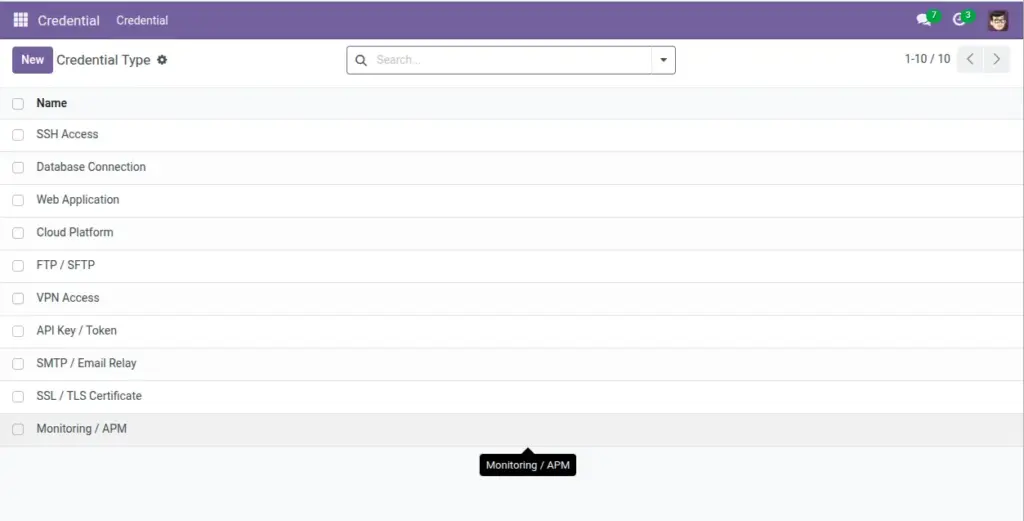
Why It Is Useful
Credential type helps users quickly identify purpose of credentials and apply consistent naming across projects.
Important Fields
| Field Label (User View) | Technical Name | Purpose |
|---|---|---|
|
Name |
Name |
Credential category name. |
Field Explanation
Name (name):
The label used to classify credentials, for example SSH, Database, or API.
System behavior: when credential type, user, and URL are provided, name can be auto-formed as a useful identifier.
Suggested Types
- SSH
- Database
- API
- Hosting Panel