


Summarize This Article With AI
Odoo POS implementation costs vary depending on the number of registers and locations, software subscriptions, hardware requirements, setup work, and customization. Odoo offers a free single-app option and paid plans, but deploying a working point-of-sale system may also require equipment, product migration, payment-terminal configuration, employee training, and ongoing support. The most reliable way to budget is to separate software licensing from one-time implementation costs and recurring operating expenses.
Key Takeaways
- Odoo subscription pricing is not the total project cost. Hardware, implementation, data migration, and training should be budgeted separately.
- Retail and restaurant deployments require different configurations. Restaurants may need table management, kitchen printing, and split-bill workflows.
- Standard features may reduce custom development. Confirm what Odoo already supports before commissioning new modules.
- Payment processing and hardware add ongoing costs. Device compatibility, merchant fees, and maintenance matter beyond launch.
- Request an itemized quotation. The scope should identify included features, assumptions, exclusions, testing, and support.
1. How Much Does Odoo POS Implementation Cost?
The price of implementing Odoo Point of Sale depends on how much work is needed to make the system usable in a specific business.
A retailer with one checkout counter and clean product data may need relatively straightforward configuration. A restaurant with multiple order stations, kitchen displays, table management, custom menus, and accounting integration will require a different scope. A multi-location retailer may need centralized inventory, employee permissions, specialized pricing, and additional testing.
These projects should not be treated as though they have the same fixed price.
Odoo POS software pricing
As of October 24, 2026, Odoo’s US pricing page advertises the following subscription options:
| Odoo plan | Advertised annual-billing price | General scope |
|---|---|---|
| One App Free | $0 | One application with unlimited users on Odoo Online |
| Standard | $24.90/user/month | All apps on Odoo Online |
| Custom | $49/user/month | All apps with additional customization and deployment options |
The advertised Standard and Custom amounts are promotional prices associated with the first 12 months for eligible initial users. Odoo also displays higher reference prices of $31.10 and $61 per user per month, respectively.
Subscription terms, discounts, user classification, taxes, and billing arrangements should be confirmed directly before purchasing. The Custom plan offers additional deployment options, including Odoo.sh and on-premise environments. Odoo.sh hosting is charged separately.
Source: Official Odoo Pricing.
Can businesses use Odoo POS for free?
Odoo’s One App Free offer is worth evaluating when the business needs a narrowly defined application setup. However, companies that need a broader combination of POS, Inventory, Accounting, and other applications should confirm which subscription is appropriate.
The fact that an app can be used under a free software plan does not mean the complete business setup is free. You may still need compatible hardware, a payment provider, configuration assistance, product catalog preparation, and employee training.
What implementation work costs money?
Implementation usually includes activities such as:
- Requirements gathering and process mapping.
- Configuring POS registers, users, and payment methods.
- Importing and validating product information.
- Connecting supported receipt printers and payment devices.
- Setting up retail or restaurant workflows.
- Testing real transactions, refunds, and closing procedures.
- Training employees and transferring operational responsibility.
The hours required depend on the starting environment and project scope. For budgeting purposes, the worked examples later in this guide use hypothetical labor rates and effort assumptions. They are not published WebbyCrown service prices or verified industry averages.
2. What Is Included in the Total Odoo POS Cost?
A complete POS budget contains more than software and equipment. The following breakdown helps business owners avoid comparing incomplete quotations.
Software subscriptions and hosting
The first cost category is Odoo software access. Review the edition, subscription plan, number of billable users, and hosting arrangements.
A business already using Odoo for accounting and inventory might be able to add POS without buying an entirely separate business system, subject to its plan and configuration. A new implementation, however, might need additional applications and migration work.
Businesses requiring custom Odoo modules must also confirm whether their hosting environment supports installing those modules. Do not assume all paid Odoo plans support the same deployment and extension methods.
POS hardware and peripherals
Odoo POS is browser-based and supports compatible computers and tablets. A typical physical checkout environment may require some combination of:
| Equipment | Purpose |
|---|---|
| Desktop, tablet, or touchscreen | Cashier interface |
| Barcode scanner | Product identification |
| Receipt printer | Customer receipts |
| Cash drawer | Cash transactions |
| Payment terminal | Card payments |
| Customer display | Checkout visibility |
| Network equipment | Connectivity between devices |
| IoT gateway, where required | Communication with supported peripherals |
| Weighing scale, where applicable | Selling products by weight |
Not every location needs all these devices. A card-only pop-up shop may have a simpler setup than a grocery store with weighing equipment and multiple cashier stations.
Odoo documents supported hardware categories and connection requirements in its POS hardware documentation.
Before purchasing equipment, verify compatibility with the actual Odoo version, printer model, payment provider, operating system, and network architecture.
Payment processing expenses
Merchant payment processing is an important recurring cost that is often excluded from implementation estimates. Businesses may encounter payment-terminal purchase or rental fees, transaction charges, and other provider-specific terms.
Odoo supports integration with several payment terminal providers, including Stripe and Adyen, but availability and hardware requirements vary by provider and country.
For example, Odoo’s payment-terminal documentation explains the available categories and configuration.
Choose the payment provider before finalizing hardware procurement. Also verify refund handling, chargebacks, transaction reconciliation, and how interrupted card payments will be handled.
Data migration and initial configuration
A POS system needs accurate product data before employees can start using it. The implementation team may need to prepare product names, categories, barcodes, prices, taxes, product variants, and applicable inventory information.
Migration becomes more difficult when the previous system contains duplicate or inconsistent records. For example, a product might appear with different identifiers in the legacy POS and the new ERP. Without a mapping strategy, the new system may contain duplicates or incorrect inventory references.
Cleaning and validating data is an implementation task, not merely uploading a spreadsheet.
Training and support
Employees must learn the actions they will perform during normal business operations. Cashiers may need training on refunds, discounts, receipt printing, and cash drawer reconciliation. Managers may require additional training on register permissions, stock movements, reports, and daily closing procedures.
Restaurants must also consider table transfers, kitchen order routing, split bills, and shift handovers. Training expenses depend on the number of teams, locations, languages, and operational scenarios.
3. Example Odoo POS Implementation Budgets
The following examples are illustrative financial models created to help businesses understand how costs add up. They are not WebbyCrown quotations, actual client results, or verified market-wide price ranges.
To keep the calculations understandable, each example uses an assumed implementation rate of $95 per hour. Hardware figures are hypothetical procurement allowances, not current vendor quotes. Subscription figures use Odoo’s advertised introductory annual-billing rate as of the research date.
Scenario A: Single-store retail POS
Consider a small retailer with one store, two checkout registers, and a clean catalog. The business wants standard product lookup, barcode scanning, card payments, and daily closing reports. Assume the company selects Odoo Standard and has three billable users.
| Cost component | Example assumption | Calculated cost |
|---|---|---|
| Requirements and setup | 12 hours x $95 | $1,140 |
| Product data preparation | 12 hours x $95 | $1,140 |
| Hardware/payment configuration | 12 hours x $95 | $1,140 |
| Testing and staff training | 12 hours x $95 | $1,140 |
| Hardware allowance | Two checkout stations and peripherals | $1,200 |
| Odoo subscription, year one | 3 x $24.90 x 12 months | $896.40 |
| Support allowance, year one | $150 x 12 months | $1,800 |
| Illustrative first-year total | $8,456.40 |
This assumes 48 implementation hours. It excludes payment processing fees, taxes, additional subscription charges, unexpected data cleanup, and other costs not included in the assumptions.
If the business already owns compatible hardware, its equipment expense could be lower. If it needs additional custom modules or inventory integration, implementation costs could rise.
Scenario B: Restaurant POS implementation
Now consider a restaurant with multiple order stations, table management, kitchen printing, and split-payment requirements. Assume five billable Odoo users and a more extensive configuration and training process.
| Cost component | Example assumption | Calculated cost |
|---|---|---|
| Discovery and workflow design | 16 hours x $95 | $1,520 |
| Restaurant POS configuration | 28 hours x $95 | $2,660 |
| Kitchen/payment device setup | 24 hours x $95 | $2,280 |
| Testing, training and launch | 32 hours x $95 | $3,040 |
| Hardware allowance | Registers, kitchen devices and peripherals | $3,200 |
| Odoo subscription, year one | 5 x $24.90 x 12 months | $1,494 |
| Support allowance, year one | $300 x 12 months | $3,600 |
| Illustrative first-year total | $17,794 |
This example assumes 100 implementation hours. It does not include payment processing fees, third-party delivery platform charges, taxes, or any separately billed restaurant services.
A smaller cafe with simple requirements may need considerably less work. A high-volume restaurant with custom kitchen workflows may need more.
Scenario C: Multi-location retail implementation
A retailer operating five locations may need centralized product management, location-specific stock rules, pricing controls, and coordinated deployment. These requirements can affect both development and rollout effort.
For illustration, suppose the project requires 220 implementation hours at an assumed $95 per hour. That results in $20,900 of initial services before adding hardware, software subscriptions, hosting, support, or contingency.
This figure should not be interpreted as the average cost for five locations. Actual cost depends on whether the organization already uses Odoo, how stores share inventory, and whether each location follows the same processes.
How to calculate your own POS budget
First-year POS cost = implementation + hardware + software and hosting + training + support + payment-related charges + other required integrations.
Three-year ownership cost = initial investment + three years of recurring expenses + expected upgrades and expansion work.
Avoid assuming the cheapest first-year option is always the cheapest over three years.
4. Retail vs Restaurant POS: What Changes the Cost?
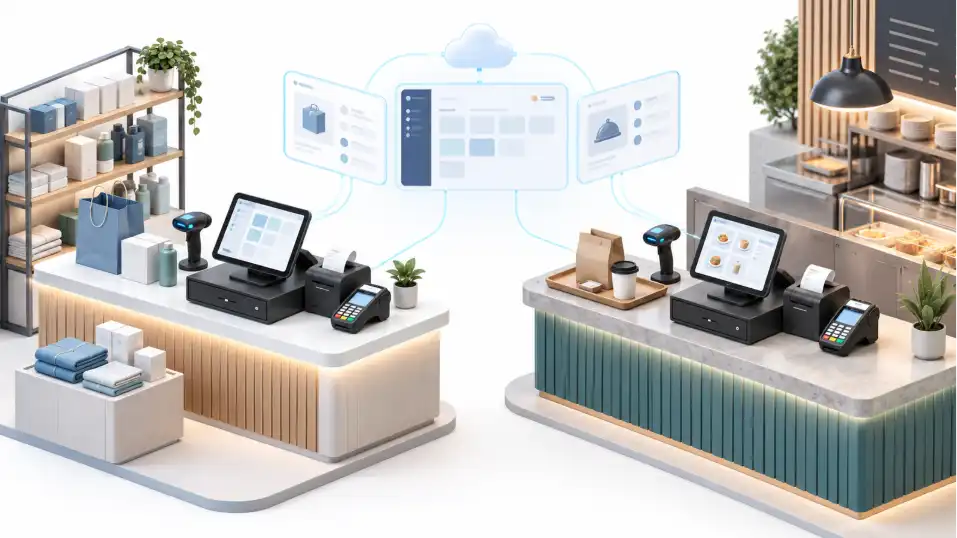
Odoo POS supports both retail and restaurant use cases, but these businesses have different operational requirements.
Retail POS implementation requirements
Retail businesses usually focus on checkout speed, product identification, stock accuracy, returns, and cashier controls.
A basic retail setup may include barcode scanning, product variants and categories, price lists and discounts, cash and card payments, refund procedures, inventory updates, and register closing and reporting.
A fashion retailer may have many product variants. A grocery store may require weighing scales and more complicated barcode handling. A specialty retailer may need serial-number tracking or specific customer pricing. The more specialized the workflow, the more configuration and testing may be required.
Restaurant POS implementation requirements
Restaurants frequently need additional processes around seating and food preparation. Odoo 19 documentation describes features for managing floors and tables, kitchen notifications, bill splitting, tips, and eat-in versus takeout taxes.
Source: Odoo Restaurant POS Documentation.
Implementation questions include:
- Will orders be placed at tables, counters, kiosks, or phones?
- Does the restaurant need kitchen printers or preparation displays?
- Can employees transfer tables and split bills?
- How are tips and service charges recorded?
- Do food items require custom modifiers or dietary notes?
- How are takeaway and delivery orders handled?
- What happens when network connectivity is unavailable?
These questions determine the setup scope more effectively than the number of POS terminals alone.
For a focused example of restaurant-specific extensions, WebbyCrown’s Odoo POS Quick Notes guide explains an add-on for customer order instructions and dietary tags.
That feature is an example of a specialized extension, not a standard implementation requirement for every restaurant.
Multi-store implementation requirements
The main challenge of multi-store POS is often consistency. Businesses need to decide whether all stores will share prices, discounts, products, and stock rules. Some stores may need location-specific availability or tax treatment.
The implementation should also define employee access, reporting structure, and what happens when a location temporarily loses internet connectivity. A central database can simplify management, but it does not remove the need to test each store’s physical hardware and operational procedures.
5. Standard Odoo POS vs Custom POS Development
Businesses should evaluate Odoo’s built-in functionality before commissioning custom development. Features that are already available may only require configuration and employee training.
Custom development is more appropriate when a business requirement cannot be met reliably with standard settings or a suitable supported extension.
| Decision factor | Standard configuration | Custom development |
|---|---|---|
| Initial effort | Configuration and verification | Analysis, development, testing and deployment |
| Existing Odoo features | Reused where applicable | Extended or adapted |
| Specialized workflows | Limited to supported options | Greater flexibility |
| Upgrade maintenance | Generally simpler | Custom modules need compatibility review |
| Testing | Business and device testing | Standard testing plus custom code regression tests |
| Best fit | Common retail/restaurant processes | Distinct or complex business requirements |
When standard POS is sufficient
A standard configuration is a strong candidate when a business needs conventional checkout, product lookup, supported payment terminals, and routine reporting.
Additional features should be assessed based on their operational value rather than added by default. For example, a shop owner might request a custom dashboard even though the required management information is already available through supported Odoo reporting. It may be more economical to configure an existing report than to build a replacement.
When custom development is justified
Custom development may be needed when businesses require highly specialized promotions, tailored employee workflows, complex product bundles, or coordination with proprietary systems.
Restaurant operators might require a specific kitchen production process that standard configurations do not represent accurately. Retailers may need POS workflows connected to external loyalty platforms, warehouse automation, or specialized inventory controls.
However, the ability to customize software does not mean every requested change is worth building. Evaluate how frequently the workflow occurs, what problem it solves, and the maintenance cost it introduces.
When not to use Odoo POS
Odoo POS is not automatically the correct choice for every business. A company seeking only a simple standalone card reader may find a smaller POS solution easier to operate.
A specialized environment with unusual hardware or payment requirements should confirm compatibility before selecting Odoo. Businesses requiring critical offline payment acceptance must carefully evaluate limitations.
Odoo 19 supports offline POS order operations, but its documentation explains that connected payment terminals and certain backend-dependent capabilities do not work offline.
Orders created offline are stored in browser cache and synchronized after reconnection. The documentation warns users not to close, reload, or clear the browser cache before synchronization completes.
Source: Odoo POS Workflow and Offline Mode.
A proper evaluation should test the actual outage scenarios the business may experience.
6. How to Plan an Odoo POS Implementation
A structured implementation process helps businesses control scope and reduce avoidable rollout problems.
Step 1: Document business workflows
Begin by mapping how sales currently operate. Identify checkout processes, refunds, shift handovers, product management, and inventory responsibilities. For restaurants, document order preparation and table-service workflows.
Record the differences between locations rather than assuming every register operates identically.
Step 2: Confirm the Odoo environment
Identify the required Odoo edition, version, subscription, hosting arrangement, and custom module needs. Check whether existing applications already provide product, accounting, or inventory functions.
Confirm which employees require access and what their permissions should be. These decisions affect licensing, configuration, and implementation effort.
Step 3: Audit hardware and payment compatibility
Prepare an inventory of existing equipment and required new purchases. Verify compatible printers, scanners, terminals, and network connections.
Odoo may connect supported devices directly or through a suitable IoT configuration depending on the peripheral. Test real device models before purchasing equipment in volume.
For payment integrations, verify country availability, card network requirements, and merchant processing arrangements.
Step 4: Prepare product and operational data
Clean product categories, barcodes, SKUs, tax settings, and pricing information. Define how existing transactions and historical records will be handled.
Not every legacy record must necessarily be migrated into the live POS. In some situations, archived reporting access is more appropriate than importing years of transactional history. The decision should be based on operational and compliance requirements.
Step 5: Configure and test POS workflows
Create the required POS registers, employee permissions, payment methods, and operational settings. Test both successful and unsuccessful transactions.
| Test scenario | Expected outcome |
|---|---|
| Standard product sale | Correct quantity, price, tax and payment record |
| Product return | Authorized refund and appropriate inventory handling |
| End-of-day register close | Accurate reconciliation and accounting entries |
| Payment terminal disconnection | No unverified successful payment |
| Temporary internet outage | Supported offline behavior and controlled recovery |
| Barcode scanning | Correct product and variant identification |
| Restaurant split bill | Correct payment allocation and totals |
| Multi-store stock movement | Correct location-level inventory effects |
| Unauthorized cashier action | Appropriate permission restrictions |
A test should not be marked successful merely because the screen accepts the transaction. Verify the resulting data in relevant inventory, accounting, and reporting records.
Step 6: Train staff and conduct a pilot
Train employees using realistic transactions from the business. Supervisors should know how to resolve common problems, including missing products, wrong prices, cash differences, and printing failures.
Start with a controlled launch when practical. For multiple locations, a pilot store can help identify configuration and hardware issues before a broader rollout.
Step 7: Monitor the system after launch
Track payment errors, failed transactions, register discrepancies, device downtime, and unresolved support requests. Assign responsibility for software upgrades, backup and recovery arrangements, employee access reviews, and vendor coordination.
An implementation should have written acceptance criteria and a clear support handover.
7. Hidden Costs, ROI, and Choosing an Implementation Partner
Budget overruns often happen when an initial proposal excludes tasks that become necessary during deployment. The most useful protection is a detailed statement of work.
Hidden costs to consider
- Hardware replacement: Older printers or payment terminals may not support the selected configuration.
- Data cleanup: Legacy product records may require additional preparation.
- Integration work: Accounting, warehouse systems, or eCommerce platforms may need separate connections.
- Custom module maintenance: New Odoo versions may require changes to independently developed extensions.
- Payment processing: Terminal and merchant fees should be modeled separately from software subscriptions.
- Employee training: Multiple shifts and locations can increase training requirements.
- Operational downtime: Launch and migration plans should account for business continuity.
- Support and monitoring: Troubleshooting, device maintenance, backup arrangements, and upgrades continue after implementation.
How to evaluate return on investment
A POS implementation may save employee time, improve data accuracy, and provide more consistent operational reporting. However, those outcomes should not be assumed before the business measures them.
Annual net benefit = measurable labor savings + avoided correction costs + other verified operational benefits – annual operating costs.
For example, suppose an organization estimates that a new system can remove five hours of manual reconciliation each week. At an illustrative fully loaded labor cost of $30 per hour:
5 hours x $30 x 52 weeks = $7,800 in potential annual labor value.
That is not necessarily $7,800 of realized cash savings. The company must determine how much work is actually eliminated and whether those hours can be put to productive use. Compare the measured benefits with the complete first-year and multi-year costs.
What to ask an Odoo POS development provider
Before approving a proposal, ask:
- Which software subscriptions and hosting costs are excluded?
- How many registers, users, and locations are included?
- Which hardware models have been verified as compatible?
- Is product migration and validation included?
- Will payment providers and terminal configuration be handled?
- Which workflows require custom development?
- How will offline operation and payment interruptions be tested?
- What employee training and launch support are included?
- Who is responsible for updates and post-launch troubleshooting?
- What are the acceptance criteria and additional-work approval process?
A useful proposal should distinguish required functionality from optional improvements.
Businesses planning integration with other ERP or commerce systems should also evaluate the scope of Odoo Integration Services separately from the basic POS rollout.
Frequently Asked Questions
How much does Odoo POS implementation cost?
There is no universal fixed price. The total depends on subscriptions, hardware, setup, data migration, integrations, customization, training, and support. An itemized requirements-based estimate is more reliable than a generic price range.
Is Odoo POS free to use?
Odoo offers a One App Free option for eligible single-app use. Hardware, payment processing, professional setup, and requirements beyond the selected plan may create additional expenses.2
How much does Odoo POS cost per month?
The cost depends on the subscription plan, number of billable users, promotional terms, and deployment arrangement. Check Odoo’s official pricing page before calculating recurring expenses.
Does Odoo POS require special hardware?
Not necessarily. Odoo POS runs in a web browser, but businesses may need compatible payment terminals, receipt printers, barcode scanners, cash drawers, or other peripherals for their workflows.0
Is Odoo POS suitable for restaurants?
Yes. Odoo provides restaurant-oriented features such as floor and table management, kitchen printing, tips, and split bills. Restaurants should verify their specific operational requirements and supported hardware.
Can Odoo POS work without internet?
Certain POS functions can operate offline, and transactions can synchronize after reconnection. However, connected payment terminals and several backend-dependent features do not operate offline.
What makes Odoo POS customization expensive?
Complex business rules, integrations, specialized hardware, extensive testing, migration work, and ongoing version compatibility can increase development effort.
Can Odoo POS support multiple stores?
Odoo supports multi-location workflows, but requirements for inventory ownership, pricing, employees, reporting, and hardware must be assessed for each deployment.
How can businesses reduce Odoo POS implementation costs?
Start with standard capabilities, prepare clean product data, reuse compatible hardware, limit unnecessary customization, and conduct a controlled pilot before expanding.
How do I get an accurate Odoo POS implementation quote?
Provide the Odoo version, business type, locations, registers, user requirements, hardware inventory, payment providers, data migration scope, and custom workflow needs. Request an itemized quotation with recurring costs and exclusions.
Conclusion
Odoo POS implementation cost should be calculated as a complete operational investment rather than a software subscription alone.
Retailers and restaurants can often begin by evaluating standard Odoo features and compatible hardware before investing in custom development.
The most reliable budget separates licensing, configuration, hardware, training, payment processing, and long-term support.
For businesses preparing a new deployment or upgrading an existing setup, WebbyCrown’s Odoo POS Development services provide a relevant starting point for discussing scope, system compatibility, and implementation planning.


