Summarize This Article With AI
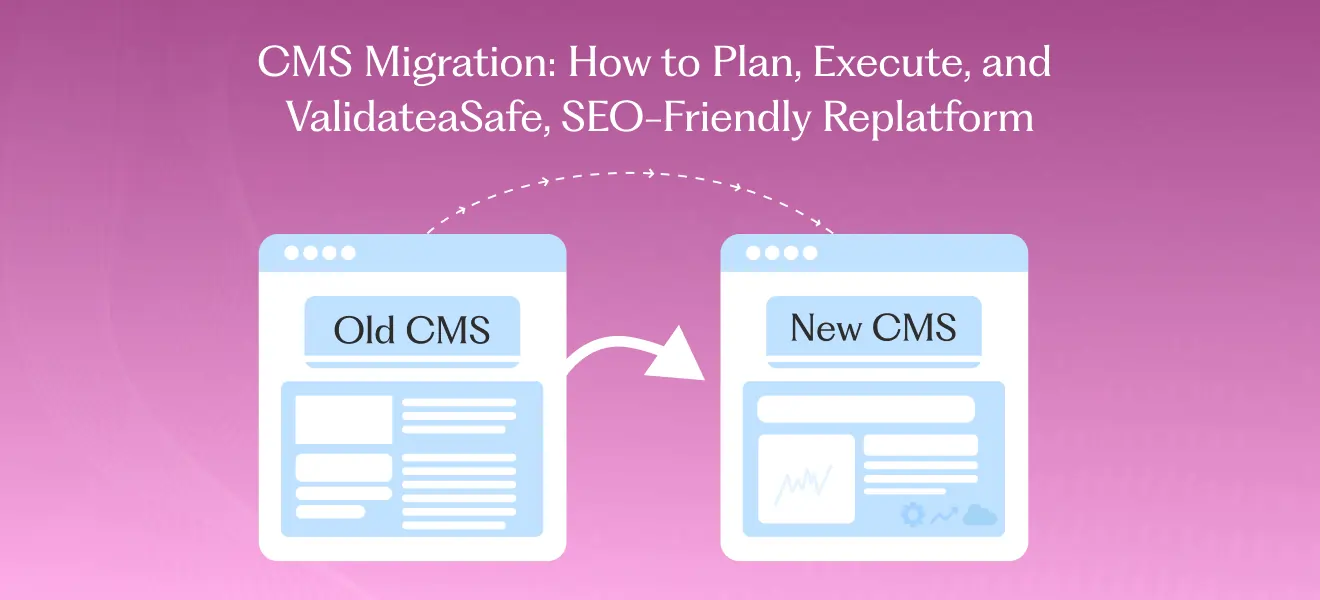
A CMS migration is more than moving content from A → B — it’s a strategic project that touches marketing, product, engineering, and SEO. To ensure a smooth transition, minimize operational disruptions, and preserve SEO rankings, it is essential to develop a detailed CMS migration plan. Done well, a CMS migration modernizes your stack, improves speed and conversions, and unlocks new capabilities (headless delivery, personalization, better content modeling).
The full lifecycle and scope of complex CMS migration projects require significant expertise to deliver successfully. Done poorly, it can destroy organic traffic, break links, and cost months of recovery. This pillar guide covers the full lifecycle of CMS migration — planning, execution, QA, and post-launch monitoring — with a practical, SEO-safe checklist you can use immediately, and highlights how leveraging cms migration services can ensure a seamless transition and professional support.
When should you migrate your content management system?
Migrate when the current CMS limits business goals. Common signals:
- Poor performance or slow page speeds that impede Core Web Vitals.
- Hard-to-scale content models that block marketing and personalization.
- Replatform needs for ecommerce (e.g., migrating product catalog to Shopify).
- Security, maintenance, or cost problems with the existing CMS.
- Mergers, acquisitions, or brand redesigns requiring consolidated content.
If your CMS is causing recurring friction in shipping pages, limiting SEO, or making integrations painful, a migration is worth planning — but only with a disciplined approach, treating it as a well-structured migration project with clear goals and milestones.
Big-picture migration strategy
- Plan & Audit: Inventory content, map URLs, and capture SEO baselines.
- Migrate & Test: Move content, implement redirects, and QA everything in staging.
- Launch & Monitor: Deploy with redirects, validate analytics, and monitor traffic & search visibility.
Every migration should start with a business goal (reduce CAC, improve conversions, support scale) and end with measurable KPIs (no drop in organic sessions, stable conversion rates, improved page speed).
Step 1 — Discovery & content inventory
Start by answering two questions: what you have and what you need.
- Content inventory: Export all pages, URLs, metadata (title, meta description), H1s, publish dates, authors, templates, and media. Tools: sitemap exports, crawling (Screaming Frog-like), and CMS exports.
- Analytics baseline: Capture organic sessions, top landing pages, conversions by page, referral sources, and page-level metrics for the last 6–12 months using Google Analytics as a primary tool.
- Technical baseline: List current platform features, plugins, integrations (CRM, CDP, eCommerce, search), and custom code.
- Stakeholder map: Identify owners for product pages, docs, engineering, and SEO.
Thorough content migration planning ensures all website data, media, and settings are transferred efficiently and securely.
Outcome: a prioritized list of pages that must be preserved exactly (top organic landing pages, high-converting product pages), pages to merge, and pages to retire.
Step 2 — Choose the right destination
Common destination choices and quick notes:
- WordPress — flexible, wide plugin ecosystem, great for content marketing; watch for plugin bloat and security.
- Shopify — excellent for ecommerce; migrating product catalogs and checkout is a strength.
- Headless CMS platforms (Contentful, Strapi, Sanity) — modern architecture, great for omnichannel; requires front-end engineering. Headless CMS platforms offer flexibility and scalability, but may need more technical resources.
- Webflow — rapid visual design + CMS for marketing-focused sites; can be limited for complex integrations.
- HubSpot CMS — integrated with CRM and marketing tools; good for tight marketing-sales alignment.
- Enterprise CMS — for complex, multi-site, multi-region needs; offers enhanced scalability, security, and advanced integrations, suitable for large organizations, but can be costly.
- Traditional CMS — established platforms with all-in-one architecture; easier setup but may lack flexibility and scalability for complex or omnichannel needs.
When planning your migration, it’s crucial to select the right CMS provider and CMS vendor, as their support, scalability, and security offerings will impact your long-term success.
Choose the destination based on business requirements: scale, editorial velocity, personalization needs, integrations, and developer resources. Evaluate different content management systems to ensure you select the right CMS for your business goals.
Step 3 — SEO-safe migration planning
Protect organic traffic with a robust SEO migration plan:
- URL mapping & 301 redirects: Map old URLs → new URLs. Prioritize top organic pages. Implement server-side 301 redirects and test them thoroughly.
- Canonical tags: Ensure canonical tags point to the correct version of pages to avoid duplication.
- Metadata & H1 preservation: Import titles, descriptions, H1s, structured data, and on-page content — especially for high-traffic pages.
- Robots & sitemap: Update robots.txt for staging vs production. Generate and submit an updated sitemap.xml after launch.
- Internal linking: Preserve anchor text and internal link structure for key content clusters to maintain link equity.
- Monitoring plan: Pre-launch organic baseline, immediate post-launch checks (indexation, 404s), and weekly monitoring for 90 days.
Maintaining SEO rankings and ensuring search engines properly index the migrated site are essential to avoid losing organic visibility during a content management system migration.
A single missed redirect or changed canonical on a top landing page can cost months of visibility — treat SEO as a mission-critical deliverable, and remember that content management system migration is a complex process requiring thorough planning to avoid SEO pitfalls.
CMS Environment and Infrastructure
The success of any CMS migration process hinges on a thorough understanding of the current CMS environment and infrastructure. Before migrating to a new CMS, it’s crucial to assess the existing setup, including the server configuration, database structure, and all integrations with third-party systems. This evaluation helps uncover potential challenges—such as outdated technology, limited scalability, or insufficient support for media files—that could impact the migration.
By identifying these factors early, organizations can plan for a new CMS environment that not only supports current needs but also anticipates future growth. Ensuring the new CMS is equipped to handle increased traffic, offers secure storage for media files, and integrates smoothly with essential business tools is key to delivering a seamless user experience. Additionally, prioritizing scalability, security, and compliance in the new environment will help safeguard business operations and support long-term digital success.
Configuring the New CMS Environment
Setting up the new CMS platform is a pivotal stage in the migration process, requiring careful planning and execution. Begin by following a comprehensive CMS migration checklist that covers every aspect of the transition—from conducting a detailed content audit to ensuring data integrity and SEO preservation. During configuration, migrate all content and data to the new CMS, paying close attention to metadata, internal links, and the implementation of SEO tools.
This meticulous approach helps maintain search engine rankings and supports a successful CMS migration. Leveraging migration tools and services can simplify complex migrations, especially when dealing with large volumes of content or custom features unique to your business. The ultimate goal is to create a new CMS environment that enhances website performance, boosts user engagement, and provides a solid foundation for ongoing content management. By prioritizing data integrity and user experience, organizations can ensure a smooth transition to the new CMS platform and maximize the benefits of their investment.
Step 4 — Content & data migration
Before starting content migration, always perform a comprehensive data backup to ensure data integrity and prevent data loss during the transfer process.
- Structured content (product catalogs, docs): Export and map fields to the new cms structure to ensure accurate transfer. Use ETL scripts or migration plugins and validate that rich media, attributes, pricing, and variants are correct.
- Unstructured content (blog posts, pages): Bulk export/import; validate formatting, images, embedded code, and inline scripts.
- Media & assets: Ensure media paths are preserved or mapped. For large sites, serve media from a CDN and validate alt text and image sizes.
- Database & user data: For sites with accounts, preserve user data, hashed passwords, and login flows. Test authentication and SSO flows in staging.
- Third-party integrations: Reconfigure CRM, analytics, marketing automation, tag managers, and search indexing (Algolia, Elastic) for the new environment, ensuring compatibility with the new content management system.
When migrating the entire website, make sure to include all functionalities, data, and user experience for a seamless transition.
Test migration of a representative sample set (top 10 pages in each template type) before doing a full import.
Step 5 — Staging QA & technical testing
Before launch, use a staging environment to thoroughly test the new CMS and identify potential issues before going live:
- Crawl staging site to discover 404s, redirect chains, and orphaned pages.
- Compare metadata and page content against the inventory for critical pages.
- Check canonicalization, hreflang (if multilingual), and structured data are intact.
- Load testing & performance — run Lighthouse tests and validate Core Web Vitals.
- Functional testing — forms, checkout, user account flows, APIs, search, and filtering.
- Accessibility & mobile testing — ensure responsive breakpoints and accessible components.
Create a bug tracker and resolve issues in sprints before moving to production.
Step 6 — Launch checklist
On launch day, follow a clear checklist:
- Put a short maintenance notice (if needed) and prepare rollback plan.
- Switch DNS or deploy code.
- Enable 301 redirects on the server.
- Update robots.txt and ensure staging is blocked.
- Submit new sitemap to Google Search Console and Bing Webmaster Tools.
- Verify analytics tracking and tag manager are live and firing.
- Smoke test top 20 pages for content, site performance, and forms.
- Monitor server logs for unexpected 500s or 404 spikes.
Announce the launch to internal teams and schedule daily checks for the first week, then weekly for three months.
Step 7 — Post-launch monitoring & recovery plan
- Immediate (0–7 days): Check Search Console for crawl errors, indexing issues, and spikes in 404s. Monitor server logs and analytics for traffic drops.
- Short-term (1–4 weeks): Fix redirect chains, canonical issues, and any content regressions. Compare top landing pages against baseline.
- Medium-term (1–3 months): Evaluate keyword ranking changes and organic MQLs. Reiterate content where traffic dipped — consider canonical or content consolidation strategies.
- Long-term (3–12 months): Run content gap analysis, build new topic clusters, and optimize for conversion.
Document all fixes and the timeline — it helps stakeholders understand what to expect during recovery windows. Also, clearly define and document the criteria for a successful migration, including post-migration assessment, testing, and validation to ensure the project has met its objectives.
Digital Presence and Branding
A digital presence is key to building brand recognition and customer loyalty. Migrating to a new CMS is a great opportunity to tidy up your digital branding and user engagement. With features like personalisation, omnichannel marketing and advanced analytics, modern CMS’s enable businesses to deliver a consistent and compelling user experience across all touchpoints.
During the migration make sure your brand’s visual identity, messaging and tone are consistent, so your audience trusts and recognises you. By using the new CMS you can tell your brand story better, engage users with tailored experiences and strengthen your digital presence in a competitive market.
Ongoing Support and Maintenance
A successful CMS migration is just the beginning—ongoing support and maintenance is vital to keep your new platform performing and secure. Regular updates, security patches and performance optimisations keep site speed and prevent broken links that can harm user experience and search rankings. Providing comprehensive training and resources to your content team ensures they can publish content and streamline content management.
Partnering with a CMS migration service provider gives you the added benefit of expert post migration support to address any technical issues and ensure your site keeps running smoothly. By prioritising ongoing support you can protect your investment in the new CMS, maintain a robust digital presence and adapt to changing needs with confidence.
Choosing a CMS migration partner — what to look for
- Proven migrations with SEO-first track record, including many CMS migrations.
- Public or anonymised case studies with metrics (traffic, conversions).
- Technical chops: dev team familiar with your stack (headless, Shopify, WordPress).
- Full migration services: look for partners who offer planning to execution and post-migration support.
- Clear QA processes and rollback plans.
- Transparent pricing and a staged approach (audit → migrate → monitor).
Ask potential partners for a sample URL mapping deliverable and a staged timeline for your project.
Quick CMS migration checklist
Use this CMS migration checklist for beginners and experts to ensure a smooth transition:
- Inventory all pages, metadata & assets.
- Capture analytics baseline & top landing pages.
- Create URL mapping + 301 redirect plan.
- Preserve titles, meta, H1s and structured data.
- Test redirects, canonicals and hreflang in staging.
- Validate analytics, tag manager & forms.* Submit sitemap and monitor Search Console.
- Monitor daily for 7 days, weekly for 90 days.
Next steps
Ready to migrate to a new CMS with expert planning and support? Start with a CMS migration audit: we’ll inventory your site, map your top pages and deliver a 1-page priority plan that protects SEO and outlines timeline & costs.
FAQs
Will I lose traffic during migration?
If planned well and redirects are correct, you can avoid big drops. Small fluctuations are normal; monitor and fix issues quickly.
Can I migrate to a headless CMS without losing SEO?
Yes — ensure server-side rendering or proper dynamic rendering and preserve metadata and URL structures.
How do I preserve content URLs?
Use URL mapping and server-side 301 redirects; avoid client-side redirects and redirect chains.
Does migrating to a modern CMS provide enhanced security?
Yes, migrating to a modern CMS often provides enhanced security through features like data encryption, two-factor authentication and regular security updates. These improvements protect sensitive data and safeguard your site from cyber threats.
How does a headless CMS improve content creation?
A headless CMS simplifies content creation by allowing marketers and developers to produce and manage high-quality, omnichannel digital content quickly. This supports scalable workflows and faster publishing across multiple platforms.
Who provides support after purchase?
Support details are on the Odoo Apps listing; WebbyCrown provides support options and paid maintenance if needed. Additionally, an active community is available as a valuable support resource, offering shared knowledge and collaborative help for Odoo implementations and integrations