Summarize This Article With AI
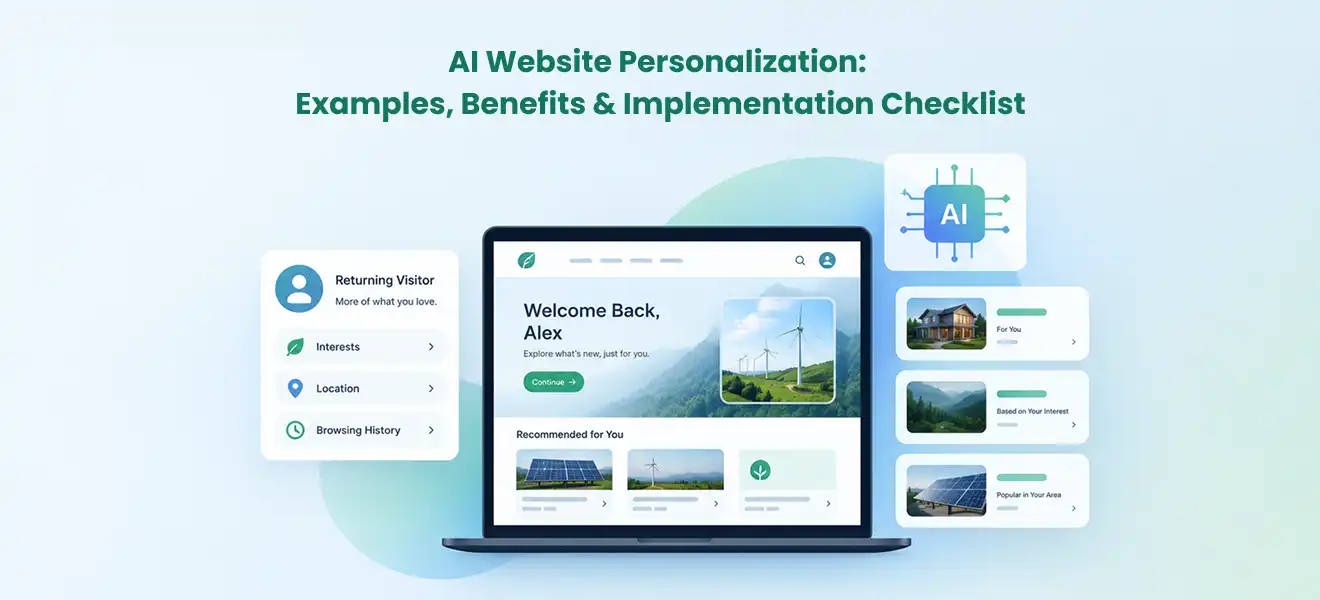
AI website personalization adapts selected parts of a website—such as recommended content, product suggestions, onboarding paths, or calls to action—to the visitor’s current needs. Machine learning can predict what may be useful from permitted behavior and context; simpler rules can handle clear scenarios just as well. The right implementation starts with one measurable user problem, trustworthy data, privacy controls, a useful default experience, and a controlled test. Personalization is worthwhile only when it improves the visitor’s experience and business outcomes more than it adds complexity.
Key takeaways
- Start with one high-value decision, such as which case study to show, which onboarding task comes next, or which products are genuinely relevant.
- Use rule-based targeting when the audience and conditions are clear. Add machine learning when enough trustworthy signals exist to justify more adaptive decisions.
- Keep a useful, accessible default website for new visitors, people who decline tracking, search crawlers, and system failures.
- Measure incremental qualified actions, not just recommendation clicks. Monitor privacy, performance, fairness, content quality, and maintenance cost alongside conversion.
A personalized website should reduce the work a visitor must do, not make the site feel as if it is following them around. For a first-time B2B buyer, that could mean showing a case study matched to a voluntarily selected industry. For a SaaS customer, it may be an onboarding checklist based on the features they have not activated. For an online store, it may mean helpful recommendations constrained by stock and compatibility. These are different problems; they should not all be solved with the same algorithm.
1. What Is AI Website Personalization, and How Does It Work?
AI website personalization uses machine learning or other data-driven models to select, rank, or adapt web experiences using permitted signals about a visitor, their session, or their context. The system typically receives an event or profile attribute, evaluates available content or actions, applies business rules, and returns a decision to the website. The website then renders the approved variation and measures whether it helped.
The word personalization covers several approaches that are easy to confuse:
| — | — | — | — |
|---|---|---|---|
| Contextual content | Show the appropriate language or relevant help for the current page | Clear in-session needs | Context alone may not reveal true preference |
| Rule-based targeting | Show a manufacturing case study after a visitor selects “Manufacturing” | Stable segments and transparent business rules | Rules become harder to maintain as combinations multiply |
| AI-assisted ranking | Rank relevant articles based on consented browsing and topic interest | Larger content libraries and repeat visitors | Needs evaluation data, monitoring, and a safe fallback |
| Generative adaptation | Draft a suggested summary or response from approved information | Open-ended language tasks with review controls | Can introduce incorrect, inconsistent, or unapproved claims |
An AI model is not mandatory for every personalized experience. In fact, rule-based personalization can be easier to explain, test, and govern. Optimizely’s personalization guidance distinguishes predefined rules from algorithmic approaches and describes why mature programs often combine the two. The practical rule is simple: begin with the least complex method that can reliably solve the visitor’s problem.
The five components behind a personalized experience
- Eligible signals: current page, selected preferences, permitted interactions, account attributes, or product usage. Collect only what is needed for the stated purpose.
- A content catalog: tagged articles, approved messages, product attributes, case studies, onboarding actions, or offers with clear owners and validity rules.
- A decision layer: a transparent rule, statistical model, recommendation ranker, or hybrid that chooses from eligible options.
- A delivery layer: website components that render the selected option without breaking layout, accessibility, security, or caching.
- A feedback loop: exposure and outcome events, experiment assignment, quality checks, and a process for stopping or improving a weak experience.
This division matters because “add AI personalization” often sounds like buying one widget. In production, the difficult work usually involves clean data, consent-aware delivery, reliable CMS content, and a way to prove that the new experience is useful.
2. Practical AI Website Personalization Examples
Good examples are concrete enough to define the intended audience, signal, decision, fallback, and success metric. The following scenarios are illustrative implementation patterns, not claims about WebbyCrown projects or measured customer results.
B2B services: show a relevant proof point
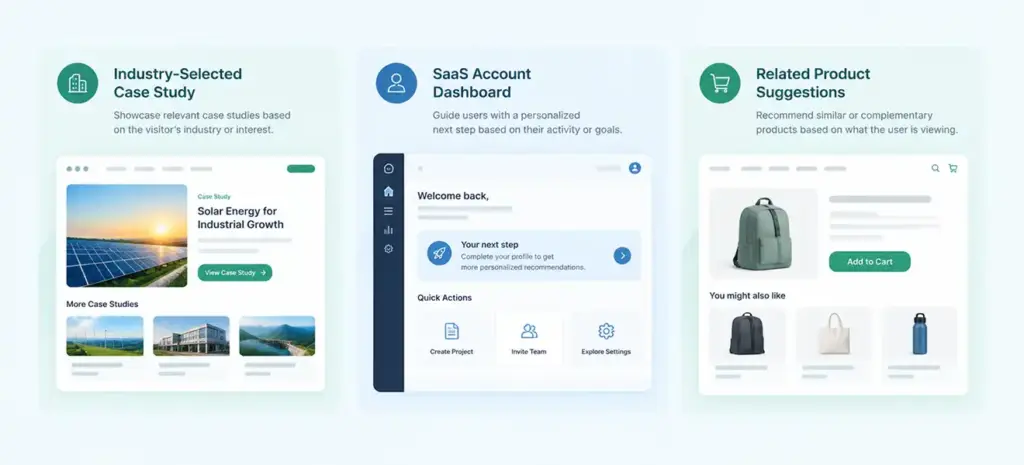
A consulting website serves healthcare, retail, and logistics businesses. A visitor selects “Retail” in a nonintrusive industry selector. The site moves a retail-focused case study higher in a “Related work” module while keeping the general overview accessible. If no industry is selected, the standard proof points remain visible.
Start with rules based on the visitor’s explicit selection. An AI ranking model becomes useful only if the site has enough approved content, engagement history, and legitimate purpose for using those signals. Avoid guessing a visitor’s identity from an unreliable IP-to-company match. Adobe’s B2B personalization use cases describe matching resources and case studies to known prospect profiles while noting limitations of inferred account data.
Measure: qualified case-study engagement followed by a useful action such as a project enquiry, not mere exposure to a changed hero banner.
SaaS product: recommend the next useful onboarding step
A software platform has analytics, integrations, and team permissions. Rather than sending every new customer to the same tutorial, the logged-in dashboard recommends one unfinished setup task based on current product state—for instance, “Connect your first data source.” The action remains available in normal navigation, and a user can dismiss the suggestion.
A rule may be sufficient when there are three obvious next steps. Prediction may help later when the product has many features, multiple account roles, and a substantial history of successful activation paths. Account permissions must govern what the system can reveal or recommend.
Measure: completion of meaningful activation tasks, time to first value, and subsequent retention; check whether the recommendation merely speeds up an action the user would have completed anyway.
Ecommerce: recommend useful products without distorting availability
A shopper explores trail-running shoes and chooses a preferred size. A product page suggests compatible accessories or relevant alternatives. Candidate products must first pass hard constraints: availability, eligible market, variant compatibility, and current price. A ranker can then order eligible options using permitted signals.
This is distinct from AI-powered product search. Search responds to a shopper’s query; website personalization adapts modules and suggested next steps based on context. It should not hide a better-matching product merely because an algorithm predicts a larger order value. When a category has limited history, simple “related items” rules can be a safer starting point.
Measure: incremental contribution margin per eligible visitor, completed purchases, returns, and satisfaction—not only recommendation-widget click-through rate.
Content-rich website: surface the next relevant resource
A publication hosts hundreds of tutorials. A visitor reading about API reliability sees a relevant testing checklist instead of the newest unrelated article. A well-maintained topic taxonomy may solve much of the problem. An AI model can help when the library is large enough for manually maintained “related article” links to become inconsistent.
Measure: useful second-content visits, task completion, returning readers, and unsubscribes or dismissals. Avoid trapping visitors in an endless recommendation loop.
Education or customer portal: personalize support, not core facts
An authenticated learning portal shows a lesson sequence matched to completed modules, while a customer portal prioritizes open support tasks. Core instructions, policies, prices, accessibility information, and safety-critical content should remain consistent and easy to find. If a predicted recommendation is wrong, a person must be able to choose another path without penalty.
Measure: successful task completion, fewer repeated support contacts, and time saved. Review whether certain audiences consistently receive worse options, and make the recommendation reversible.
The common theme is relevance with agency: the site helps people reach information or take an action, but it does not conceal alternatives or remove their control.
3. When Is AI Personalization Better Than Simple Rules?
AI personalization is usually more defensible when the website has many content candidates, meaningful repeat interactions, a measurable outcome, and enough data to evaluate different decisions. It is less defensible when the site is small, traffic is thin, visitor intent is obvious, or legal and operational constraints limit usable signals.
| — | — | — |
|---|---|---|
| A B2B site with an explicit industry selector | Deterministic rules | Visitors have already told you what matters |
| An authenticated SaaS platform with clear feature milestones | Product-state rules; evaluate ML later | Known account state may outperform speculative inference |
| Ecommerce with extensive product and behavior history | Constraint-aware recommendation model | Many candidate items and repeated decisions can justify ranking |
| A regulated or high-stakes decision | Human-reviewed rules and accessible information | Personalization should not obscure material terms or gate essential choices |
Ask four questions before requesting an AI feature: What decision changes? What signals can we lawfully and reliably use? What would the site show without the model? How will we know the changed decision helped? If a team cannot answer these questions, it is not yet ready to optimize the algorithm.
A practical decision score can be qualitative rather than a fabricated “AI readiness percentage.” Mark each factor as ready, needs work, or unknown: (1) goal and baseline; (2) data permissions and quality; (3) content coverage; (4) measurement and experimentation; (5) operational ownership. Missing consent or no credible measurement plan is a stop condition, not just a lower score.
4. How to Implement AI Website Personalization Step by Step
Implementation should be treated as a controlled product change, not a sitewide redesign. Start with a small, reversible workflow and expand only after it produces trustworthy evidence.
Step 1: Pick a decision and define the baseline
Choose one page type, one visitor need, and one primary action. Examples include completing a SaaS setup task or finding a relevant B2B case study. Record the existing conversion or completion rate, mobile performance, abandonment, and any relevant qualitative feedback before changing the experience. Define what would count as success and which negative outcomes would block rollout.
A vague target such as “make the website smarter” is not measurable. A better objective is “help new trial accounts finish their first integration without increasing support contacts.” It connects content, behavior, and a business outcome.
Step 2: Audit data, consent, and permissions
List each proposed input: page context, selected preference, signed-in account status, event history, CRM attribute, or product usage. Record its owner, purpose, retention period, access policy, and whether the visitor can change or revoke their choice. Do not treat a CRM field or a third-party identity guess as inherently accurate.
When analytics or advertising tags use consent signals, implement them according to your actual legal and product requirements. Google’s consent mode documentation explains how Google tags can respond to consent choices, but consent mode alone is not a substitute for legal compliance, a valid consent process, or controls in your own personalization system.
Step 3: Build the content and eligibility model
In the CMS, tag content with attributes such as topic, audience, product stage, language, availability, approval status, and review date. Require a public-safe generic version of each personalized slot. Marketing must be able to correct or retire a message without retraining a model, and the application must enforce permissions before showing restricted information.
If the website contains only a few relevant modules, manual editorial rules may be the better investment. For broader decision logic, WebbyCrown’s AI product engineering lifecycle guide provides related background on moving a feature from data readiness and design to deployment and monitoring.
Step 4: Choose a safe delivery architecture
A basic flow is: page request → consent and eligibility check → decision service → approved content selection → website render → exposure and outcome events. The decision service should return identifiers or structured choices, not unrestricted HTML written by a model. The website then renders trusted components and applies normal accessibility, localization, and authorization rules.
For known visitors, server-side or hybrid delivery can reduce visual changes after page load; client-side updates may be appropriate for lower-priority modules. Adobe’s web personalization implementation overview documents client-side, server-side, and hybrid patterns and highlights render timing and impression tracking.
Define timeouts and fallback behavior. If the recommendation service is unavailable or too slow, show the default module immediately; do not leave a blank hero. For authenticated content, segregate caches by appropriate access context and ensure personalized responses cannot leak another user’s information.
Step 5: Add content, fairness, and UX guardrails
Set a list of ineligible content: expired offers, unsupported claims, products not currently purchasable, and content outside the visitor’s permissions. Give visitors a way to dismiss a suggestion, reset a preference, or access unfiltered navigation. Review variations on mobile and with assistive technology. The WCAG 2.2 standard is a useful accessibility reference for dynamic website components.
Do not use sensitive inferences to create pressure, discriminatory options, or deliberately confusing pathways. The US Federal Trade Commission warns that deceptive dark patterns can manipulate purchases or privacy choices. A recommendation should inform, not corner, the visitor.
Step 6: Run a controlled experiment
Randomly assign eligible visitors or accounts to a stable control experience and a personalized variation. Keep assignment consistent across visits, document exclusions, and check that the groups are comparable. Predefine one primary metric and a short list of guardrails. Segment only when the sample supports useful conclusions; avoid declaring every observed difference a win.
A holdout is important because returning visitors or high-intent segments may naturally convert more often, even without personalization. The experiment should estimate the incremental effect of the new decision rather than crediting the algorithm for purchases that would have happened anyway.
Step 7: Monitor, govern, and expand carefully
Track decision-service latency, error rate, missing content, consent compliance, unexpected segment disparities, conversion quality, and content expiration. Assign a business owner for the message and an engineering owner for the service. Include version control, audit logs, rollback, and periodic re-evaluation of training or ranking data.
NIST’s AI Risk Management Framework describes governance, mapping, measurement, and management as continuing risk functions. Apply that operational mindset even to modest recommendation systems: review drift, changed user behavior, unintended effects, and incident recovery before expanding the pilot.
5. Privacy, SEO, Performance, and Accessibility Risks
A personalized experience can perform well in a marketing dashboard while quietly harming website usability, search visibility, or trust. These four safeguards belong in the launch requirements, not a separate “phase two.”
Privacy: use only permitted signals and respect changes
Collect the minimum information necessary for the defined experience. Clearly explain relevant personalization and tracking practices, provide controls appropriate to the jurisdiction, and honor revocation. Do not use sensitive attributes or unexpected inferred categories to reshape essential opportunities. Review access controls, vendors, retention, and data deletion with the appropriate privacy or legal owner. Requirements differ by US state and other jurisdictions, so this article is not legal advice.
SEO: preserve useful crawlable content and avoid cloaking
Google’s website testing guidance says not to serve search crawlers one set of test pages and people another; it also covers canonical and temporary testing practices. Personalization should preserve a meaningful default page, stable page intent, crawlable navigation, consistent canonical treatment, and access to material information without special cookies. A visitor-only module can vary, but essential product/service facts should not be hidden behind an algorithm.
A/B testing does not automatically violate SEO guidance. Problems arise when a site disguises one experience for crawlers, multiplies thin indexable URLs, or makes important content inaccessible to users and search engines. The search goal remains a genuinely useful, reliable page rather than a promise that a particular AI optimization wins special visibility.
Performance: do not make every page wait for a model
Personalization should use budgets for decision latency, payload size, and rendering. Reserve space for personalized modules so layout does not jump. Avoid blocking critical content while a ranking service responds. Test on slower mobile connections and under failures, not only on a fast desktop. Google and web.dev define Core Web Vitals around loading experience, responsiveness, and visual stability; personalization should not materially degrade those outcomes.
Accessibility and editorial integrity: let people override the system
Keep semantic headings and meaningful links, preserve keyboard navigation and focus when content updates, announce important status changes appropriately, and avoid rapidly shifting controls. Provide a clear route to the unpersonalized experience. Content owners should approve claims, offers, dates, and safety-related information before the decision engine can surface them.
When not to personalize: skip the feature if it uses data visitors would not reasonably expect, makes a critical choice less transparent, degrades mobile performance, or cannot be evaluated against a trustworthy baseline. A reliable default is a product feature, not an embarrassing fallback.
6. How to Measure Personalization Results and ROI
The strongest evidence is incremental improvement from a controlled comparison, together with unchanged or better guardrail metrics. Open rates, widget clicks, and time on page can help diagnose behavior, but they are not sufficient proof of business value.
| — | — | — |
|---|---|---|
| Task or onboarding completion | Did visitors finish the intended job? | Account-level and visitor-level denominators differ |
| Dismissal, complaint, or opt-out rate | Did personalization feel intrusive or unhelpful? | A high click rate can coexist with negative sentiment |
A simple illustrative lift calculation
Assume a B2B site assigns 20,000 eligible visits equally to control and personalized variants. The control receives 200 qualified actions from 10,000 visits (2.0%), while the personalized variant receives 230 from 10,000 (2.3%). The observed difference is 0.3 percentage points, or 15% relative lift (0.3 ÷ 2.0). These are hypothetical values, not benchmark conversion rates or an assertion of statistical significance.
Before treating that difference as a result, verify randomization, visitor/account unit of analysis, sample-size sufficiency, seasonality, repeat visits, and whether the 30 extra actions led to actual qualified opportunities. The test may need more data; a positive point estimate alone does not establish a reliable effect.
For a monetary estimate, a team could calculate: incremental qualified actions × verified downstream value per action − incremental software, content, engineering, and operating costs. If downstream value is uncertain, report incremental actions and costs separately rather than inventing an ROI percentage. For related thinking on picking measurable AI use cases, see predictive analytics use cases with ROI.
How to avoid misleading wins
- Keep control and treatment assignment stable, and count eligible exposures consistently.
- Examine guardrails such as unsubscribes, returns, latency, complaints, and support requests.
- Report the measurement period and denominators; separate observed lift from confidence in the estimate.
- Check for unintended concentration of poor experiences across regions, devices, or user groups.
- Stop or roll back when meaningful harm appears, even if a headline click-through metric improves.
7. Personalization Readiness and Launch Checklist
Use the following checklist to decide whether to launch a small pilot or fix the foundations first. It is an operational review, not a scored industry maturity model.
| — | — | — |
|---|---|---|
| User problem and baseline | Named visitor task, current outcome rate, target and guardrails | Product or marketing |
| Data and consent | Data inventory, purposes, controls, lawful-use review | Privacy and data teams |
| Eligible content | Approved variations, correct metadata, expiry, generic fallback | Content and CMS owner |
| Decision safety | Constraints, permissions, explainability where needed, rollback | Engineering |
| Performance and accessibility | Mobile vitals, keyboard and screen-reader tests, failure behavior | Frontend and QA |
| Experiment design | Assignment unit, holdout, metrics, evaluation horizon | Analytics or experimentation |
| Ongoing ownership | Monitoring, incident contacts, refresh process, review cadence | Product and operations |
For the first launch, choose one page module and a small group of eligible users. Run the control comparison long enough to cover normal demand patterns, then either improve the decision logic, expand carefully, or retire the feature. Avoid promising a universal 30-day or 90-day rollout: the right timeline depends on traffic, data permissions, content readiness, and technical risk.
A site with limited data can still improve relevance immediately through clearer navigation, helpful topic labels, explicit preference selectors, and well-written default content. Those improvements help everyone, including visitors who do not want personalization. AI is an option to evaluate after those fundamentals work.
Frequently Asked Questions
What is AI website personalization in simple terms?
It is the use of machine learning or data-driven decision logic to show more relevant website content, recommendations, or next steps to a visitor. A good system retains a useful default experience and lets people reach essential information without being profiled.
Is AI personalization the same as displaying a visitor's name?
No. Adding a known name is a simple content substitution. AI personalization usually involves choosing or ranking among multiple relevant options using permitted signals and a tested model or decision process.
Can a small business website benefit without a large AI budget?
Yes, but rules and user-selected preferences may deliver most of the benefit. A small site with limited traffic or content rarely needs an advanced predictive model as its first personalization investment.
What data is needed for website personalization?
It depends on the use case. Current page context, explicit user preferences, approved account or product state, and consented behavior may be enough. Collect only justified data, document its purpose, and provide appropriate privacy controls.
Does website personalization require cookies?
Not always. In-session context and explicitly selected options can work without persistent behavioral profiles. Cross-visit tracking or profile-based targeting may involve storage and additional privacy requirements, which must be reviewed for the specific implementation.
Can personalization hurt SEO?
It can if it hides essential content, creates thin indexable variants, degrades performance, or shows search engines deceptive content. Preserve a useful crawlable default, consistent canonical handling, and follow Google’s website-testing guidance.
Should content variations be generated by an LLM in real time?
Not by default. Approved CMS variants are easier to govern. If generative AI is used, constrain it to trusted information, validate claims and rendering, control latency, and avoid generating unreviewed prices, promises, or regulated statements.
How do you measure whether personalization works?
Use a stable control group or suitable experiment and compare a predefined outcome such as qualified conversion, task completion, or contribution margin. Include guardrails for privacy complaints, performance, returns, and other downstream quality signals.
What should happen when the personalization system fails?
The site should promptly show a meaningful default. Log the failure, preserve normal navigation and account permissions, and avoid displaying stale or another visitor’s personalized data.
When should a company move from rules to machine learning?
Consider it when rules are becoming difficult to maintain, there are many eligible options, trustworthy data is available, and controlled testing suggests a model can outperform a simpler baseline after operational costs and risks.
Conclusion
AI website personalization is valuable when it helps visitors complete a real task with less friction. The soundest path is to start with an explicit problem, use rules where they are sufficient, add a model only when evidence supports it, and protect privacy, performance, accessibility, and customer choice throughout. A small, measurable pilot is more informative than a dramatic sitewide rollout.
For teams moving from a personalization concept to a reliable production feature, WebbyCrown’s AI Product Engineering Services can support the discussion around data readiness, decision architecture, integration, testing, and ongoing product operation. The first question should still be whether personalization is the right solution for the visitor’s problem.