Summarize This Article With AI
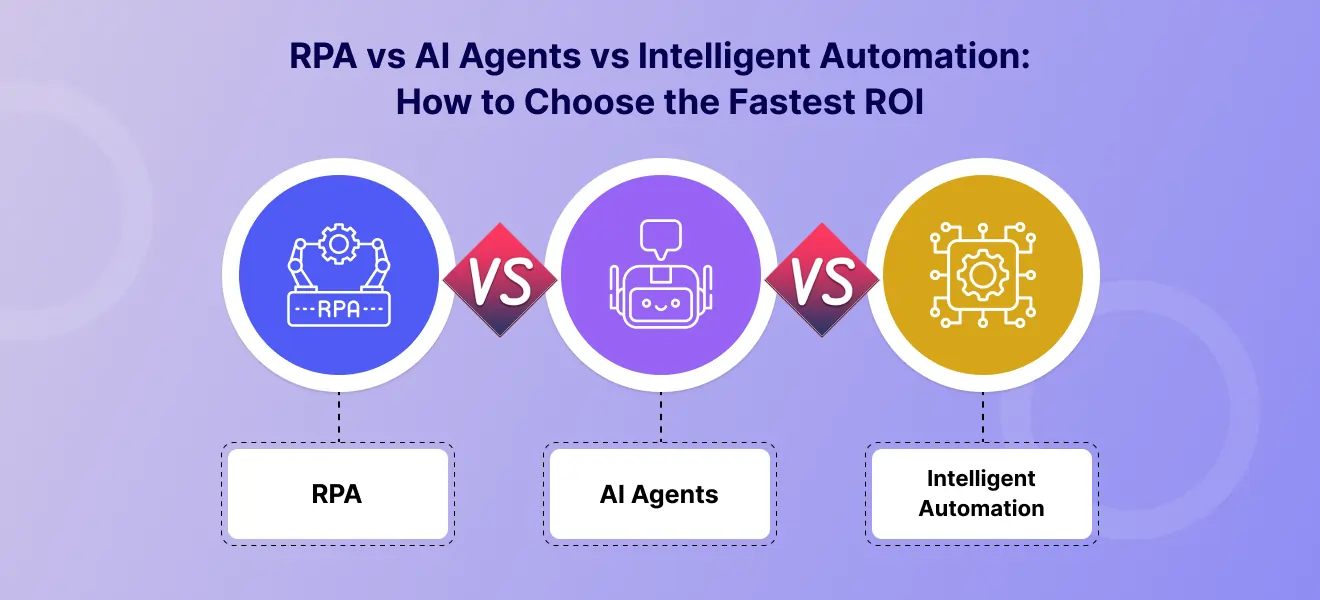
When teams ask for “AI automation,” they are often choosing between three very different options: robotic process automation (RPA), AI agents, and intelligent automation (a hybrid approach). The right choice depends on workflow stability, risk, and how many systems the process touches.
At a practical level, RPA vs AI agents comes down to how predictable your work is. RPA is strong for repetitive tasks and structured workflows. AI agents are better for dynamic workflows, unstructured data, and decision-heavy work. Intelligent automation combines both.
Choose wrong and pilots stall, maintenance spikes, and confidence drops. Choose right and you can improve operational efficiency quickly while building a scalable enterprise automation roadmap across support, finance, HR, IT, and back-office workflows.
If you want help assessing ROI and building an automation strategy that fits your workflows, talk to WebbyCrown Solutions:
Why teams confuse these three
Teams often treat “automation” as one category, but these approaches solve different problems across business processes.
Common outcomes when the choice is unclear:
- Pilots stall because scope and workflow fit were never defined
- Maintenance spikes when automation breaks due to changing systems, inputs, or policies
- Customer satisfaction suffers when automated processes fail silently or escalations happen too late
A simple roadmap—what to automate first, what needs human intervention, and what to measure—prevents wasted effort and delayed ROI.
Quick definitions
Robotic process automation (RPA)
Robotic process automation RPA uses software robots (often called RPA bots or software bots) to automate structured, rule-based tasks. It works by mimicking human interactions inside computer systems—clicking, copying, pasting, and filling forms—based on predefined rules.
Best for
- repetitive tasks and repetitive processes
- stable interfaces
- rule based tasks and rule based processes
- high-volume back-office workflows
Examples
- data entry between disparate systems
- invoice posting steps in finance tools
- report generation
- routine task automation in accounting departments
Limits
RPA is deterministic when the workflow and interfaces stay stable, but it can be fragile in dynamic environments. UI changes, field changes, and shifting business rules can cause failures and require ongoing maintenance. Exceptions and errors still occur and may require human-in-the-loop review to prevent rework and human error.
In many workflows, RPA also performs data extraction from forms or screens (for example, copying fields from one application to another). Some teams describe this as “RPA extracts data,” but it’s important to note that classic RPA is still rules-driven and works best with structured data or consistent formats.
AI agents
AI agents are designed for variable inputs, knowledge-heavy work, and multi-step tool use. In many organizations, they act like virtual assistants that can interpret a user’s request, decide what to do next, and coordinate steps across tools.
In practice, AI agents work by combining artificial intelligence techniques such as natural language processing, machine learning, and in many cases large language models. This makes them useful for unstructured data (emails, tickets, documents) and for workflows where strict scripts do not hold.
Best for
- variable inputs and exceptions
- decision support
- unstructured requests across multiple data sources
- tool orchestration with approvals (human in the loop)
- more complex tasks that require reasoning across systems
Examples
- support triage and response drafting
- procurement comparisons
- IT runbook assistance
- workflow coordination across multiple systems
Limits
AI agents are typically probabilistic and require strong guardrails, monitoring, and boundaries to stay reliable. They may also be more resource-intensive and introduce latency due to inference time. They can help complete tasks faster for knowledge-heavy workflows, but high-impact actions should still be gated with approvals and audit trails.
Intelligent automation
Intelligent automation combines:
- RPA or task automation for structured execution
- AI models for classification, extraction, and summarization
- orchestration and monitoring
It is a practical “best of both worlds” approach for automating business processes end-to-end, especially where documents, rules, routing, and approvals coexist, including ERP-centric setups such as AI-powered Odoo business automation.
Examples
- OCR invoice intake → validation → posting → approval gates
- claims and document workflows
- onboarding workflows with checks and approvals
- intelligent document processing for scanned documents and structured documents
Key advantage
You get end-to-end automation with controls, while keeping higher-risk decisions behind approvals and minimizing unnecessary human intervention.
The decision framework
1) Is the workflow rule-based or variable?
- Rule-based workflows → RPA
- Variable or knowledge-driven workflows → AI agents
- Mixed workflows → intelligent automation
| Workflow Type | Recommended Automation |
|---|---|
| Rule-based, stable | Robotic Process Automation |
| Variable, exception-heavy | AI Agents |
| Mixed (docs + rules + routing) | Intelligent Automation |
2) What happens if it fails?
The higher the impact, the more governance you need.
High-impact actions usually require:
- human-in-the-loop approvals
- phased rollout
- audit trails and monitoring
- rollback plans
Lower-impact tasks may tolerate:
- unattended execution
- lightweight review checks
- smaller approval scope
If a failure impacts customer data, financial data, or customer-facing outcomes, treat the workflow as higher-risk.
3) How many systems are involved?
Integration complexity is a hidden cost driver.
If the workflow touches multiple systems, plan for:
- system integration across disparate systems
- identity and permissions
- monitoring and audit logs
- exception handling
- versioned releases
Many projects fail not because the automation cannot run, but because it cannot be operated safely at scale with minimal human intervention.
ROI comparison
RPA: fastest ROI for stable, repetitive work
RPA usually delivers ROI quickly when:
- steps are repetitive
- inputs are predictable
- the workflow is stable
- volume is high
It is ideal for automating repetitive tasks and reducing manual effort in structured workflows. This often leads to cost savings by reducing cycle time and limiting human error.
AI agents: biggest upside where humans read, decide, and switch tools
AI agents can deliver more value when:
- teams spend time reading and interpreting documents
- work depends on user intent and exceptions
- tasks require coordination across multiple tools
- decisions require routing or approvals
Agents can support cost savings too, but they generally require more governance and monitoring than RPA.
Intelligent automation: best for end-to-end workflows with controls
Intelligent automation often wins when:
- pure RPA becomes too brittle
- pure AI becomes too unpredictable
- the workflow needs extraction + rules + routing + approvals
This hybrid approach is often the go-to solution for complex workflows across enterprise operations.
Best-fit use cases by department
Finance and accounting
Best first choice: RPA + intelligent automation
Use cases:
- invoice processing and approvals
- reconciliation support
- report generation
- structured data entry into finance systems
Customer support
Best first choice: AI agents + chatbot + handoff (for example, through WordPress AI development services)
Use cases:
- ticket triage
- response drafting
- knowledge retrieval
- escalation routing
Done well, this improves customer satisfaction and customer success.
HR operations
Best first choice: RPA for routine tasks, AI agents for policy Q&A
Use cases:
- onboarding forms
- employee document processing
- internal policy assistant
- workflow reminders
IT operations
Best first choice: AI agents with approvals + scripts
Use cases:
- incident triage
- runbook assistance
- change ticket summaries
- low-risk automated actions in non-production environments
Common mistakes that slow ROI
- Using AI agents for simple repetitive tasks
If the process is stable and rule-based, RPA is usually cheaper and easier to maintain. - Applying RPA to variable inputs and dynamic workflows
Bots break often, and ongoing maintenance grows quickly. - Skipping logs and monitoring
Without visibility, troubleshooting becomes slow and confidence drops. - Attempting full autonomy too early
Start with assistive or semi-automated workflows, then reduce human intervention only after performance is stable.
A rollout plan for fast wins (30–60 days)
Weeks 1–2: Opportunity assessment
- identify top repetitive workflows
- score by volume, effort, risk, ROI
- choose 1–2 pilot candidates
Weeks 3–6: Pilot build
- implement the workflow
- add logs and monitoring
- define exception handling and approvals
- test failure scenarios (timeouts, missing data, permission denials)
Weeks 7–8: Measure and scale
- track ROI, error rate, and operational costs
- optimize bottlenecks
- expand to the next workflow
If you plan to introduce AI agents later, design the pilot so it can evolve into intelligent automation instead of becoming a dead-end bot.
Work with WebbyCrown Solutions
WebbyCrown Solutions helps teams choose and implement the right automation path—RPA, AI agents, or intelligent automation—based on workflow fit, risk, and measurable ROI.
We can help with:
- automation opportunity assessment
- pilot design and rollout
- governance, monitoring, and maintenance planning
- integration with legacy systems and modern platforms
FAQs
What is the difference between RPA and AI agents?
RPA automates rule-based tasks with predefined steps. AI agents handle variable inputs, interpret unstructured data, and coordinate multi-step workflows using AI capabilities.
Which automation approach delivers faster ROI?
RPA typically delivers the fastest ROI for stable, high-volume repetitive tasks. AI agents and intelligent automation often deliver more value for complex, exception-heavy workflows.
What is intelligent automation?
Intelligent automation combines robotic process automation, AI capabilities, orchestration, and monitoring to automate mixed workflows involving documents, rules, routing, and approvals.
Can RPA and AI agents be combined?
Yes. Many enterprise workflows work best when AI handles understanding and routing, while RPA executes structured workflows in business systems. This “RPA and AI agents” combination is common in intelligent automation.
What should I automate first?
Start with stable, repetitive tasks with measurable outcomes. Then expand to workflows where unstructured inputs and exceptions justify AI agents or intelligent automation.
Do I need governance for automation?
Yes. Governance ensures permissions, approvals, audit trails, monitoring, and safe escalation paths—especially when automation impacts customers, money, or sensitive data.