Summarize This Article With AI
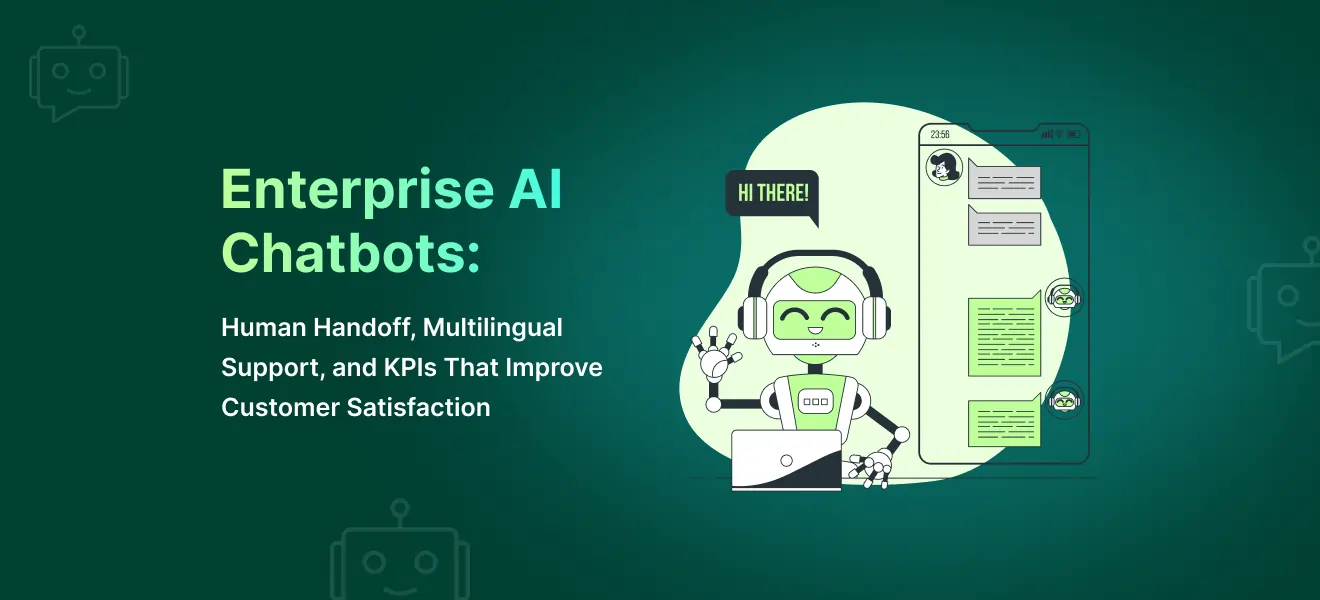
A support chatbot should do more than answer questions. It should help customers move toward resolution quickly, safely, and with less friction.
That is the key distinction between basic bots and enterprise AI chatbots. Basic bots often rely on narrow flows or predefined scripts. Enterprise systems combine conversational AI, secure integrations, knowledge retrieval, escalation logic, and measurable performance metrics to support real customer service workflows.
Modern enterprise AI chatbots use conversational ai technology, natural language processing, natural language understanding, machine learning, large language models, and, in many cases, generative ai to interpret human language, respond more naturally, and support both text and voice-based conversational interfaces. Some organizations also extend these systems with virtual agents, conversational ai agents, and task-oriented ai agents for more advanced automation.
This guide explains how to design enterprise AI chatbots that improve customer experience, escalate to human agents at the right time, support multiple languages, and track the chatbot metrics that matter most.
If you need help designing production-ready support automation, explore AI Chatbot Development Services
What makes an enterprise chatbot different?
A consumer-grade chatbot usually focuses on simple FAQs. Enterprise ai chatbots do much more because they must work inside real business environments, connect to digital systems, and support operational goals.
A strong enterprise support chatbot should:
- identify user intent
- understand the user’s query
- retrieve accurate information from trusted sources
- support self service for common requests
- know when confidence is low
- escalate to human agents
- preserve conversation context
- provide reporting for continuous improvement
- support seamless integration with existing systems
That is why enterprise ai chatbots are not only conversation tools. They are part of customer support operations, service delivery, and in some cases broader workflows across sales, HR, IT, and other broad categories of enterprise support.
Many teams also use ai chatbots as virtual agents that sit in front of CRMs, ticketing platforms, order systems, and internal tools. In that role, they become a conversational layer over enterprise infrastructure rather than a standalone widget, especially when connected to Dynamics 365 CRM development services.
The real goal: resolution, not only deflection
Many teams judge chatbot success only by containment or “how many conversations the bot handled without escalation.” That is incomplete.
The real goal is to improve:
- resolution speed
- support efficiency
- customer satisfaction
- response consistency
- escalation quality
- overall customer experience
If a chatbot avoids escalation at all costs, it can actually hurt customer experience. A poor bot may answer quickly but still fail to solve the issue, increase frustration, and send customers to email, tickets, or even phone calls.
Good automation should reduce friction, not create a dead end.
This is where chatbot analytics, chatbot kpis, and practical chatbot performance metrics become important. You want to understand not just whether the bot responded, but whether it helped the user complete a task, reach the right team, or move closer to resolution.
Human handoff is the most important support workflow
One of the most important design decisions in enterprise ai chatbots is when and how the bot hands off to human agents.
A support chatbot should not try to automate every conversation. Some issues should never remain fully automated:
- billing disputes
- account access issues
- sensitive complaints
- high-emotion conversations
- policy exceptions
- edge cases outside the bot’s capabilities
- complex tasks that require judgment
- more complex tasks involving approvals or exceptions
This is where enterprise ai chatbots outperform basic bots. Strong systems can detect that a case has moved beyond automation, preserve context, and route the user to the right team without forcing them to repeat everything.
When the handoff is done well, human agents receive context and can focus on solving the issue instead of reconstructing it from scratch.
When should a chatbot escalate to human agents?
A chatbot should escalate when:
- confidence is low
- no relevant answer is found
- the user explicitly asks for a human
- the issue is account-specific or sensitive
- the request involves billing, refunds, privacy, or security
- negative sentiment increases
- the conversation repeats without progress
- the request requires judgment or approval
- the issue involves complex queries or complex tasks
These rules help enterprise ai chatbots avoid loops that damage trust. They also improve the quality of customer interactions by moving the user to the right support path earlier.
In many support environments, this is the difference between better automation and worse service.
What context should transfer during handoff?
A chatbot should never escalate empty-handed.
Good handoff means the receiving support rep or live agents get enough context to continue naturally. That includes:
- user intent or case category
- conversation summary
- key customer-provided facts
- account or ticket references when authorized
- what the chatbot already attempted
- sentiment signals
- links to relevant sources
- previous system actions if any
Passing conversation context correctly improves handle time, reduces frustration, and supports better customer conversations across automated and human-assisted steps.
This is also one of the biggest factors behind higher customer satisfaction in enterprise deployments.
A practical handoff model for enterprise support
A strong handoff workflow usually includes five steps:
1) Detection
The chatbot detects that escalation is needed.
2) Summary
It summarizes the conversation and extracts key details.
3) Routing
It sends the issue to the right queue based on:
- issue type
- language
- region
- severity
- product line
- customer tier
4) Context transfer
The assigned rep receives the conversation history and structured summary.
5) Continuity
The user continues the same support journey without starting over.
This makes enterprise ai chatbots far more useful than bots that simply dump users into a generic queue.
Multilingual support is more than translation
Multilingual support is often treated as a simple translation task. In reality, strong multilingual chatbot design requires:
- language detection
- localized intent handling
- localized content or knowledge bases
- escalation routing by language
- QA by region or language group
- fallback logic when localized content is weak
If a chatbot only translates output without grounding answers in the correct source material, response quality drops quickly.
Modern ai chatbots can support many languages, but that does not automatically mean they provide strong service quality in every language. Support quality still depends on content, routing, retrieval, and testing.
Best practices for multilingual support
- use localized sources where needed
- review top intents by region
- test chatbot quality by language
- define fallback rules for weak content
- escalate to language-appropriate teams where possible
Strong multilingual support can improve customer satisfaction, reduce friction for global users, and increase customer engagement, but only if accuracy is preserved.
Secure architecture matters for enterprise AI chatbots
Enterprise ai chatbots often connect to core digital experiences built with website development services and to backend platforms such as:
- CRM systems
- helpdesk tools
- ticketing systems
- order systems
- internal knowledge bases
- policy repositories
- identity systems
- other multiple tools across the business
That means security cannot be an afterthought.
Core security controls include:
- role-based access controls
- limited data access
- audit logs
- secure API integrations
- encryption in transit and at rest
- restricted access to backend systems
- controlled handling of sensitive information
- controlled use of enterprise data
A support bot should only retrieve or act on what it is allowed to access, and only within defined workflows. This is especially important when enterprise ai chatbots operate across support, sales, and internal service environments.
If your organization needs policy and control layers across support automation or plans to deliver support as a cloud product, connect implementation with AI governance consulting support and a specialized SaaS development company.
Knowledge retrieval drives answer quality
Support bots perform best when they are connected to trusted sources.
That may include:
- help center content
- troubleshooting guides
- internal SOPs
- product documentation
- policy docs
- order or account systems
- approved service workflows
This is where conversational ai meets retrieval quality. If the bot is answering from weak or outdated sources, trust drops quickly.
Modern enterprise ai chatbots often combine orchestration written in technologies such as our Node.js development services with:
- conversational ai
- retrieval from internal systems
- natural language processing
- natural language understanding
- large language models
- orchestration across multiple tools
This lets the system interpret natural language, understand user behavior, infer user intent, and respond with more useful, grounded answers.
Many organizations also use ai powered support layers that combine chat, search, routing, and status lookup in one experience. These ai powered assistants can improve speed, reduce manual effort, and support customer support teams handling high volumes of customer inquiries, especially when implemented with a custom AI development company.
If you are building grounded support experiences, link this architecture to your internal guide on hybrid search strategy for RAG.
KPIs that improve customer satisfaction
A chatbot should be measured like a support system, not only a chat interface. That means tracking chatbot metrics, chatbot analytics, and chatbot performance metrics that reflect actual business value.
A useful KPI framework includes both strategic and operational performance metrics.
1) Customer satisfaction (CSAT)
Track customer satisfaction by:
- intent category
- conversation outcome
- language
- escalation type
CSAT is one of the clearest indicators of whether the chatbot improves customer experience.
2) Containment rate
Containment rate measures how many conversations the bot resolves without escalation.
Important caution: containment should not be optimized blindly. High containment with weak satisfaction usually signals poor support outcomes.
3) First-contact resolution
Did the issue get resolved in one interaction, or did the customer need to come back?
This is a strong indicator of support quality and operational maturity.
4) Escalation quality
Review:
- whether escalation happened at the right time
- whether context transfer was strong
- whether the right team received the case
- whether the handoff reduced effort for human agents
A bot that escalates well can still create strong value, even if containment is only moderate.
5) Average handle time
Measure total support time across bot and human workflows, not only bot response time.
For many teams, this includes:
- the average duration of chatbot sessions
- the average number of turns before resolution
- the average number of messages before escalation
A chatbot may seem fast on paper while still increasing support effort if the handoff is weak.
6) Fallback and no-answer rate
Track:
- no-answer cases
- fallback frequency
- non response rate
- repeated rephrasing
- unresolved loops
These are useful chatbot performance metrics because they reveal where the bot is failing to support the user.
7) Additional diagnostic metrics
Depending on the support model, teams may also review:
- bounce rate
- chatbot adoption
- user engagement
- actual engagement
- conversion rate for support-to-sales or self-service completion
- changes in inbound phone calls
- trend changes in customer support workload
These metrics are not always primary, but they can provide useful context when analyzing chatbot performance.
What good chatbot analytics should reveal
Strong chatbot analytics should tell you:
- what types of issues the bot handles well
- where users drop off
- which intents trigger escalation
- where customers rephrase repeatedly
- which languages or regions underperform
- how user behavior changes over time
- whether the system meets user expectations
This makes chatbot analytics more than reporting. It becomes a decision tool for improving routing, knowledge coverage, and service design.
When reviewed consistently, chatbot analytics also support business growth, better support planning, and improved operational visibility.
Common mistakes in enterprise chatbot deployments
1) Trying to automate every conversation
Some support workflows require human judgment. Over-automation damages trust.
2) Weak handoff design
If users must repeat themselves after escalation, the chatbot did not truly help.
3) Ignoring language-specific quality
Multilingual support needs testing, not only translation.
4) No KPI framework
Without specific metrics, teams cannot tell whether the chatbot improves support operations or simply moves work around.
5) Poor knowledge grounding
A fluent answer is not enough. The answer must come from the right source.
6) Treating enterprise chatbots like simple ai bots
Basic ai bots may work for narrow flows, but enterprise ai chatbots need better controls, integrations, retrieval, and escalation logic.
Practical rollout plan for enterprise support chatbots
Phase 1: Scope the top intents
Start with the highest-volume support intents, such as:
- order status
- refund policies
- password or account access guidance
- troubleshooting basics
- FAQ categories
Phase 2: Build knowledge and escalation flows
Define:
- trusted data sources
- response patterns
- escalation triggers
- routing logic
- language support rules
- handoff summaries
Phase 3: Launch to a limited support segment
Start with:
- one product line
- one region
- one queue
- one language group
Track chatbot performance closely from the start.
Phase 4: Expand with KPI-based improvement
Use data to improve:
- handoff timing
- language handling
- knowledge coverage
- backend integrations
- support workflows
- escalation rules
This is how enterprise ai chatbots become a real operational asset rather than a side project.
When designed well, they can help organizations improve service quality, operational efficiency, improved operational efficiency, and even lead generation in support-adjacent workflows.
Why businesses choose WebbyCrown Solutions for enterprise chatbot development
WebbyCrown Solutions helps teams build enterprise ai chatbots that are practical, measurable, and aligned to support goals.
Our work includes a strong engineering foundation with Python development services and:
- conversational design
- support workflow mapping
- human handoff architecture
- multilingual support planning
- secure integrations
- KPI design and monitoring
- knowledge-grounded chatbot implementation
- advanced conversational interfaces
- workflow-aware assistants using artificial intelligence
- support systems that connect chat, retrieval, and backend actions
We help businesses use ai chatbots, virtual agents, and support automation to improve customer support, reduce repetitive work, support business growth, and create better experiences for both users and service teams, backed by dedicated software quality assurance services.
If you want customer support automation that improves customer experience and reduces repetitive support work,
FAQs
When should a chatbot escalate to a human agent?
A chatbot should escalate when confidence is low, when the issue is sensitive or account-specific, when a customer requests a human, or when the conversation is not progressing.
How do chatbots improve customer satisfaction?
They improve customer satisfaction by reducing wait times, handling common requests faster, and passing structured context to human agents when escalation is needed.
What is the most important KPI for a support chatbot?
Customer satisfaction is one of the most important KPIs, but it should be reviewed alongside containment, first-contact resolution, escalation quality, and handle time.
Can one chatbot support multiple languages?
Yes, but multilingual support needs language-aware routing, localized knowledge, and QA processes. Translation alone is usually not enough.
How do you secure an enterprise support chatbot?
Use role-based access, data minimization, encryption, logging, controlled API access, and rules for handling sensitive information and enterprise data.
Why do support chatbots fail?
Common reasons include poor handoff design, weak grounding, low-quality multilingual support, lack of KPI tracking, and trying to automate high-judgment workflows too early.