Summarize This Article With AI
AI agents are moving from demos into real business workflows across support, finance, HR, procurement, and IT operations.
The key difference many organizations miss is simple: a chatbot answers questions, but an AI agent can plan steps, call tools, read data from multiple systems, and take actions. That extra capability can create real business value, but it also creates risk if there are no boundaries.
The most important question is not whether an agent can complete a task. It is whether the agent can do it safely, consistently, and with accountability.
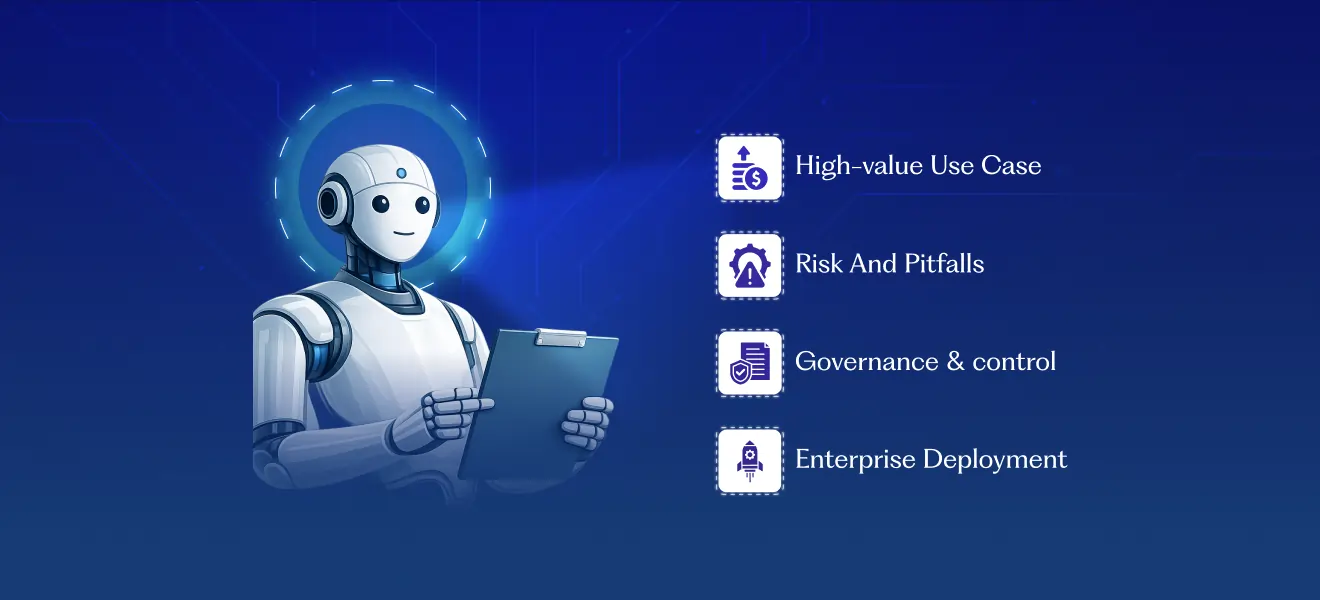
This guide covers:
- what AI agents do in business environments
- safe, high-value use cases
- risky patterns to avoid
- governance controls that make agents production-ready
- a practical rollout plan for enterprise deployment
If you want help designing production-ready agents with strong controls, explore AI Agent Development Services
What are AI agents in a business context?
An AI agent is a software system that interprets a goal, decides the steps needed to achieve it, and uses tools (APIs, applications, databases, workflows) to execute tasks on behalf of a user or process.
Unlike traditional software that follows only fixed rules, AI agents can handle changing context and make decisions within defined boundaries.
Most enterprise AI agents operate in one of three modes:
1) Assistive agents
These agents summarize, draft, recommend, and retrieve information, but people make the final decision and execute actions.
Example: A support agent suggests a response and knowledge-base articles, but a human approves and sends the reply.
2) Semi-autonomous agents
These agents can execute tasks, but only after approval gates, policy checks, or human confirmation.
Example: A finance operations agent prepares an exception summary and routes it for approval before any transaction-related action.
3) Autonomous agents
These autonomous AI agents can handle end-to-end workflows with minimal human intervention.
This model can work in specific low-risk scenarios, but most organizations should only expand to higher autonomy after governance, logging, and failure handling are proven.
What AI agents actually do in business workflows
AI agents in business are most useful when a workflow involves:
- multiple systems
- repeated coordination
- unstructured inputs (emails, tickets, documents)
- judgment-like steps (classification, routing, prioritization)
- human approvals at key points
A practical way to think about agents is an observe → plan → act loop:
Observe
The agent collects relevant context from systems such as:
- support tickets
- CRM records
- dashboards
- knowledge bases
- emails or internal requests
Plan
The agent breaks down the goal into steps:
- what information is missing
- which tool to call
- what order to do tasks in
- whether approval is needed before proceeding
Act
The agent performs allowed actions such as:
- creating a ticket
- drafting a status message
- updating a non-sensitive field
- routing a request
- preparing an approval packet
The best enterprise deployments limit agents to allowed actions, not unlimited tool access.
Safe and high-value use cases for AI agents in business
The safest starting point is repetitive, document-heavy, or coordination-heavy workflows where:
- mistakes are correctable
- approvals are easy to insert
- impact is measurable
1) Customer support and ticket triage
AI agents can:
- classify incoming tickets by urgency and topic
- summarize customer conversations
- suggest responses from approved knowledge sources
- route tickets to the right team
- pull customer context before a human agent opens the case
This improves response speed and reduces repetitive manual triage work.
Safe setup: Keep the agent in assistive or semi-autonomous mode. Final responses for refunds, account changes, or sensitive cases should go through human review.
For teams building support automation, this fits naturally with AI Chatbot Development Services and knowledge retrieval architecture.
2) Sales and pre-sales support
AI agents can support sales teams by:
- summarizing discovery calls
- drafting follow-up emails from approved templates
- organizing customer requirements
- creating proposal outlines
- comparing internal solution options against stated needs
This reduces admin workload and helps teams respond faster.
Safe setup: Restrict the agent to approved product content, approved templates, and internal systems. Do not allow independent pricing changes, contractual commitments, or discount approvals.
3) Finance operations and reporting support
AI agents can:
- extract invoice information
- prepare reconciliation summaries
- draft finance reports
- identify exceptions for review
- coordinate recurring reporting workflows
This is useful for reducing repetitive preparation work and improving reporting speed.
Safe setup: The agent should not authorize payments, approve financial transactions, or make ledger changes without explicit human approval and complete audit logs to ensure data integrity and compliance with data protection regulations such as the General Data Protection Regulation.
4) HR and internal service workflows
AI agents can:
- answer employee policy questions from approved documents
- assist with onboarding workflows and checklists
- route HR requests to specialists
- summarize internal support requests for HR teams
This improves internal response times and reduces repetitive requests.
Safe setup: Do not allow autonomous decisions on hiring, promotions, benefits changes, or disciplinary actions. High-impact employment decisions must remain human-led.
5) IT operations and incident support
AI agents can:
- summarize incidents
- collect logs and diagnostic context
- suggest runbook steps
- draft change notes
- prepare rollback or escalation requests
- trigger low-risk actions in non-production environments
This helps IT teams respond faster while preserving control.
Safe setup: Production changes, permission changes, and security-sensitive actions should require approval, logging, and rollback procedures.
6) Procurement and vendor workflows
AI agents can:
- summarize vendor proposals
- compare documents
- prepare review packets
- route requests through approval workflows
- track status across departments
Procurement is a strong use case because it combines document-heavy work with structured approvals.
Safe setup: Keep contract approval, spend authorization, and vendor onboarding decisions with designated business owners.
7) Internal knowledge assistants with action support
AI agents can retrieve information from enterprise knowledge bases and help users take next steps such as:
- creating tickets
- drafting internal requests
- routing tasks
- generating summaries from approved content
This is one of the fastest ways to show value across departments.
Safe setup: Use permission-aware access controls so the agent only retrieves content the user is authorized to access.
If your team is planning this type of system, also review your AI policy approvals and evidence playbook before production rollout.
What AI agents should not do without mature controls
The biggest mistake in enterprise deployments is giving agents broad privileges too early.
Avoid fully autonomous execution for high-impact actions until governance is mature and tested.
Red-line actions for most enterprise deployments
These actions should usually require human approval and stronger controls:
- changing user roles or permissions
- authorizing payments or refunds
- approving contracts or legal documents
- deploying to production environments
- mass-updating customer records
- accessing sensitive data without strict access controls and role-based permissions
- using unrestricted external tools or internet access
- executing high-impact actions without audit logs
A practical rule: the reversibility heuristic
If an action is:
- hard to reverse
- expensive to fix
- privacy-sensitive
- regulated
- customer-impacting at scale
…it should require:
- human approval before execution
- strong audit logs
- clear rollback procedures
This simple rule makes governance practical for business teams.
Common failure patterns in AI agent deployments
1) Over-permissioning
If an agent can access too many tools or too much data, small errors can become large incidents.
2) Missing approval gates
Teams often let an agent move directly from recommendation to execution in workflows that should require review.
3) Weak logging and traceability
Without audit logs, teams cannot investigate failures, improve agent behavior, or prove controls are working.
4) No escalation design
Agents need clear paths for uncertainty, tool failures, permission denials, and edge cases.
5) Pilot success without operating model
A pilot may work, but scaling fails if ownership, metrics, and governance are unclear.
Governance controls that make AI agents safe
The difference between a useful AI agent and a risky one is not only the model. It is the control layer around the model.
1) Permissions and tool access
Apply least-privilege design:
- tool allowlists (only approved tools)
- role-based data access
- environment separation (dev/staging/production)
- fine-grained action scopes (read vs write, create vs approve)
An agent that can read dashboards is very different from one that can change production systems.
2) Human approval gates
Use approval gates for:
- financial actions
- production changes
- role/permission updates
- customer-impacting bulk actions
- legally sensitive communications
- high-value procurement decisions
Approval screens should show what the agent plans to do, what data it used, and expected outcomes.
3) Audit logs and traceability
Log each important step so teams can answer:
- what triggered the agent
- what tools it used
- what data it accessed
- what outputs it generated
- what actions were approved
- what changed in downstream systems
This supports debugging, security reviews, incident response, and compliance workflows.
4) Monitoring and performance management
Track AI agent performance like a production system. Key performance indicators include:
- task success rate
- exception rate
- human override rate
- unsafe action attempts
- latency per task
- cost per task
- user satisfaction
Monitoring is how you improve both quality and safety over time.
If your organization needs governance design across the full AI lifecycle, pair agent implementation with AI governance consulting support
Operating model for running AI agents as a business capability
Scaling from one agent pilot to multiple agents requires an operating model, not just a build project.
Core ownership roles
Each deployed agent should have clear accountability across four roles:
- Business owner — process fit, outcomes, success metrics
- Engineering owner — integrations, reliability, monitoring, incident response
- Security/Data owner — access boundaries, data protection, controls
- Governance/Compliance owner — policies, approvals, audit requirements
Clear ownership reduces confusion and speeds up decisions when incidents happen.
Agent charter documentation
For each agent, document:
- what it can do
- what it must not do
- which tools/systems it can access
- what approvals are required
- who is accountable
- what success metrics define value
This becomes the reference point for audits, incident reviews, and scope expansion.
Lightweight review cadence
A monthly review works well for most teams. Review:
- incidents and near misses
- override patterns
- tool failures
- user feedback
- proposed scope changes
- autonomy level changes
This keeps governance active without slowing delivery.
Practical rollout plan for enterprise AI agents
A phased rollout improves safety, reduces rework, and builds trust.
Phase 1: Use-case selection
Choose a workflow with:
- high manual effort
- measurable value
- manageable risk
- clear success metrics
- willing stakeholders
Good starting examples:
- support triage
- internal knowledge assistant
- IT incident summarization
- procurement document comparison
Phase 2: Boundary and control design
Before building, document:
- allowed tools
- allowed actions
- data access scope
- approval gates
- escalation rules
- logging requirements
- success metrics
This step prevents the most common failure: agents with more access than intended.
Phase 3: Build and test
Test more than happy paths:
- incomplete data
- tool failures
- permission denials
- unexpected user input
- escalation behavior
- rollback paths
Agents that work in clean demos can fail in messy real environments, so realistic testing matters.
Phase 4: Limited rollout and monitoring
Start small:
- one team
- one region
- one process
- one approved use case
Monitor closely, collect feedback, and expand scope only after performance is stable.
For teams comparing automation options before rollout, also link to your internal post on RPA vs AI agents decision guide
AI agents vs chatbots vs traditional automation
Most organizations will use all three. The key is choosing the right approach for the workflow.
Use a chatbot when:
- the task is primarily conversational
- the goal is answering FAQs or guiding users
- actions are limited or simple
Use RPA or traditional automation when:
- the process is fixed and rule-based
- the workflow is stable
- no reasoning is required
Use AI agents when:
- the workflow needs context interpretation
- multiple tools/systems are involved
- the process includes multi-step decisioning
- human approvals can be inserted at critical points
In many enterprise environments, the best architecture is hybrid:
- chatbot or voice interface for interaction
- AI agent for reasoning and orchestration
- APIs/RPA/scripts for execution
- governance controls across the full stack
Why businesses choose WebbyCrown Solutions for AI agent implementation
WebbyCrown Solutions helps organizations design and deploy AI agents for real business workflows with a focus on production readiness, governance, and measurable outcomes.
Our work includes:
- agent strategy and use-case selection
- custom agent design and development
- system integration and orchestration
- permissions, approvals, and logging setup
- monitoring and ongoing optimization
If you want to deploy agents that improve operations without creating governance gaps, contact WebbyCrown Solutions:
FAQs
What is the safest way to start with AI agents?
Start with a semi-autonomous agent for a low-to-medium risk workflow where errors are correctable. Add clear permissions, approval gates, and audit logs from day one.
Do AI agents replace employees?
In most business use cases, AI agents reduce repetitive work and help teams move faster. Human oversight remains essential for high-impact decisions, sensitive actions, and exception handling.
Can AI agents work with existing business systems?
Yes. AI agents can integrate with existing systems, but access should be explicitly configured with least-privilege permissions and monitoring.
What is the biggest risk when deploying AI agents?
Over-permissioning is one of the biggest risks. If an agent can access too much data or too many tools, the chance of harmful errors increases.
How do we measure if an AI agent is successful?
Track task success rate, exception rate, human override frequency, unsafe action attempts, latency, cost per task, and user satisfaction against baseline workflow metrics.
Can AI agents run without human oversight?
Technically yes in some cases, but most enterprise deployments should start with bounded autonomy and approval gates, then expand only after governance and performance are proven.